

Changing your brand domain name is a high-stakes decision for any growing business. If you have spent months or years building organic search visibility, accumulating high-authority backlinks, and driving consistent customer traffic, the fear of losing your rankings during a domain move is completely valid.
Here is the truth: A domain migration does not have to destroy your organic traffic. When executed with a structured, step-by-step technical framework, you can seamlessly transition your entire website to a new web address while preserving your search authority, backlink equity, and conversion funnel.
Historically, founders assumed that changing a domain required hiring expensive technical specialists and web migration agencies. But modern platforms have completely rewritten that script. When you manage your web presence on BoltWeb, complex technical tasks become fast and effortless.
We built BoltWeb as the future of website builders—an all-in-one platform engineered to keep your storefront stunning, conversion-focused, and built with powerful, native on-page SEO from day one. Whether you need to update a domain now or upgrade your entire digital infrastructure for the future, BoltWeb empowers you to handle domain changes in minutes:
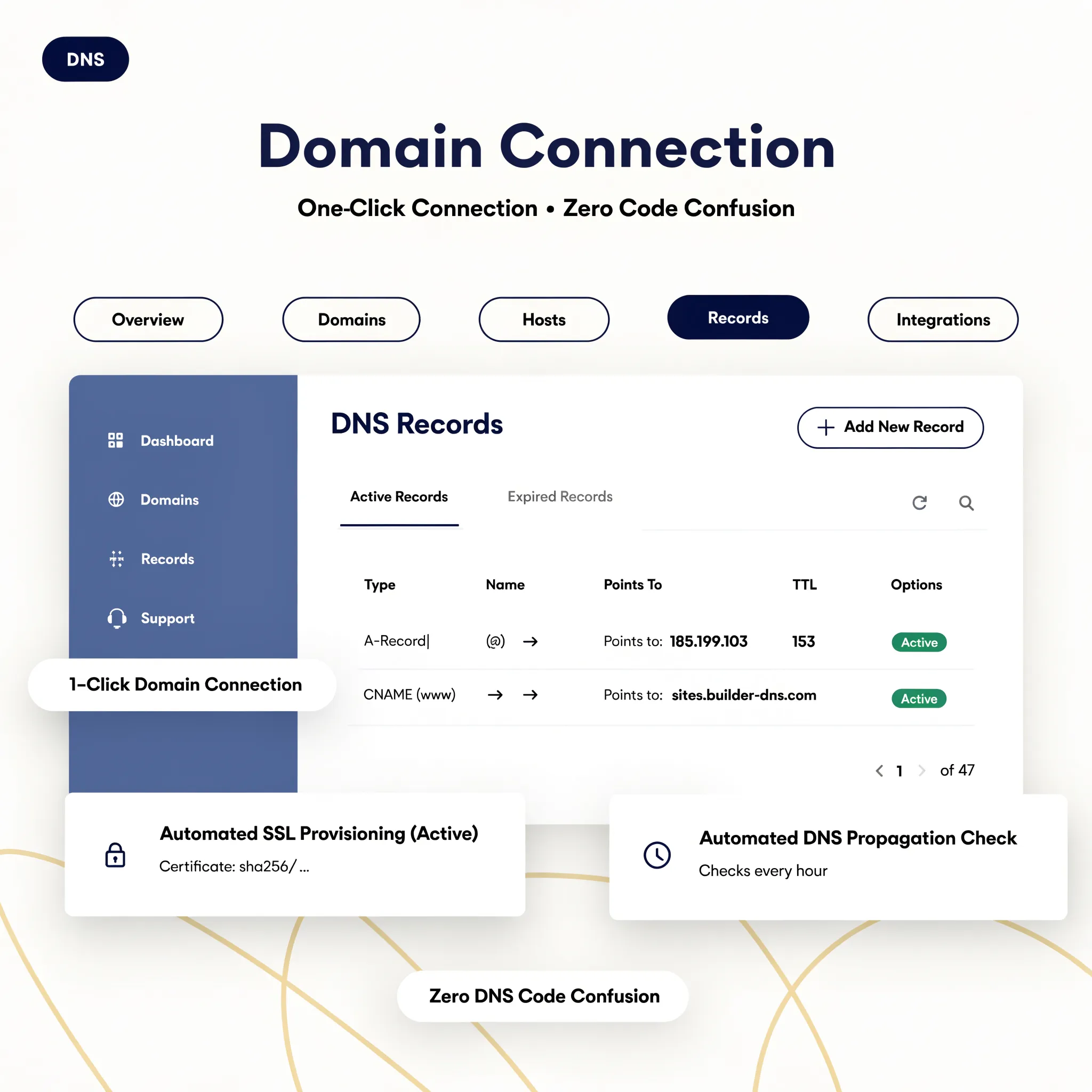
- Direct Swap Method: Navigate to your Domains section, click the trash bin icon to remove the old address, type in your new web address, and click Configure. Within two minutes, a green success badge appears. Then, simply open your project in the builder, update your primary domain inside the SEO Settings panel, click Publish, and your new domain is live!
- Automated Migration Method: Enter your new address under the Domains tab, navigate to Settings → Migration, and click Migrate. The platform automatically configures your infrastructure and sets up automated 301 redirects from your old domain to your new domain so 100% of incoming traffic and link equity pass directly to your fresh storefront.
This ultimate guide will walk you through the right way to change your domain name without losing SEO so you can scale your brand without losing a single client.
The Master Domain Migration Protocol Matrix
| Migration Phase | Primary Technical Task | Critical SEO Requirement | Execution Tool |
|---|---|---|---|
| 1. Pre-Launch Audit | Indexing & Backlink Crawl | Map 100% of top-performing URLs | Google Search Console / Ahrefs |
| 2. Infrastructure Setup | DNS & SSL Provisioning | Ensure HTTPS active on new domain | BoltWeb Domain Panel |
| 3. Traffic Redirection | 301 Permanent Mapping | Enforce strict 1-to-1 page redirects | BoltWeb Migration Engine |
| 4. Search Indexing | Search Console Notification | Submit Change of Address & Sitemap | Google Search Console |
1. How to Change Your Domain Name Without Losing SEO
Let's address the most urgent concern right upfront: Can you change your domain name without resetting your Google rankings back to zero? Yes, absolutely—provided you don't break the connection between your old URLs and your new URLs.
Search engine bots need a clear, unbroken path to trace your content from its legacy location to its new home. Learning how to change your domain name without losing SEO comes down to maintaining a strict page-mapping protocol. Following an established framework allows you to execute a seamless change domain name SEO strategy while keeping your lead pipeline open.
2. Decide Whether Changing Your Domain Is Worth the SEO Risk
Before touching a single DNS setting, evaluate whether a domain migration is necessary for your long-term business growth. Valid business reasons to migrate:
- Brand Evolution: Moving from an obscure local name to an authoritative .com address.
- Legal / Trademark Conflicts: Resolving a brand naming overlap with another trademark holder.
- Domain Upgrade: Transitioning from a clunky, hyphenated URL to a clean, memorable web address.
Evaluating the changing domain name SEO impact helps you weigh temporary ranking fluctuations against long-term brand equity before deciding should I change my domain name.
3. Audit Your Current Website Before Moving to a New Domain
You cannot protect what you haven't tracked. Before making any domain updates, build a complete baseline inventory of your existing website's digital footprint. What to record in your pre-migration audit:
- Top Organic Landing Pages: Export your top 20% highest-traffic pages from Google Analytics.
- Backlink Profile: Download your complete backlink report from Google Search Console or Ahrefs.
- Indexed URL List: Crawl your site to capture every active URL slug currently indexed by search engines.
Completing a website migration SEO checklist and establishing an SEO audit before domain migration ensures zero high-performing pages fall through the cracks during your domain migration checklist execution.
4. Prepare the New Domain Without Changing Your Existing Website Too Early
Here is a common rookie mistake: tearing down the live website before the new domain environment is verified and ready. Isolate your preparation from your live site:
- Provision Infrastructure First: Secure your new domain and verify that SSL certificates are active before touching live traffic.
- Stage Content Cleanly: If you are deploying on BoltWeb, configure your layout, review mobile responsiveness, and verify local schema markup inside the editor while your old site continues serving clients uninterrupted.
Taking time to prepare new domain for migration ensures a smooth new domain SEO setup during your website domain migration.
5. Map Every Important Old URL to Its Best New URL
Here is the golden rule of domain migrations: Every single indexed page on your old domain MUST point directly to its exact structural equivalent on your new domain.
| Legacy Source URL | Destination Target URL |
|---|---|
| oldbrand.com/services | newbrand.com/services |
| oldbrand.com/blog/seo-guide | newbrand.com/blog/seo-guide |
Never lazy-redirect all old pages to your new homepage. Doing so causes Google to treat those redirects as soft 404 errors, wiping out individual page rankings overnight. Creating a comprehensive URL mapping for website migration spreadsheet establishes an accurate old URL to new URL mapping database to power your SEO migration URL map.
6. Set Up Permanent 301 Redirects From the Old Domain
"How do I make sure people and search engines reach the new website?"
Once your new domain is live and your URL map is complete, trigger permanent 301 redirects from your old web address. Why 301 redirects are essential:
HTTP 301 Permanent Redirect ⟹ Passes ~95–99% Search Ranking Equity to New URL
When using BoltWeb, setting up redirects takes just a few clicks. Navigate to your domain dashboard, select Redirect, and point all incoming traffic from your old address directly to your new domain. The platform handles the underlying routing automatically.
oldbrand.com/pagenewbrand.com/page in millisecondsExecuting a proper 301 redirect domain migration allows you to redirect old domain to new domain endpoints using an authoritative permanent domain redirect strategy.
7. Update Internal Links, Canonical Tags, and Technical SEO Signals
Setting up domain redirects is only half the battle—you must also update the technical signals sitting directly inside your page code. Update these three critical technical SEO signals:
- Self-Referencing Canonical Tags: Update canonical tags so they explicitly point to your new domain URLs (https://newbrand.com/page).
- Hardcoded Internal Links: Scan your content and update internal body links so they point directly to new domain paths rather than relying on redirect chains.
- XML Sitemap References: Generate a fresh XML sitemap that contains strictly indexable, new-domain URLs.
Checking canonical tags domain migration rules, choosing to update internal links after domain change, and auditing your technical SEO migration prevents conflicting indexing instructions.
8. Move Your XML Sitemap and Verify Google Search Console
"How will Google discover the new URLs and understand that the site has moved?"
Once your redirects and internal technical tags are active, notify Google directly so its web crawlers can accelerate re-indexing. Follow this step-by-step notification workflow:
- Verify Both Properties: Add and verify both your old domain and new domain properties inside Google Search Console.
- Submit New XML Sitemap: Upload your updated sitemap (https://newbrand.com/sitemap.xml) under the new domain property.
- Execute Change of Address Tool: Navigate to the settings tab of your old domain property and trigger Google's official Change of Address tool to inform search bots of the permanent move.
oldbrand.comnewbrand.comnewbrand.com/sitemap.xmlMastering the Google Search Console domain change workflow, choosing to submit new sitemap files immediately, and utilizing the official Change of Address tool speeds up search engine re-indexing.
9. Keep Your Backlinks, Brand Mentions, and Business Listings Consistent
While 301 redirects pass the vast majority of link equity, updating top-tier external backlinks directly to your new domain maximizes performance. Prioritize updating these high-value external references:
- Google Business Profile: Update your primary website link inside your local business listing immediately.
- Social Media Profiles: Update links across LinkedIn, X, Instagram, Facebook, and YouTube channels.
- Top 10 External Backlinks: Reach out to partner websites, industry directories, and guest blogs holding your most authoritative backlinks, requesting a quick URL update.
Protecting backlinks after domain migration, learning how to update backlinks after domain change, and maintaining brand consistency preserves your hard-earned domain change SEO value.
10. Launch the New Domain and Test Every Critical Path
Before running paid ad campaigns or announcing your new brand to your email newsletter list, perform a comprehensive post-launch audit. Run through this critical verification checklist:
Running thorough website migration testing, utilizing a post-launch domain migration checklist, and taking time to test 301 redirects catches technical bugs before they impact your revenue.

11. Monitor Rankings, Traffic, Indexing, and Errors After the Move
It is completely normal to see minor organic ranking and traffic fluctuations during the first 14 to 30 days following a domain change as search engines re-crawl and re-index your pages. How to monitor post-migration performance:
| Metric Monitored | Target Benchmark |
|---|---|
| Crawl Errors (GSC) | Zero 404 errors on mapped URLs |
| Indexation Progress | Steady growth in new domain indexation |
| Organic Search Impressions | Recovery to baseline within 30–45 days |
Setting up systems to monitor SEO after domain migration isolates temporary index adjustments from true technical bugs. Identifying the root causes behind a traffic drop after domain change allows you to resolve domain migration ranking changes quickly.
12. Know How Long to Keep Your Old Domain and Redirects Active
Here is a critical piece of advice: NEVER let your old domain registration expire immediately after a migration. Why you must maintain your old domain registration for at least 12 to 24 months:
- Sustains Search Signal Transfers: Search engine bots need time to process and solidify the permanent transfer of link signals across millions of historical web pages.
- Prevents Competitor Hijacking: If you allow your old domain to expire, a competitor or domain squatter can purchase it, capture your legacy traffic, and impersonate your brand.
Understanding how long to keep 301 redirects active demonstrates why choosing to keep old domain after migration investments protects your business against long-term old domain SEO decay.
Build and Scale Your Future Storefront on BoltWeb Today: Don't let technical hurdles, complicated migration scripts, or fear of lost rankings hold your business back. Build on BoltWeb—the future-ready website builder designed for high conversions and built-in search visibility. Execute your domain swap in under two minutes, maintain seamless 301 redirects, and create a business website using our advanced domain and website builder in under 60 seconds!
12 High-Converting FAQs: How to Change Your Domain Name Without Losing SEO
1. How do I change my domain name without losing SEO rankings and website traffic?
Here's the plain truth: Changing your web address doesn't have to ruin the organic traffic you've worked hard to build. You do not need to hire an expensive agency or fear losing your hard-earned rankings. Search engine crawlers simply need a clear, unbroken 301 path to trace your content from its old location to its new home. When you manage your site on BoltWeb, switching domain addresses is fast and effortless. As a future-ready business website builder, BoltWeb allows you to perform an automated domain swap or trigger instant 301 redirects directly beneath your account panel—keeping your storefront live, secure, and search-optimized in under 60 seconds!
2. Is changing my domain name worth the potential SEO risk for my business?
Before modifying your DNS settings, evaluate whether a domain migration aligns with your long-term commercial growth strategy:
- Brand Upgrade: Moving from an obscure local name to an authoritative .com address.
- Trademark Alignment: Resolving a naming overlap with an existing trademark holder.
- Clarity Improvement: Transitioning away from a clunky, hyphenated web address.
Evaluating the changing domain name SEO impact helps you weigh temporary index adjustments before asking should I change my domain name.
3. What steps should I include in my SEO audit before starting a domain migration?
You cannot protect what you haven't tracked. Before making any domain updates, compile a baseline inventory of your existing digital footprint:
- Top Landing Pages: Export your highest-traffic organic URLs from Google Analytics.
- Backlink Inventory: Download your complete backlink report from Google Search Console.
- Indexed URL Index: Crawl your site to capture every active page path currently indexed by search engines.
Completing a website migration SEO checklist and conducting an SEO audit before domain migration ensures no high-performing URLs are lost during your domain migration checklist execution.
4. How do I prepare the new domain without taking my current website offline?
A common mistake during a website move is tearing down the active site before the new domain environment is verified and ready. Keep your launch preparation isolated from live traffic:
- Provision Infrastructure First: Secure your new web address and verify active SSL encryption before touching live settings.
- Review Staging Content: If you are deploying on BoltWeb, review layout sections, mobile responsiveness, and schema tags inside the builder while your old site continues serving clients uninterrupted.
Taking time to prepare new domain for migration ensures a smooth new domain SEO setup during a website domain migration.
5. How do I map old URLs to new URLs so visitors reach the right content?
Here is the golden rule of domain migrations: Every indexed page on your old domain MUST point directly to its exact structural equivalent on your new domain. Avoid pointing all old URLs directly to your new homepage. Doing so causes search engines to treat those redirects as soft 404 errors, wiping out individual page rankings. Creating a clean URL mapping for website migration spreadsheet establishes an accurate old URL to new URL mapping index to power your SEO migration URL map.
6. Why are permanent 301 redirects mandatory when moving to a new domain?
Once your new storefront is live and your URL map is finalized, set up permanent 301 redirects from your old web address. Why 301 redirects are essential:
- Transfers Link Authority: Passes approximately 95% to 99% of historical backlink equity directly to your new URLs.
- Eliminates Dead Ends: Automatically forwards returning clients and search bots to active pages.
Executing a proper 301 redirect domain migration allows you to redirect old domain to new domain endpoints using an authoritative permanent domain redirect strategy.
7. How do I update internal links, canonical tags, and technical SEO signals?
Setting up domain redirects is only half the battle—you must also update the technical signals sitting directly inside your page code. Update these three key technical signals:
- Canonical Tags: Ensure self-referencing canonical tags explicitly point to your new domain URLs (https://newbrand.com/page).
- Hardcoded Internal Links: Scan your content and update internal links so they point directly to new domain paths rather than relying on redirect chains.
- Fresh XML Sitemap: Generate and upload a sitemap containing strictly indexable, new-domain URLs.
Checking canonical tags domain migration settings, choosing to update internal links after domain change, and auditing your technical SEO migration prevents conflicting index instructions.
8. How do I notify Google Search Console about my domain move?
Once your redirects and technical tags are active, notify search engines directly so web crawlers can accelerate re-indexing. Follow this step-by-step notification sequence:
- Verify Both Properties: Add and verify both your old and new domain properties inside Google Search Console.
- Submit Updated XML Sitemap: Upload your new sitemap (https://newbrand.com/sitemap.xml) under the new property.
- Trigger Change of Address Tool: Navigate to settings on your old domain property and run Google's official Change of Address tool.
Mastering the Google Search Console domain change workflow, choosing to submit new sitemap files immediately, and utilizing the official Change of Address tool speeds up search re-indexing.
9. How do I update my backlinks, brand mentions, and local business profiles?
While 301 redirects pass the majority of link equity, updating top-tier external backlinks directly to your new domain maximizes long-term search stability. Prioritize updating these high-value external sources:
- Google Business Profile: Update your primary website link inside your local business profile immediately.
- Social Media Profiles: Update website links across LinkedIn, X, Instagram, and Facebook.
- Top External Backlinks: Reach out to key partner sites and industry directories holding your most authoritative backlinks to request a quick URL update.
Protecting backlinks after domain migration, learning how to update backlinks after domain change, and maintaining consistent NAP data preserves your domain change SEO authority.
10. How do I test every critical path on my new domain after launching?
Before running paid ad campaigns or emailing your customer list, perform a post-launch verification audit. Run through this critical verification checklist:
- Test Primary Page Redirects: Confirm that key old URLs route cleanly to corresponding new URLs without triggering redirect loops.
- Verify Lead Forms: Submit test inquiries on quote forms to confirm messages land in your inbox.
- Check HTTPS Security Padlocks: Confirm the secure padlock icon displays across mobile and desktop browsers.
Running thorough website migration testing, utilizing a post-launch domain migration checklist, and taking time to test 301 redirects catches technical errors before they affect client leads.
11. How do I monitor rankings and organic traffic after moving to a new domain?
It is completely normal to see minor organic ranking and traffic fluctuations during the first 14 to 30 days following a domain change as search engines re-crawl your pages. How to track performance post-launch:
- Monitor Crawl Errors: Check Google Search Console daily for unexpected 404 errors on mapped URLs.
- Track Indexation Rates: Verify that new domain pages are being indexed steadily while old domain URLs are phased out.
Setting up systems to monitor SEO after domain migration isolates temporary index adjustments from true technical bugs. Identifying the root causes behind a traffic drop after domain change allows you to resolve domain migration ranking changes quickly.
12. How long should I keep my old domain name and 301 redirects active?
Here is a critical piece of operational advice: NEVER let your old domain registration expire immediately after a migration. Why maintaining your old domain registration for at least 12 to 24 months is vital:
- Sustains Signal Transfers: Search engine crawlers need time to solidify the permanent transfer of link signals across historical web pages.
- Prevents Competitor Hijacking: If you allow your old domain to expire, a competitor or domain squatter can purchase it, capture your legacy traffic, and impersonate your brand.
Understanding how long to keep 301 redirects active demonstrates why choosing to keep old domain after migration protects your business against long-term old domain SEO decay on BoltWeb!