
Sending client quotes, proposals, or outreach emails from a generic @gmail.com or @yahoo.com address actively harms your commercial credibility. When a prospective buyer receives an email from an unverified personal inbox, doubt immediately creeps in: Is this a legitimate company, or a scammer operating out of a basement?
In fact, switching to a professional, domain-based email address is the single fastest way to boost client trust, improve open rates, and command premium pricing. Here's the best part: Setting up a business email used to require configuring confusing mail servers, wrestling with complex MX settings, and paying separate monthly hosting bills.
Modern platforms have stripped away this friction completely. When you secure your web address on BoltWeb, custom email setup is integrated directly beneath your domain panel. BoltWeb includes a complimentary business email option right below your registered domain—pre-configured with full DNS authentication so you can launch direct client outreach campaigns immediately!
Here is your complete, step-by-step master guide on how to create a business email with your domain name that lands directly in client inboxes every time.
The Master Business Email Blueprint
| Setup Phase | Primary Objective | Critical Action Item |
|---|---|---|
| 1. Address Architecture | Define role & personal inboxes | Choose between hello@, sales@, or [email protected]. |
| 2. Provider Selection | Choose hosting infrastructure | Select integrated domain mail or dedicated suites like Google Workspace. |
| 3. DNS Configuration | Direct mail traffic correctly | Input MX, SPF, DKIM, and DMARC records to guarantee inbox delivery. |
| 4. Workflow Deployment | Link to daily webmail & mobile | Connect custom inbox to Gmail, Outlook, or Apple Mail apps. |
1. How to Create a Business Email With Your Domain Name
Before you can send your first corporate email, you need two core digital assets in place: an active web domain and a dedicated mail server. Think of your custom email infrastructure like a physical office setup:
Learning how to create a business email with your domain name is simply a matter of routing your domain's mail settings to a secure server host. Securing a business email with domain authentication ensures your communications project authority from day one.
2. Choose the Right Address for How Customers Contact Your Business
The exact prefix you choose shapes how prospective clients perceive your company size and responsiveness. Match your email naming structure to your business setup:
- Personalized Authority ([email protected]): Best for consultants, service providers, and founders where building direct client rapport is essential.
- General Inquiries ([email protected] or [email protected]): Friendly, approachable catch-all addresses perfect for general website contact forms.
- Departmental Routing (sales@ or [email protected]): Gives small teams an established, enterprise-level appearance.
Selecting a professional business email address using these business email address examples ensures every email address with domain name branding builds immediate audience confidence.
3. Decide Whether You Need Free Email Forwarding or a Full Mailbox
Depending on your daily workflow, you can choose between two main structural options:
If you only need to receive contact form submissions, email forwarding with custom domain routing works. However, for active client communication and sales outreach, setting up a free business email with domain integration or dedicated domain email hosting is essential.
4. Choose an Email Provider That Fits Your Business and Budget
Selecting the right mail host depends on your operating budget and software preference:
- Integrated Builder Email: Platforms like BoltWeb provide streamlined, budget-friendly mail options right beneath your domain management tab.
- Google Workspace: Ideal if you depend heavily on Google Docs, Sheets, Drive, and the familiar Gmail web interface.
- Microsoft 365: The preferred choice for corporate teams relying on native Outlook, Excel, and Teams integrations.
Comparing the best business email hosting options helps you select a reliable business email provider or custom domain email service without overpaying.
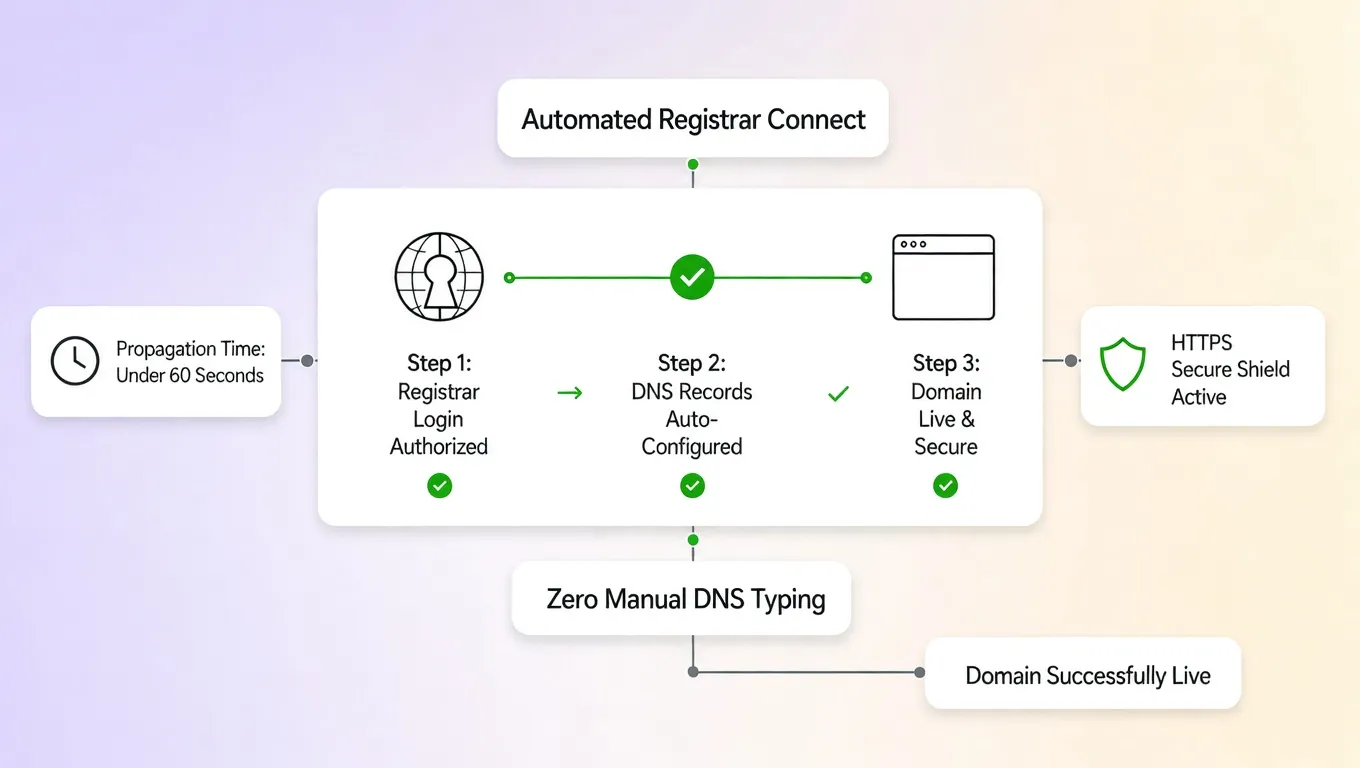
5. Connect Your Domain to Your Email Provider
Once you select your mail provider, you must prove domain ownership so unauthorized users cannot send emails from your brand. Follow this standard verification workflow:
- Grab Verification Keys: Copy the unique TXT or CNAME verification string provided inside your mail host panel.
- Paste Into DNS Settings: Log into your domain dashboard, navigate to DNS settings, and paste the code.
Mastering how to set up email with your domain allows you to connect domain to email servers and complete your custom domain email setup in minutes.
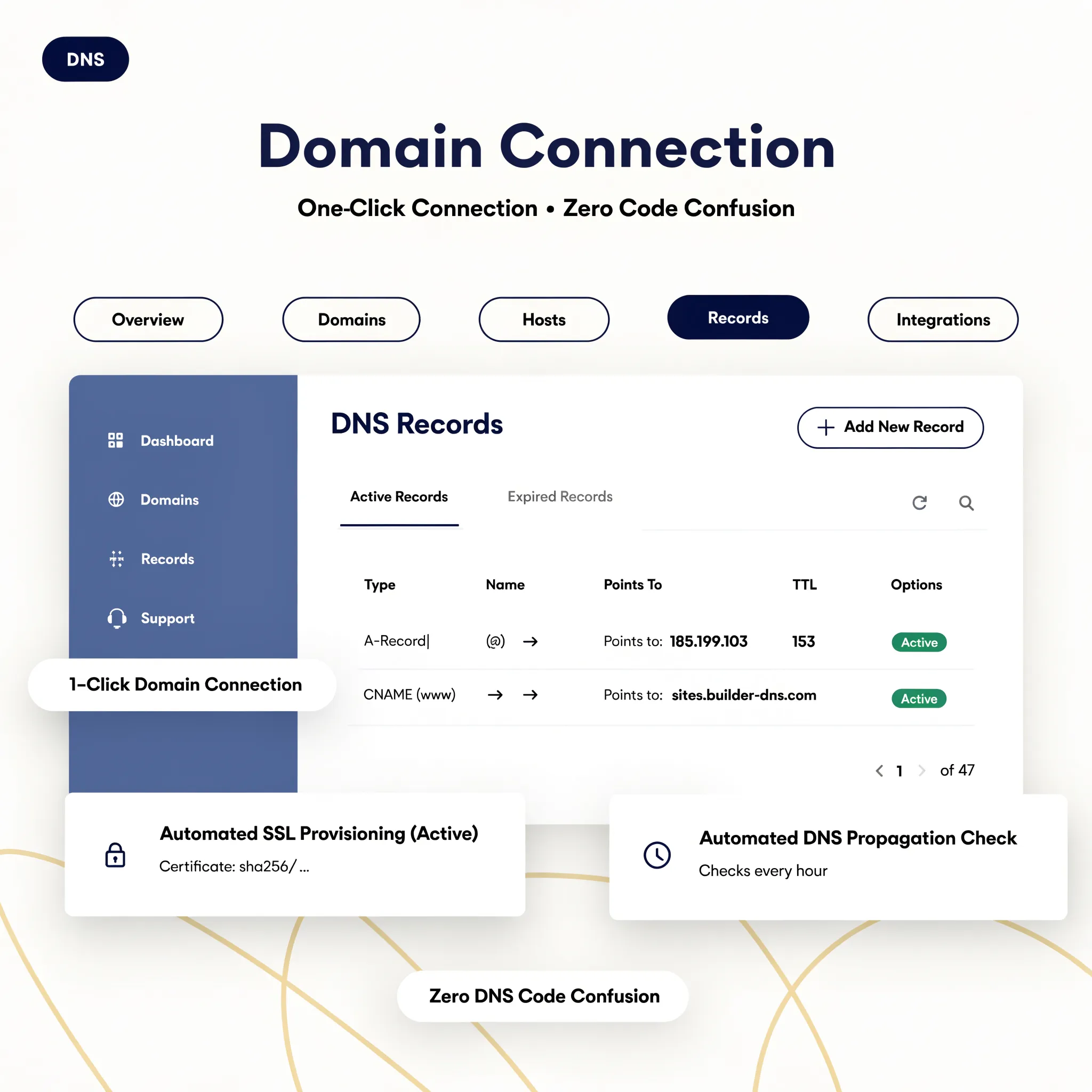
6. Add the MX Records Needed to Receive Business Emails
Mail Exchange (MX) records act as digital postal instructions—telling internet routers where to send incoming messages addressed to your domain. Configuring your DNS panel for incoming mail:
| Record Type | Host / Name | Target Mail Server | Priority |
|---|---|---|---|
| MX Record | @ | ASPMX.L.GOOGLE.COM (Ex) | 1 (High) |
| MX Record | @ | ALT1.ASPMX.L.GOOGLE.COM | 5 |
Entering the correct MX records for email routing inside your domain email DNS settings guarantees you receive email with custom domain reliability every time.
7. Set Up SPF, DKIM, and DMARC to Help Protect Email Deliverability
Major inbox providers (like Gmail, Yahoo, and Outlook) automatically dump emails into spam folders if security records are missing. To guarantee high inbox deliverability, configure the "Big Three" authentication records:
- SPF (Sender Policy Framework): A TXT record listing the specific servers authorized to send mail for your domain.
- DKIM (DomainKeys Identified Mail): Adds an encrypted cryptographic signature to every outgoing message.
- DMARC: Specifies how receiving servers should handle unauthenticated emails claiming to come from your domain.
Executing a full SPF DKIM DMARC setup provides vital email authentication for domain routing, protecting your business email deliverability from spam filters.
8. Create Mailboxes and Add Your Team Without Sharing One Login
Sharing a single email login across multiple employees creates severe security vulnerabilities and exposes sensitive client conversations. Scale your organization safely:
- Individual Inboxes: Issue personalized mailboxes ([email protected], [email protected]).
- Collaborative Aliases: Set up group aliases (like support@) that route inbound messages to multiple team members simultaneously.
Managing structured business email accounts allows you to host multiple email addresses on one domain, giving you a scalable business email for employees infrastructure.
9. Use Your Business Email on Gmail, Outlook, or Your Phone
You don't need to learn a complex new webmail interface. You can link your custom address directly into your existing mobile apps or desktop mail clients. How to link your inbox:
- Google Workspace Users: Log directly into Gmail using your custom domain credentials.
- IMAP / SMTP Configuration: Enter your provider's IMAP (incoming) and SMTP (outgoing) server settings into Apple Mail or Outlook.
Learning how to use custom domain email with Gmail, set up business email on phone devices, or run custom domain email in Outlook simplifies your daily workflow.
10. Test Sending and Receiving Before You Use the Address With Customers
Before adding your new address to business cards or launching outreach, run a thorough delivery audit. Run this 3-step verification checklist:
Taking time to test domain email setups prevents embarrassing business email setup flaws and catches domain email not working issues before clients are affected.
11. Understand the Ongoing Cost of Business Email and Domain Renewal
Avoid financial surprises by understanding the difference between domain registration and ongoing email hosting expenses. Break down your recurring budget:
Total Annual Email Expense = Domain Renewal Fee + (Monthly Mail Hosting Cost × 12)
While standard domain registration costs $12 to $20 annually, dedicated mail hosting typically ranges from $3 to $7 per user per month. Evaluating your total business email hosting cost, custom domain email pricing, and baseline domain email cost protects your operational cash flow.
12. Use Your Business Email Across Your Website and Customer Communications
"How do I make my new address part of my business?"
Once your inbox is live, integrate your custom address across all client-facing digital touchpoints to maximize brand authority. Deploy your address across key business channels:
- Website Header & Footer: Display your address prominently on your site (learn design tips in what makes a good homepage).
- Automated Form Routing: Direct website contact form submissions straight to your primary inbox (see optimization tips in why are people leaving my website).
- Invoicing & Quotes: Send digital estimates, contracts, and proposals from your verified address.
Building a professional email for business operations alongside an integrated business email with website presence delivers the ultimate domain email for small business strategy.
Launch Your Custom Domain and Email Today: Skip confusing server settings and expensive developer retainers. Secure your domain on BoltWeb, claim your free business email, and create a business website using our advanced domain and website builder in under 60 seconds!
12 High-Converting FAQs: How to Create a Business Email With Your Domain Name
1. How to create a business email with your domain name without wrestling with complex server settings?
Here's the plain truth: Sending client quotes or sales outreach from a generic @gmail.com or @yahoo.com address actively harms your commercial credibility. Prospective clients immediately wonder if they are dealing with an established company or an unverified scammer. Setting up a professional inbox used to require configuring confusing mail servers and paying separate monthly hosting bills. When you secure your web address on BoltWeb, that friction is stripped away completely. BoltWeb includes a complimentary business email option right below your registered domain—pre-configured with full DNS authentication so you can create a business email with domain routing and launch direct client outreach immediately!
2. How do I choose the best professional business email address prefix for my team?
The specific prefix you select shapes how prospective buyers perceive your company size, responsiveness, and authority. Match your email naming strategy to your team setup:
- Direct Personal Authority ([email protected]): Best for consultants, service founders, and executives where building direct client rapport drives sales.
- General Inquiries ([email protected] or info@): Friendly, approachable catch-all addresses ideal for website contact forms and inbound leads.
- Department Routing (sales@ or support@): Gives small operations an established, enterprise-level appearance.
Selecting a professional business email address using field-tested business email address examples ensures every email address with domain name branding builds instant audience trust.
3. What is the difference between free email forwarding and full domain email hosting?
Understanding the technical distinction between message redirects and active mailboxes prevents workflow bottlenecks when communicating with clients:
- Email Forwarding: Automatically redirects incoming messages sent to your custom address directly to a personal inbox. You can receive mail for free, but you cannot send outbound replies from your brand domain.
- Full Mailbox Hosting: Grants you a complete inbox to send and receive messages natively, manage calendar invites, and store client files.
Comparing a free business email with domain forwarding setup against full domain email hosting ensures you choose the right model for email forwarding with custom domain routing.
4. Which business email provider offers the best reliability, security, and inbox deliverability?
Selecting the right mail host depends on your operating budget, daily workflow, and team software preferences. Evaluate top provider categories:
- Integrated Builder Mail: Platforms like BoltWeb provide budget-friendly, pre-configured mail options directly beneath your domain management tab.
- Google Workspace: Ideal if you rely heavily on Google Docs, Drive, and the familiar Gmail interface.
- Microsoft 365: The preferred corporate choice for teams dependent on native Outlook, Excel, and Teams applications.
Evaluating the best business email hosting options helps you pick a top business email provider or custom domain email service that keeps your inbox running smoothly.
5. How do I connect domain to email servers if my domain and mail host are separate?
Once you choose a mail host, you must prove domain ownership so unauthorized spammers cannot send emails using your company name. Follow this standard connection workflow:
- Locate Verification Keys: Copy the unique TXT or CNAME code provided inside your email host dashboard.
- Paste Into DNS Panel: Log into your domain registrar, open your DNS settings, and paste the code into a new TXT record.
Mastering how to set up email with your domain allows you to connect domain to email servers and finish your custom domain email setup effortlessly.
6. What exact MX records for email routing do I need to enter in my DNS settings?
Mail Exchange (MX) records act as digital postal instructions—telling global internet routers where to deliver incoming messages sent to your domain. Configuring your mail routing correctly:
- Host / Name Field: Set to @ (representing your root domain).
- Value / Points To Field: Paste the specific server address provided by your mail host (e.g., ASPMX.L.GOOGLE.COM).
- Priority Level: Assign numerical priorities (such as 1 or 5) to dictate primary and backup mail servers.
Entering the correct MX records for email in your domain email DNS settings guarantees you receive email with custom domain reliability every time.
7. How do I set up SPF, DKIM, and DMARC to prevent my business emails from going to spam?
Major email providers (like Gmail, Yahoo, and Outlook) automatically dump unauthenticated emails into spam folders or block them entirely. To protect your delivery rates, configure these three core security records:
- SPF (Sender Policy Framework): A TXT record listing the specific server IP addresses authorized to send emails on your behalf.
- DKIM (DomainKeys Identified Mail): Attaches an encrypted digital signature to every outgoing email to prove it wasn't altered in transit.
- DMARC: Specifies how receiving servers should handle unverified messages claiming to originate from your domain.
Executing a full SPF DKIM DMARC setup establishes vital email authentication for domain routing, maximizing your overall business email deliverability.
8. How can I create multiple email addresses on one domain for my growing team?
Sharing a single email login across multiple employees creates severe security vulnerabilities and exposes sensitive client conversations. Structure your company's mailboxes safely:
- Individual Employee Mailboxes: Issue unique addresses ([email protected], [email protected]) for direct client communication.
- Collaborative Group Aliases: Create group addresses (like sales@) that automatically route incoming leads to multiple team members simultaneously.
Managing structured business email accounts allows you to host multiple email addresses on one domain, creating a professional business email for employees infrastructure.
9. Can I use custom domain email with Gmail, Outlook, or my mobile phone app?
You don't need to learn a clunky new webmail interface. You can link your custom address directly into the desktop and mobile apps you already use daily. How to integrate your inbox:
- Google Workspace Integration: Log directly into the standard Gmail web interface using your custom domain address and password.
- IMAP / SMTP Setup: Enter your provider's IMAP (incoming) and SMTP (outgoing) server credentials into Apple Mail or Outlook.
Learning how to use custom domain email with Gmail, configure business email on phone devices, or run custom domain email in Outlook keeps your daily communication smooth and efficient.
10. How do I run a delivery test to verify my domain email isn't dropping into spam folders?
Before printing new business cards or launching cold outreach campaigns, run a thorough delivery audit to verify your setup works flawlessly. Follow this 3-step test sequence:
- Inbound Delivery Check: Send a test email from a personal account to your new business address to confirm receipt.
- Outbound Reply Check: Reply directly from your business inbox to confirm outbound transmission.
- Spam Audit Check: Send an email to a secondary account and verify it lands in the primary inbox rather than the junk folder.
Taking time to test domain email setups prevents frustrating business email setup mistakes and resolves domain email not working issues before clients are affected.
11. How much does a custom business email cost per month alongside domain renewal fees?
Prevent financial surprises by understanding the difference between annual domain registration fees and ongoing monthly mail hosting expenses. Calculate your complete annual budget:
Total Annual Expense = Annual Domain Renewal Fee + (Monthly Mail Hosting Fee × 12)
Standard domain renewals cost between $12 and $20 per year, while dedicated business mail hosting ranges from $3 to $7 per mailbox per month. Evaluating your business email hosting cost, custom domain email pricing, and baseline domain email cost keeps your recurring expenses predictable.
12. How do I feature my professional business email across my website to maximize client conversions?
Once your custom inbox is live, display your address across all client-facing digital touchpoints to reinforce brand credibility. Deploy your custom address strategically:
- Website Header & Footer: Display your email prominently alongside your phone number so prospective clients feel safe reaching out.
- Automated Contact Form Routing: Link website quote forms directly to your inbox so new sales inquiries trigger instant notifications.
Building a professional email for business operations alongside an integrated business email with website setup delivers the ultimate domain email for small business strategy.
Launch Your Custom Domain and Business Email Today: Skip technical hassles and expensive agency fees. Secure your domain on BoltWeb, claim your free business email, and create a business website using our advanced domain and website builder in under 60 seconds!