
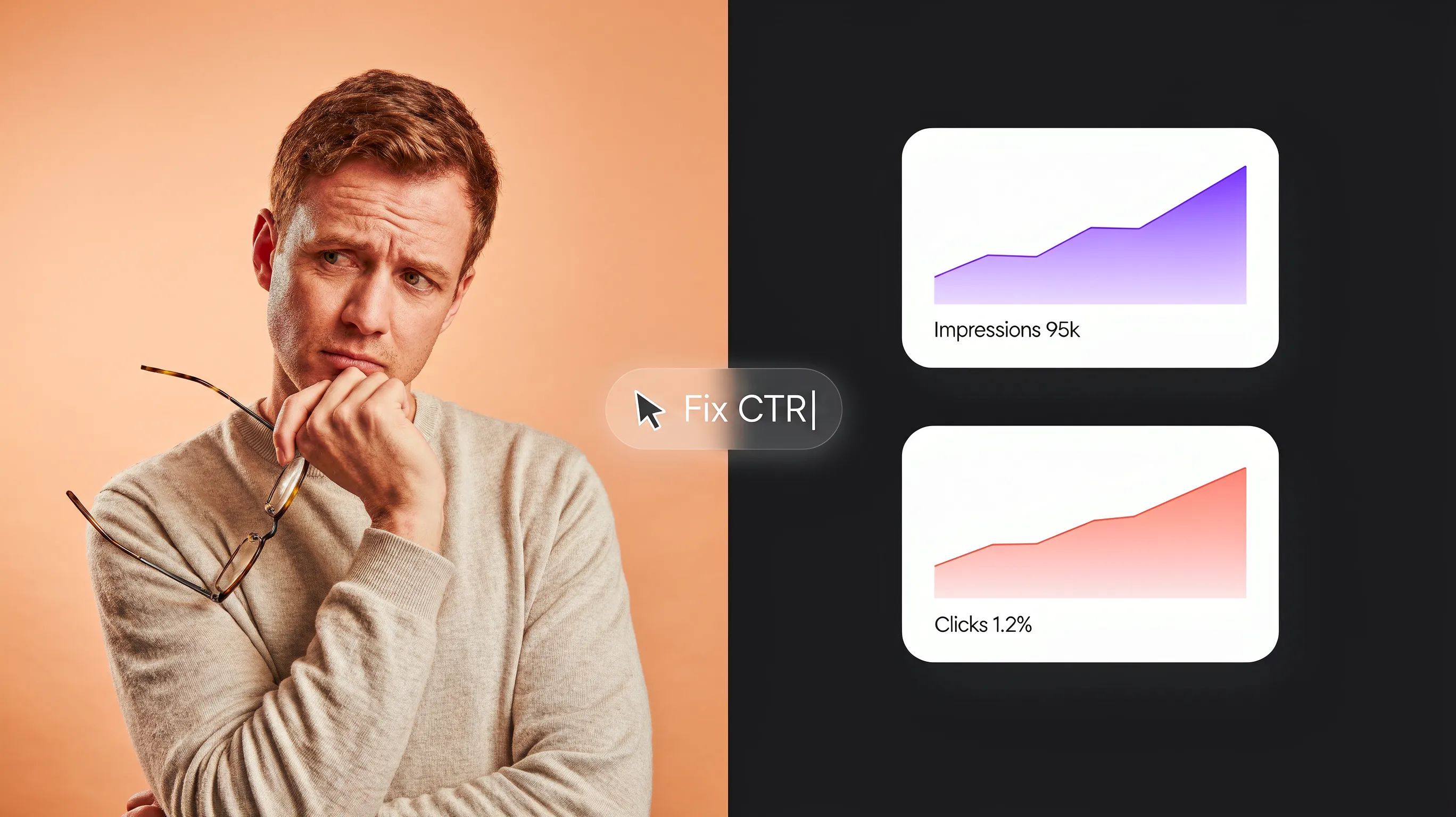
You open your analytics dashboard after months of publishing content, expand your performance graphs, and stare at a bizarre contradiction: "My pages are showing up thousands of times on Google, so why are only a handful of people actually clicking through to my website?"
Here is the plain truth: Appearing on a search engine results page is only half the battle. If your search snippet looks identical to five other generic listings—or worse, fails to answer the exact problem the searcher is trying to solve—thousands of potential buyers will scroll right past your link every single day.
Learning how to improve organic CTR bridges the gap between passive search visibility and active customer traffic, turning your existing rankings into a predictable stream of qualified revenue.
Historically, testing search snippets meant manually rewriting code, guessing searcher psychology, and waiting months to see if your changes worked. Modern architectures have eliminated that trial-and-error nightmare. When you build your online storefront on BoltWeb, engineering high-converting search listings is built natively into your workflow. As an all-in-one business website builder, BoltWeb combines lightning-fast page loading speeds, dynamic schema generation, and automated Search Console analytics tracking—helping you deploy search-optimized pages that turn impressions into daily client sales in under 60 seconds!
Here is your master operational strategy to audit your search presence, craft high-click title tags, and build a repeatable routine to maximize your SEO click-through rate.
1. What Is Organic Search Click-Through Rate and Why Does It Matter?
Let's clear up the biggest misconception about search engine optimization right from the start: Ranking on page one does not guarantee customer revenue. Imagine placing a massive physical billboard on a busy highway. Thousands of cars pass it every hour (impressions), but if your message is unreadable or boring, zero drivers pull off the exit to visit your shop (clicks).
Organic search click-through rate (CTR) measures the exact percentage of searchers who see your result on Google and actually choose to click through to your site:
The Math in Action: If your service page appears on screen 1,000 times during a 30-day window and generates 50 clicks, your click-through rate is 5%. Double that CTR to 10%, and you double your customer traffic to 100 visits—without having to move up a single ranking position!
Understanding your organic search click-through rate gives you an accurate view of your organic CTR metrics so you can improve your SEO click-through rate (start with the Google Search Console guide for small businesses).
2. Find Search Queries with the Biggest Organic CTR Opportunities
Trying to rewrite meta tags across dozens of pages at once leads to immediate decision fatigue. Instead of guessing where to start, open your Google Search Console account and isolate your high-leverage quick wins. Follow this 3-step opportunity audit:
- Navigate to the Performance Report inside GSC and filter by Pages.
- Identify URLs with high impressions (e.g., over 1,000 impressions) but an average CTR below 2%.
- Click into that specific URL and open the Queries tab to uncover the exact search terms driving visibility without clicks.
| Search Metrics Pattern | Operational Diagnosis |
|---|---|
| High Impressions + Low CTR (Position 3-7) | Search snippet is failing to attract clicks. Re-engineer title & description. |
| Low Impressions + High CTR (Position 1-2) | Niche intent match. Expand page content to capture broader related queries. |
Using this data-driven process allows you to improve organic CTR by focusing on queries in your Google Search Console CTR reports to raise your search query click-through rate (also see fixing high impressions but low clicks in Google Search Console).

3. Write SEO Title Tags That Give Searchers a Reason to Click
Your title tag is the single most important element of your search result snippet. It acts as your digital headline, promising a specific outcome to someone actively seeking an answer. Here is why most title tags fail: they read like robotic keyword lists instead of human solutions.
Before vs. After Title Tag Optimization:
❌ Generic / Robotic: Emergency Plumber | Local Plumbing Services | Fix Leaks
✅ High-Conversion Solution: Emergency Plumber in Austin | 24/7 Fast Repair & Upfront Pricing
Notice the difference? The second title addresses the searcher's exact fear (waiting hours in an emergency) and promises clear relief (fast arrival + no hidden fees).
Learning to improve SEO title tags sharpens your SEO title optimization, boosts your title tag CTR, and produces compelling SEO titles (see identifying your best performing website pages).
4. Create Meta Descriptions That Turn Search Visibility into Clicks
While Google sometimes generates dynamic snippet text based on a user's specific query, crafting custom meta descriptions remains a critical conversion lever. Think of your meta description as a 150-character sales pitch that expands on your title tag. Apply this 3-part description structure:
- State the Problem: Acknowledge what the searcher is dealing with.
- Preview the Solution: Summarize the core value your page delivers.
- Include a Soft Action Trigger: Give a natural reason to click (e.g., "Compare features and get an instant quote inside").
Executing meta description optimization lets you improve meta descriptions, optimize meta description CTR, and increase organic clicks (learn to track website sales and revenue).
5. Match Search Intent So Your Result Attracts the Right Visitors
If your search snippet promises a free downloadable template, but your page is actually a high-ticket software demo screen, visitors will exit within three seconds of landing. Search intent falls into four distinct categories:
| Intent Type | Search Query Example |
|---|---|
| Informational | "how to calculate website bounce rate" |
| Commercial Investigation | "best website builder for small business" |
| Transactional | "buy website domain online" |
| Navigational | "BoltWeb login dashboard" |
Matching your search snippet messaging to the underlying intent ensures your search results attract qualified buyers who stay on your page (see fixing high-traffic pages that fail to convert). Executing search intent optimization clarifies target keyword intent to produce relevant search results that improve organic CTR.

6. Make Your Search Result More Specific Than Competing Pages
When six search results display identical titles like "Top 10 Marketing Tips", searchers experience choice paralysis and pick randomly. To stand out sharply against competing listings, insert meaningful specificity into your titles:
- Specify the Exact Audience: "B2B Lead Generation for Consulting Agencies"
- Specify the Timeframe: "Fix Broken Indexing Errors in Under 10 Minutes"
- Include Concrete Numbers: "12 Step-by-Step Examples"
| Generic Listing | Specific High-CTR Listing |
|---|---|
| "SEO Guide for Businesses" | "Local SEO Guide for HVAC Contractors: 7 Steps to Rank #1 in 2026" |
Applying specificity helps increase Google organic clicks, improve search result CTR, and execute effective SEO title differentiation.
7. Earn Rich Results with Relevant Structured Data
Structured data (schema markup) gives search engine crawlers explicit machine-readable context about your page content. When eligible, structured data allows Google to enhance your search snippet with eye-catching rich results:
- Product Schema: Displays star ratings, review counts, pricing, and stock availability.
- FAQ Schema: Displays collapsible accordion questions directly beneath your main search snippet.
- Breadcrumb Schema: Replaces raw, messy URL strings with clean, visual site hierarchy paths.
Implementing structured data SEO expands your eligibility for rich results and rich snippets to improve search appearance (review implementation details in the official Google Search Central: Structured Data documentation and see building trust on a business website).
8. Improve Your Brand's Appearance and Trust in Search Results
When searchers scan a results page, brand familiarity acts as a powerful psychological trust shortcut. To build trust directly inside search listings:
- Maintain Consistent Brand Naming: Append your brand name cleanly to the end of title tags (e.g., Title | BoltWeb).
- Verify Site Identity Signals: Ensure your site displays a clear favicon icon and clean breadcrumb hierarchy.
- Earn Sitelink Extensions: Organize your site architecture logically so Google automatically displays sub-navigation links beneath your main result.
Strengthening brand visibility in Google refines your overall website search appearance, increases branded organic CTR, and helps trigger Google sitelinks (learn to build trust on a business website).
9. Optimize Search Listings for Mobile and Different Search Queries
"My result looks fine on desktop, but does it communicate the same value on a phone?"
Over 60% of organic searches occur on mobile devices, where screen real estate is severely limited. Mobile search snippets truncate long titles much faster than desktop views:
- Desktop Title Limit: ~60 characters (or 600 pixels width).
- Mobile Title Limit: ~50–55 characters (varies by screen resolution).
Place your primary keyword and core value proposition within the first 40 characters of your title tag so your main message never gets cut off on mobile devices.
Optimizing for mobile organic CTR supports mobile SEO optimization, improves search snippet optimization, and raises your aggregate Google search CTR (also see how to make a website mobile-friendly).
10. Use Internal Links and Page Structure to Support Better Search Listings
Google does not always display your raw HTML title tag verbatim. If Google's algorithm decides your title tag is uninformative or disjointed from the page content, it will generate a title link using your H1 header, on-page content, or internal anchor text. To ensure Google displays your intended title:
- Align H1 and Title Tags: Make sure your visible page heading closely matches your meta title tag.
- Use Descriptive Internal Anchor Text: Link to your page using clear, descriptive anchor phrases rather than generic text like "click here" (see internal linking strategy for small business SEO).
- Format Clear Section Headings: Use logical H2 and H3 structures so Google can generate accurate sitelinks.
Strengthening your internal linking SEO gives Google clear context to display accurate Google title links and Google sitelinks across your website structure.
11. Test SEO Title and Description Changes Without Guessing
Making random edits to your page titles without tracking baseline metrics makes it impossible to know if your changes actually increased traffic. Follow this controlled testing protocol:
- Establish a 30-Day Baseline: Record clicks, impressions, CTR, and average position for the target URL before making edits.
- Deploy One Change at a Time: Change only your title tag or your meta description—never both simultaneously.
- Allow Time for Recrawling: Wait at least 14 to 28 days to gather sufficient search impression data.
- Evaluate Like-for-Like Windows: Compare post-launch performance against the baseline window while accounting for seasonal shifts.
Review performance metrics inside official tools like Google Search Console: Performance report and cross-reference on-site engagement using the Google Analytics: Reports and acquisition analysis guide. Learning to test SEO titles allows you to measure organic CTR, execute reliable SEO title testing, and improve search performance (also see tracking SEO conversions in Google Analytics).
12. Build a Repeatable Organic CTR Optimization Process
CTR optimization is not a one-time project—it is a continuous growth system. Establishing a simple 15-minute monthly optimization routine ensures your storefront captures more clicks over time. Your 15-Minute Monthly CTR Optimization Routine:
- Step 1: Run the GSC Opportunity Filter: Spot high-impression, low-CTR pages ranking in positions 3 through 7 (learn to find keywords in Google Search Console).
- Step 2: Audit Top 3 Competitor Snippets: Inspect what titles and meta descriptions are currently winning clicks for your target term.
- Step 3: Deploy Value-Led Headline Updates: Rewrite titles on 2 underperforming pages using high-clarity benefits.
- Step 4: Check Structured Data Health: Verify that your rich schema markup passes validation without errors.
- Step 5: Connect Clicks to Conversions: Confirm that your increased search traffic is turning into actual lead forms and revenue (see tracking contact form submissions in GA4 and how to calculate website ROI).
Executing this process to increase organic search clicks establishes a clear organic CTR optimization workflow to improve Google search CTR through systematic SEO performance monitoring (combine with the core metrics every small business should monitor).
Scale Your Organic Traffic With BoltWeb
Optimizing title tags, configuring structured schema markup, and tracking search click performance shouldn't require complex coding or expensive SEO agency retainers. When you publish your digital storefront on BoltWeb, every page is built on an enterprise-grade infrastructure engineered for instant search visibility and high conversion right out of the box.
Whether you run a local home service company, a boutique advisory firm, or a growing online shop, BoltWeb formats search-optimized metadata, auto-generates dynamic XML sitemaps, formats responsive mobile layouts, and powers your growth with AI Foundry analytics.
Frequently Asked Questions: Improve Organic Search Click-Through Rate
1. My website ranks on page one of Google, but why are so few people actually clicking through to my pages?
Here is the plain truth: Ranking on the first page of Google only guarantees that your listing appears on a screen—it does not guarantee that a searcher will choose to visit your storefront. If your title tag reads like a robotic list of stuffed keywords, lacks a clear user benefit, or fails to address the exact problem the searcher is trying to solve, users will scroll right past your link to click on a competitor instead. Organic click-through rate (CTR) measures the percentage of searchers who see your result and actually click through:
A low organic CTR means your search snippets are leaking high-intent visitors every single day. Fixing this issue requires re-engineering your title tags, meta descriptions, and visual snippet features so they command immediate user attention. If you want to simplify your overall technical setup, building your storefront on BoltWeb gives you an immediate advantage. As an all-in-one business website builder, BoltWeb includes pre-configured SEO metadata fields, clean schema routing, and native analytics integration right out of the box!
2. How do I find my highest-opportunity low-CTR keywords in Google Search Console?
Instead of guessing which page titles need editing, use Google Search Console (GSC) to isolate your highest-leverage quick wins in under two minutes: Log into GSC, click Performance in the left menu, and select Search results. Select all four top metric boxes: Total clicks, Total impressions, Average CTR, and Average position. Go to the Queries table, sort by Impressions in descending order, and search for terms showing high impressions (e.g., 500+) but a CTR below 2%. Click on a specific query and switch to the Pages tab to locate the exact landing page URL associated with that search term. Focusing your optimization efforts on these high-impression, low-CTR terms yields the fastest traffic growth without requiring you to write brand-new content (also see fixing high impressions but low clicks in Google Search Console).
3. What is a good organic click-through rate for a search result on Google?
Expecting a 25% click-through rate across every single keyword is mathematically impossible because organic CTR drops significantly as your ranking position moves down the search results page: Position #1: Earns an average CTR between 25% and 35%. Positions #2 & #3: Average between 8% and 18%. Positions #4 through #10: Typically range between 1% and 5%. If your page ranks in Position #7 and holds a 2% CTR, your search snippet is actually performing normally for that placement. In that scenario, your primary goal is to improve on-page relevance and internal link authority to push your ranking up toward the top three spots (see internal linking strategy for small business SEO).
4. How do I write an SEO title tag that compels searchers to click?
Your title tag is your main digital headline. To transform a generic, low-clicking title into a high-conversion search asset, apply these three core writing rules: Put Primary Search Intent First: Position your core keyword within the first 30 characters of the title. Add a Clear Commercial Benefit: Tell the user what outcome, insight, or relief they gain by clicking (e.g., "Fast 24/7 Repair & Upfront Pricing"). Include Specific Modifiers: Add concrete numbers, current years, or clear qualifiers (e.g., "Step-by-Step Checklist", "2026 Buyer's Guide").
Writing clear, benefit-driven title tags gives searchers an immediate reason to choose your listing over competing results (also see landing page CTA best practices).
5. Does Google actually care about my meta description if it sometimes generates its own snippet?
Yes! While Google's algorithm may dynamically extract page text to answer niche queries, writing custom meta descriptions gives you direct control over your primary sales presentation for high-volume search terms. Think of your meta description as a 150-character elevator pitch that expands on your title tag. Structure it in three parts: Acknowledge the Pain Point: State the exact question or frustration the searcher is trying to solve. Preview the Answer: Highlight the unique insights or practical steps contained on your page. Include a Soft Action Trigger: Give a natural reason to click (e.g., "Compare features and get an instant quote inside").
6. How does search intent affect whether people click on my Google result?
If a searcher types "how to fix a leaky faucet" (informational intent) and your search snippet headline reads "Buy Plumbing Supplies Online" (transactional intent), the user will ignore your link completely. Map your search snippets to match the four fundamental search intent types:
| Intent Type | Real User Expectation |
|---|---|
| Informational | Wants a direct answer, guide, or steps. |
| Commercial | Wants a comparison list or reviews. |
| Transactional | Wants to buy, book, or sign up now. |
| Navigational | Wants a specific brand login or page. |
Aligning your snippet copy with user expectations ensures that searchers recognize your page as the exact solution they are searching for (also see fixing high-traffic pages that fail to convert).
7. How can I make my search snippet stand out when competitors use similar titles?
When six search listings display almost identical titles like "Top 10 Business Tips", searchers experience choice paralysis and pick randomly. To differentiate your listing sharply, insert meaningful specificity into your meta tags: Specify the Target Audience: "B2B Marketing Guide for Consulting Agencies" Specify the Time Commitment: "Fix Broken Indexing Errors in Under 10 Minutes" Include Concrete Metrics: "12 Tested Step-by-Step Examples" Highlighting one unique, valuable detail makes your search listing visually distinct and far more persuasive (also see checking which keywords a website ranks for).
8. What is structured data, and how does it help me get more organic clicks?
Structured data (schema markup) provides search engine crawlers with explicit machine-readable context about your page content. When eligible, structured data enables Google to display enhanced visual features known as rich results: Review Schema: Displays star ratings and total review counts beneath your title tag. Product Schema: Shows live pricing, product availability, and stock status. FAQ Schema: Displays collapsible question-and-answer accordions directly under your listing. Rich snippets physically enlarge your listing on screen, making your result command more visual attention and capturing higher click volumes (also see building trust on a business website).
9. Why do long title tags get cut off on mobile devices, and how do I prevent it?
Over 60% of search traffic occurs on mobile devices, where screen width is strictly limited. If your title tag is too long, mobile browsers will truncate your headline with ellipses (...), hiding your primary benefit. Desktop Title Character Limit: Approximately 60 characters (or 600 pixels width). Mobile Title Character Limit: Approximately 45 to 50 characters (varies by screen size). Place your main keyword and primary value proposition within the first 40 characters of your title tag so your core message remains completely visible on all smartphone screens (also see how to make a website mobile-friendly).
10. Why does Google sometimes ignore my custom title tag and display a different title link?
If Google's algorithm determines that your HTML title tag is uninformative, keyword-stuffed, or disjointed from the main page body, it will automatically generate an alternate title link using your H1 header, on-page text, or internal anchor text. To ensure Google displays your intended title tag: Align Heading Architecture: Make sure your visible H1 tag closely matches your meta title tag. Use Descriptive Internal Anchor Text: Link to your page internally using descriptive anchor phrases rather than generic text like "click here". Avoid Boilerplate Text: Ensure every page on your site has a unique, distinct title tag (also see internal linking strategy for small business SEO).
11. How do I test title tag and meta description changes without losing my current search ranks?
Testing title tag improvements requires a controlled methodology so you can accurately isolate what drove your traffic growth: Record Baseline Metrics: Document total clicks, impressions, CTR, and average position for 30 days prior to making edits. Deploy One Edit at a Time: Update either the title tag or the meta description—avoid altering on-page content simultaneously. Allow Time for Recrawling: Wait 14 to 28 days for search crawlers to re-index your URL and update your snippet on search pages. Compare Equal Windows: Compare 30-day post-launch performance against your 30-day baseline to verify that total clicks and CTR increased (combine with tracking SEO conversions in Google Analytics).