


Launching a new digital storefront without running a systematic quality audit is like opening a physical retail store without checking if the front door unlocks or if the cash register receives payments.
If a prospect hits a broken contact form, sees a terrifying security warning on their browser, or waits six seconds for a bloated image gallery to load on mobile, they will leave immediately—and land straight in the arms of your closest local rival.
Whether you used an AI website builder for business like BoltWeb to deploy a production-ready site in minutes or spent weeks coding custom pages, completing a rigorous website launch checklist is mandatory.
Here is the complete, stage-by-stage pre-launch and post-launch protocol to protect your domain authority, maximize lead conversions, and guarantee a flawless user experience.
The Ultimate Website Launch Blueprint: At a Glance
Review this master launch matrix before taking your site public:
| Launch Stage | Core Objectives | Essential Quality Checks |
|---|---|---|
| Stage 1: Content & UI | Eliminate typos and broken paths | Verify copy, phone numbers, contact addresses, and navigation links. |
| Stage 2: Mobile Usability | Ensure zero touchscreen friction | Test responsive viewports, tap targets, and sticky headers. |
| Stage 3: Lead Pathways | Confirm operational conversion tools | Test form submissions, email notifications, bookings, and checkout UI. |
| Stage 4: Technical SEO | Secure search engine discoverability | Verify title tags, meta descriptions, canonical URLs, and XML sitemaps. |
| Stage 5: Security & DNS | Prevent SSL warnings and downtime | Configure DNS records, enforce HTTPS, and set up daily cloud backups. |
| Stage 6: Performance | Deliver instant page load speeds | Compress field assets, check Core Web Vitals, and enable edge caching. |
| Stage 7: Measurement | Make lead generation observable | Connect Google Search Console, tracking tags, and conversion events. |

1. Website Launch Checklist: What Must Be Ready Before You Go Live?
When business owners prepare to take a site live, they often ask: "How do I actually know my website is ready to publish?"
Here’s the deal:
A site is ready to go live only when every conversion barrier is removed and every lead intake pathway works flawlessly under real-world conditions.
- • Broken Lead Forms ➔ Quote requests vanish into thin air
- • Unsecured HTTP Links ➔ Browsers display "Not Secure" warning flags
- • Slow Mobile Loading ➔ Visitors bounce before reading your headline
- • Missing Local Meta ➔ Google crawlers misinterpret service zones
Using a website launch checklist before going live ensures you systematically catch embarrassing technical bugs before real clients ever encounter them.
2. Check Every Page for Missing Content, Errors, and Broken Links
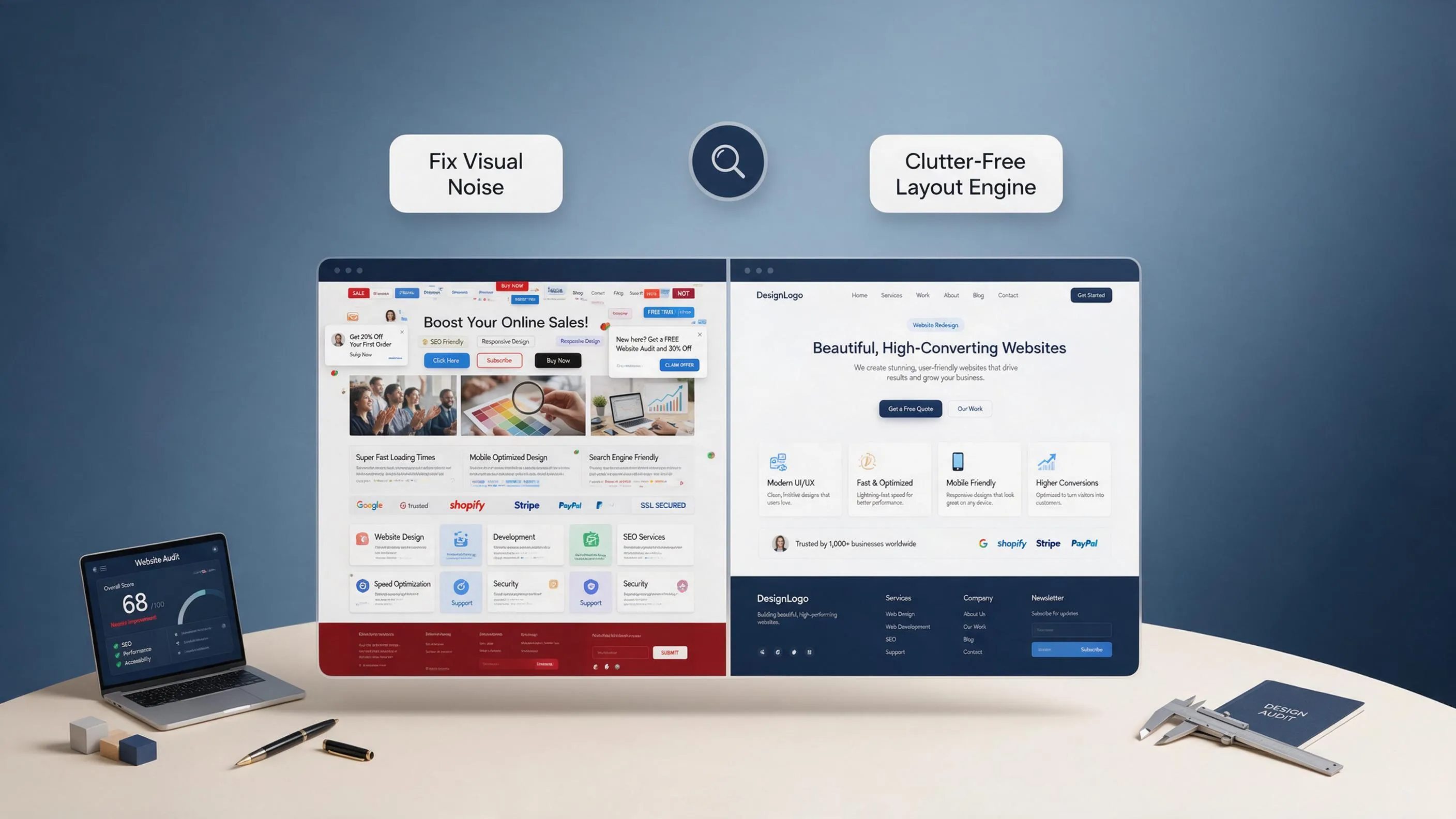
Nothing destroys buyer trust faster than placeholder text like "Lorem Ipsum" sitting inside a published service section or a primary phone link that dials an incorrect number.
Run through a detailed website content checklist across every subpage:
- Factual Business Verification: Verify your business name, physical street address, phone numbers, email addresses, operating hours, and active state license credentials.
- Navigation & Link Verification: Click every header link, footer menu item, and inline call-to-action to ensure zero dead 404 error endpoints exist.
- Proofing & Visual Spacing: Inspect paragraph spacing, contrast ratios, and heading typography scales for clean readability across desktop and tablet screens.
Executing a strict website quality assurance checklist protects your brand reputation and guarantees visitors receive accurate operational information.
3. Test Your Website on Mobile Before Launching
Over 70% of local service searches happen on mobile devices while property owners deal with urgent problems. If your mobile layout requires zooming, horizontal scrolling, or pinching, you are burning revenue.
Execute a thorough responsive website testing protocol on real smartphones:
- • Touch Target Sizes ➔ Buttons must be easily clickable (min 48px)
- • Persistent Headers ➔ Sticky tap-to-call phone buttons fixed to top
- • Form Accessibility ➔ Inputs auto-capitalize and pull numeric keys
Completing a mobile-friendly website checklist ensures your site renders crisp visual layouts across iOS and Android viewports without layout distortion.
4. Test Contact Forms, Bookings, Payments, and Other Important Features
Never assume an interactive element works simply because it looks visually polished on screen.
Run end-to-end user journey tests across all conversion tools using this website functionality checklist:
- Form Deliverability Test: Submit test entries through every quote intake form using a website form testing protocol. Confirm that notification alerts hit your smartphone inbox instantly.
- Booking Workflow Audit: Test live calendar flows to ensure open diagnostic slots sync accurately and send automated SMS reminders.
- Payment Gateway Audit: Execute a live micro-transaction via a website checkout testing protocol to verify credit card processors handle service deposits securely.
- • Test User Data Input
- • Smartphone SMS Alert Test
- • Auto-responder Email Test
- • Deposit Processing Test
- • Instant Invoice Delivery
- • Secure SSL Card Encryption
Testing functional outcomes before launch prevents lost client inquiries on day one.

5. Complete Your Website SEO Launch Checklist Before Google Crawls It
Publishing a site without proper technical search engine optimization guarantees it will sit in organic obscurity.
Prepare your site for search crawlers using a technical SEO launch checklist:
- Targeted Title Tags & Meta Descriptions: Write custom page titles incorporating target locations and primary service phrases (e.g., Emergency Roof Leak Repair in Dallas, TX | Apex Roofing).
- Heading Hierarchy: Organize content under a single H1 tag per page, followed by logical H2 and H3 subheadings.
- Search Engine Directives: Confirm your robots.txt file does not accidentally block search crawlers, verify canonical tags point to primary URLs, and submit a clean XML sitemap.
Following a website SEO checklist before launch signals your exact geographic coverage zone to Google algorithms from the moment your site goes live. For deeper guidance, read our walkthrough on how to do SEO for a new website.

6. Check Your Domain, DNS, HTTPS, and Website Redirects
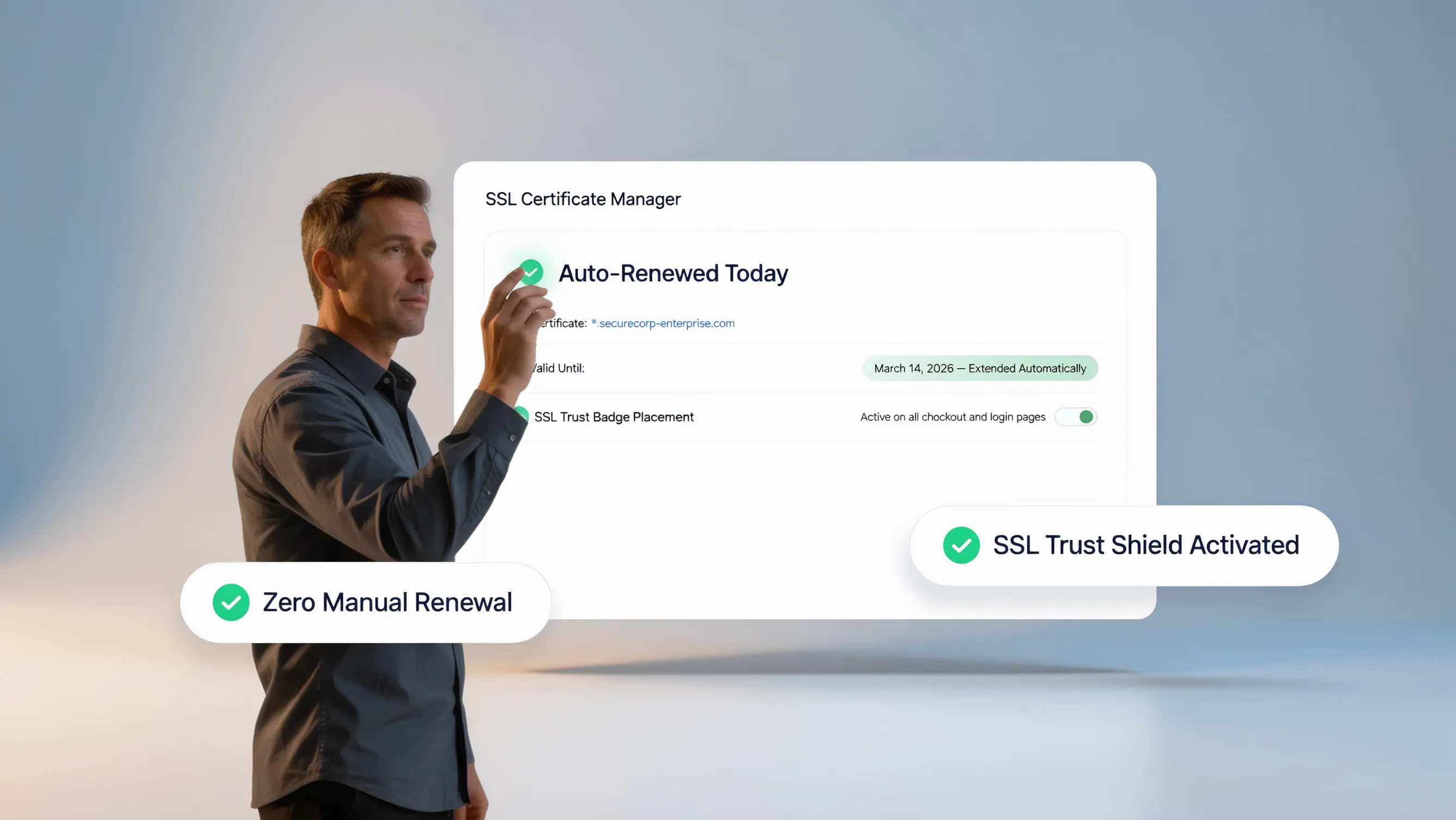
A misconfigured domain name server (DNS) record or an expired SSL security certificate will take your entire business offline or trigger intimidating browser warnings.
Run through a sequential website technical checklist:
- HTTPS & SSL Encryption: Verify your SSL security certificate is active and enforcing secure https:// redirects on a website SSL checklist.
- DNS Record Verification: Confirm A-records, CNAME entries, and MX mail records resolve cleanly via a website launch DNS checklist.
- 301 Permanent Redirects: If you are launching a redesigned site over an old platform, map 301 redirects from old URLs to new endpoints to preserve existing domain authority.
- • Enforce HTTPS Encryption ➔ Automatically redirects http:// to https://
- • Verify DNS A-Records ➔ Resolves root domain to edge server IP
- • Map 301 Redirect Rules ➔ Preserves historical Google rank authority
Resolving technical server directives prevents security warnings and ensures seamless web address connectivity. For domain guidance, explore our article on connecting a domain to your website.
7. Check Website Speed, Image Sizes, and Core Web Vitals
A one-second delay in page load times drops mobile conversions significantly. Search engines penalize slow-loading sites.
Audit performance metrics using a website performance checklist:
- Image Compression: Compress high-resolution field photos using WebP formatting to keep image files under 200KB without losing visual quality.
- Core Web Vitals Verification: Inspect Largest Contentful Paint (LCP) and Cumulative Layout Shift (CLS) scores on a website speed checklist to prevent sudden layout jumps during rendering.
- Global Content Delivery: Ensure your platform utilizes edge-cached Content Delivery Networks (CDNs) to serve static assets instantly to nearby visitors.
Optimizing technical assets ensures your digital storefront loads blazingly fast over mobile data networks. For detailed troubleshooting, read our guide on why your website might be slow.
8. Review Website Security, Backups, and Recovery Access
Assuming your site will never encounter software glitches, server outages, or malicious attacks is a dangerous operational gamble.
Establish a risk management protocol using a website security checklist:
- Automated Daily Backups: Confirm automated cloud backups are active on a website backup checklist before launch, ensuring quick site recovery if data is corrupted.
- Access Control Rules: Update default admin credentials, enforce two-factor authentication (2FA), and assign limited team permissions.
- Software Security Patches: Ensure all core engines, scripts, and security firewalls are updated to the latest stable versions.
Securing your infrastructure ensures your digital assets remain safe against unexpected downtime. For comprehensive protection steps, review our article on making your website more secure.
9. Check Website Accessibility and Browser Compatibility
Your website must deliver an effortless user experience for every visitor, regardless of physical ability or browser preference.
Audit inclusive usability across your layout:
- Color Contrast Ratios: Verify text colors maintain strong contrast against background shades for easy reading under bright sunlight.
- Keyboard & Screen Reader Accessibility: Ensure interactive buttons, drop-down menus, and form inputs are fully accessible via keyboard navigation on a website accessibility checklist.
- Cross-Browser Testing: Test layout rendering across Chrome, Safari, Edge, and Firefox viewports using a cross-browser website testing protocol.
Eliminating accessibility barriers ensures all prospective property owners can navigate your services smoothly.

10. Set Up Analytics, Search Console, and Conversion Tracking
You cannot scale what you do not measure. Publishing a site without active analytics tracking leaves you blind to visitor behavior and marketing return on investment (ROI).
Establish your measurement framework before promotion:
- • Google Search Console ➔ Tracks indexing, search terms & crawl errors
- • Google Analytics 4 ➔ Monitors visitor channels, sessions & bounce
- • Conversion Event Tags ➔ Tracks tap-to-call clicks & form submissions
Configuring a website analytics setup checklist and verifying ownership in Google Search Console website launch settings ensures every phone call and form submission is measured accurately.

11. Publish the Right Privacy, Terms, and Business Information Pages
Failing to display required legal policies can expose your business to regulatory fines and cause ad networks to reject your campaigns.
Verify compliance disclosures using a website legal checklist:
- Privacy Policy Page: Detail how customer contact information, cookie tracking data, and location inputs are collected and stored on a website privacy policy checklist.
- Terms of Service Page: Outline service guarantees, estimate diagnostic policies, payment terms, and liability limits.
- Cookie Consent Mechanisms: Deploy clear consent banners where regional privacy frameworks require visitor opt-ins.
Displaying clear legal disclosures builds brand transparency and keeps your site fully compliant.
12. Use This Website Launch Day Checklist to Go Live Safely
When launch day arrives, run through this final website launch day checklist during your final hour before making your site public:
- [ ] Flip site status from staging/private to public indexing.
- [ ] Verify custom domain resolves securely under https://.
- [ ] Submit live XML sitemap to Google Search Console.
- [ ] Perform a live test submission on your primary lead form.
- [ ] Tap the sticky mobile header phone button to verify it dials live.
Launch Readiness Status: Once all five production steps above are verified, your digital storefront is live, secure, and ready to convert high-intent local traffic.
13. What to Check in the First 24 Hours, 7 Days, and 30 Days After Launch
Your launch responsibilities don't end the moment your site goes public. Continuous post-launch monitoring catches unexpected errors before they damage your business.
Follow this post-launch website checklist schedule:
- First 24 Hours: Monitor form submissions to confirm notifications route to your smartphone, check for 404 indexing errors, and verify analytics tag firing.
- First 7 Days: Review Search Console indexing status to confirm pages are being crawled cleanly, inspect mobile session recordings, and fix any user drop-off points.
- First 30 Days: Conduct a comprehensive website SEO audit services review, analyze form conversion rates, test page load speeds, and update project photo galleries with recent jobs.
- • Verify Real-time Form Alerts
- • Inspect 404 Crawl Logs
- • Confirm Live SSL Status
- • Comprehensive SEO Performance
- • Conversion Rate Optimization
- • Fresh Job Photo Uploads
Maintaining a disciplined post-launch schedule keeps your site fast, secure, and continuously optimized for lead generation.
For external technical frameworks, inspect standards at the W3C Web Accessibility Initiative, review indexing documentation at Google Search Central, or analyze digital privacy best practices on the Federal Trade Commission (FTC). Additional guidance on mobile user experience can be explored at the Nielsen Norman Group.
Stop worrying about technical glitches, broken links, and missed client calls. Deploy a search-optimized digital storefront with BoltWeb today and capture local leads with confidence.

The Complete Website Launch Checklist: 12 FAQs for Business Owners
1. What is a website launch checklist, and why do I need one before going live?
Here’s the plain truth:
A website launch checklist is a systematic quality-assurance framework that audits every section, link, form, and code file on your digital storefront before you make it public. Publishing a site without running through a structured website launch checklist before going live is like opening a physical retail store without checking if the front door unlocks or if the cash register accepts payments. If a prospective client encounters a broken contact form, an unencrypted security warning, or a distorted mobile layout, they will hit the back button immediately and call a local competitor.
2. How do I complete a website content checklist to catch typos and broken links?
Nothing destroys hard-earned commercial credibility faster than placeholder text sitting inside a published service section or a primary phone link that dials an incorrect number.
When conducting a comprehensive website content checklist review, execute these essential quality control steps:
- Factual Business Verification: Double-check your official business name, physical address, phone numbers, operating hours, and active licensing credentials.
- Navigation & Link Auditing: Click every header navigation link, footer menu item, and inline call-to-action button to ensure zero dead 404 error pages exist.
- Proofing & Visual Formatting: Inspect paragraph spacing, color contrast ratios, and heading hierarchy across desktop and laptop screens.
Executing a strict website quality assurance checklist protects your brand authority and guarantees visitors receive accurate operational information.
3. Why is a mobile-friendly website checklist mandatory for modern local businesses?
Over 70% of local service searches happen on smartphones while property owners are actively looking for immediate solutions. If your mobile page layout requires horizontal scrolling, zooming, or pinching, you are losing valuable leads every single day.
Executing a thorough responsive website testing protocol on real touchscreens ensures your site functions seamlessly:
- • Touch Target Spacing ➔ Buttons & links are easily tap-friendly
- • Persistent Call Action ➔ Sticky tap-to-call phone button fixed on top
- • Form Field Behavior ➔ Inputs auto-capitalize and bring up dialer
Completing a mobile-friendly website checklist ensures your site renders crisp visual layouts across all smartphone viewports without layout distortion.
4. How do I complete a website functionality checklist for forms, bookings, and payments?
Never assume an interactive element works simply because it looks visually polished on your screen.
Run thorough end-to-end user tests across all conversion tools using a website functionality checklist:
- Lead Intake Verification: Submit test quote entries across all contact fields using a website form testing protocol. Confirm that smartphone notification alerts reach your inbox instantly.
- Booking Workflow Audit: Test live scheduling tools to verify that open diagnostic slots sync accurately with your calendar.
- Payment Portal Audit: Execute a live micro-transaction via a website checkout testing protocol to verify credit card processors handle service deposits securely.
Testing functional outcomes before launch prevents lost client inquiries from day one.
5. What technical items belong on a website SEO checklist before launch?
Publishing a site without proper technical search engine optimization guarantees it will sit in organic obscurity while competitors capture local search traffic.
Prepare your digital storefront for search crawlers using a technical SEO launch checklist:
- Targeted Titles & Meta Descriptions: Write custom page titles incorporating target geographic locations and primary service phrases.
- Heading Hierarchy: Structure content logically under a single H1 tag per page, followed by relevant H2 and H3 subheadings.
- Search Engine Directives: Confirm your robots.txt file does not accidentally block search crawlers, verify canonical tags point to primary URLs, and submit a clean XML sitemap.
Following a website SEO checklist before launch signals your exact geographic coverage zone to Google algorithms from the moment your site goes live.
6. What should I inspect on a website technical checklist regarding DNS and SSL?
A misconfigured Domain Name System (DNS) pointer or an expired SSL security certificate will take your entire business offline or trigger intimidating browser warnings for visitors.
Run through a sequential website technical checklist:
- HTTPS & SSL Encryption: Confirm your SSL security certificate is active and enforcing secure https:// page redirects on a website SSL checklist.
- DNS Record Mapping: Verify A-records, CNAME entries, and MX mail records resolve cleanly via a website launch DNS checklist.
- 301 Permanent Redirects: If you are deploying a redesigned storefront over an older platform, map 301 redirects from old page paths to new endpoints to preserve existing domain authority.
Resolving technical server directives prevents security warnings and guarantees seamless web address connectivity.
7. How do I optimize my website performance checklist and Core Web Vitals?
A one-second delay in page load times drops mobile conversions significantly, and search engines penalize slow-loading sites.
Audit technical performance metrics using a website performance checklist:
- Image Compression: Compress high-resolution field photos using WebP formatting to keep media files light without sacrificing visual sharpness.
- Core Web Vitals Verification: Inspect Largest Contentful Paint (LCP) and Cumulative Layout Shift (CLS) scores on a website speed checklist to prevent unexpected layout jumps during rendering.
- Global Edge CDN Delivery: Ensure your host utilizes edge-cached Content Delivery Networks to serve static assets instantly to nearby visitors.
Optimizing technical assets ensures your digital storefront loads rapidly over mobile data networks.
8. What security controls belong on a website backup checklist before launch?
Assuming your website will never encounter software glitches, server outages, or malicious attacks is a dangerous operational gamble.
Establish an active risk management protocol using a website security checklist:
- Automated Daily Backups: Confirm automated cloud backups are active on a website backup checklist before launch, ensuring quick site recovery if data is corrupted.
- Access Control Protocols: Update default administrator credentials, enforce two-factor authentication (2FA), and assign limited team permissions.
- Firewalls & Software Security: Ensure core engines, scripts, and security firewalls are updated to the latest stable versions.
Securing your infrastructure ensures your digital assets remain safe against unexpected downtime.
9. Why is a website accessibility checklist crucial for inclusive usability?
Your website must deliver an effortless user experience for every visitor, regardless of physical ability or browser preference.
Audit inclusive usability across your layout:
- Color Contrast Ratios: Verify text colors maintain strong contrast against background shades for easy reading under bright sunlight.
- Keyboard & Screen Reader Access: Ensure interactive buttons, drop-down menus, and form inputs are fully accessible via keyboard navigation on a website accessibility checklist.
- Cross-Browser Verification: Test layout rendering across Chrome, Safari, Edge, and Firefox viewports using a cross-browser website testing protocol.
Eliminating accessibility barriers ensures all prospective property owners can navigate your services smoothly.
10. How do I complete a website analytics setup checklist before taking my site public?
You cannot scale what you do not measure. Publishing a site without active analytics tracking leaves you blind to visitor behavior and marketing return on investment (ROI).
Establish your measurement framework before promotion:
- • Google Search Console ➔ Tracks indexing, search terms & crawl errors
- • Google Analytics 4 ➔ Monitors visitor channels, sessions & bounce
- • Conversion Event Tags ➔ Tracks tap-to-call clicks & form submissions
Configuring a website analytics setup checklist and verifying ownership in Google Search Console website launch settings ensures every phone call and form submission is measured accurately.
11. What compliance pages belong on a website legal checklist?
Failing to display required legal disclosures can expose your business to regulatory fines and cause ad networks to reject your marketing campaigns.
Verify compliance disclosures using a website legal checklist:
- Privacy Policy Page: Detail how customer contact information, cookie tracking data, and location inputs are collected and stored on a website privacy policy checklist.
- Terms of Service Page: Outline service guarantees, estimate diagnostic policies, payment terms, and liability limits.
- Cookie Consent Mechanisms: Deploy clear consent banners where regional privacy frameworks require visitor opt-ins.
Displaying clear legal disclosures builds brand transparency and keeps your digital storefront fully compliant.
12. What should I execute on a final website launch day checklist?
When launch day arrives, run through this final website launch day checklist during your final hour before making your site public:
- [ ] Flip your site status from private/staging to public search engine indexing.
- [ ] Verify your custom web domain resolves securely under https://.
- [ ] Submit your live XML sitemap to Google Search Console for crawling.
- [ ] Perform a live test submission on your primary quote intake form.
- [ ] Tap the sticky mobile header phone button to verify it dials your line directly.
Launch Readiness: Once all five final steps on your post-launch website checklist schedule are confirmed, your storefront is live, secure, and ready to capture local client leads.
Bypassing manual setup headaches entirely is simple when deploying your site on BoltWeb. It bundles lightning-fast cloud hosting, automated local SEO tools, and AI-driven layout generation into a single platform—letting you launch a search-optimized digital storefront in minutes.