Every second a visitor waits for your webpage to render quietly destroys your conversion rate, signals poor quality to search algorithms, and inflates your bounce metrics. Page speed is no longer an invisible backend detail reserved for system administrators. It is the core boundary between capturing a customer and losing them to a faster competitor.

Start With What's Slowing It Down
Here is the uncomfortable truth about slow websites: pages rarely drag because of one massive technical failure. They slow down because of an accumulation of small, unoptimized decisions. Before changing server settings or recompressing assets, you must isolate the root causes throttling your load times.
In most cases, the primary bottleneck is uncompressed media—serving desktop-resolution files to mobile screens without byte reduction. The secondary culprit is code bloat caused by legacy CSS, unminified JavaScript, and redundant HTML structures. Add third-party tracking pixels, chat widgets, un-cached static assets, and low-tier shared hosting, and your browser is forced to process hundreds of unnecessary network requests before displaying a single pixel of text.
Test Your Website Speed Before You Change Anything
Here's the mistake most site owners make: they test their website on a high-speed desktop connection, see a fast render, and assume their users experience the same thing. Local browser tests are wildly misleading because local caches hide performance flaws that actual first-time visitors experience.
| Diagnostic Tool | Core Focus Area | Best Used For |
|---|---|---|
| Google PageSpeed Insights | Core Web Vitals (LCP, INP, CLS) | Real-world field data and lab user experience diagnostics |
| WebPageTest | Waterfall network analysis & TTFB | Pinpointing server response latency and asset blockages |
| GTmetrix | Page payload & structure breakdown | Tracking total page weight, requests, and unoptimized files |
Always run performance diagnostics across both mobile and desktop profiles using throttled network speeds. Establishing this baseline reveals exactly which scripts, images, or server calls need fixing first.

Compress Images Without Losing Visual Quality
Images routinely account for more than half of a webpage's total download weight. Forcing a browser to download uncompressed megabytes of visual data causes noticeable rendering delays, particularly on mobile connections.
Solving this requires a simple three-part media workflow. First, run every asset through lossy or lossless compression algorithms—using tools like TinyPNG or Squoosh—to eliminate unnecessary metadata and reduce byte size without visible quality loss. Next, explicitly set width and height attributes directly in the HTML markup. This reserves exact layout dimensions before images download, preventing disruptive page shifts. Finally, implement native lazy loading (loading="lazy") for offscreen images so visitors only download media as they scroll down the page.

Serve Next-Gen Modern Image Formats (WebP & AVIF)
If you are still serving raw JPEG and PNG files to modern web browsers, you are actively wasting bandwidth. Legacy formats were not designed for the efficiency requirements of today's web infrastructure.
| Format | Average Compression Efficiency | Transparency Support | Ideal Usage Scenario |
|---|---|---|---|
| JPEG | Baseline standard | No | Legacy fallback for ancient browsers |
| PNG | High lossy overhead | Yes | Graphics requiring exact pixel-vector sharpness |
| WebP | 25%–35% smaller than JPEG | Yes | Standard web imagery across modern browsers |
| AVIF | 50% smaller than JPEG | Yes | High-fidelity photographic content with minimal footprint |
Converting existing image libraries to WebP or AVIF slashes overall page payload immediately, serving visually identical images at a fraction of the file size.

Audit and Remove Unnecessary Scripts and Plugins
Think of every plugin, tag manager, and tracking script as an extra roadblock between your server and your visitor. When a browser encounters an un-optimized script in your HTML header, it halts rendering entirely to download, parse, and execute that code before painting the rest of the page.
To fix this main-thread congestion, audit every active plugin and third-party snippet on your site. Delete obsolete marketing tags, remove redundant plugins, and consolidate single-purpose tools into unified software solutions. For any non-essential script that must remain, defer its execution by appending defer or async attributes:
<script src="analytics.js" defer></script>
This simple adjustment allows the browser to parse the structural HTML and display visible content instantly, loading secondary analytical scripts in the background.

Minify and Clean Up Your Code Base
Minification strips away human-readable elements—such as formatting spaces, line breaks, and developer comments—from source files without altering how the code executes. Clean, compact code parses significantly faster.
Start by running your CSS, JavaScript, and HTML through minification tools like Terser or CSSNano to trim file size by 10% to 20%. Next, audit your stylesheets to purge dead, legacy CSS rules that apply to pages you no longer host. Finally, isolate your critical CSS—the exact styles needed to render the visible top portion of the screen—and inline it directly within the HTML <head> tag. This guarantees the top fold renders instantly while secondary stylesheets download asynchronously.
Enable Browser Caching for Returning Visitors
Why force returning visitors to re-download your logo, stylesheets, and core scripts every time they open a new page? Browser caching solves this by telling a visitor's device to store static files locally after their initial visit.
By configuring your server or Content Delivery Network (CDN) with explicit cache-control response headers:
Cache-Control: public, max-age=31536000, immutable
You instruct browsers to load assets directly from local storage for up to a year. When a customer navigates across your site or returns weeks later, the page loads almost instantly because the heaviest assets are already saved on their device.

Upgrade Your Hosting Infrastructure and Use a CDN
No amount of front-end optimization can save a website anchored to a slow server. If your Time to First Byte (TTFB) is high, the delay starts at the host level before the browser receives a single byte of data.
First, move away from budget shared hosting plans where hundreds of websites compete for the same CPU cores and RAM limits. Moving to dedicated or managed cloud infrastructure provides guaranteed server resources during unexpected traffic spikes. Second, deploy a Content Delivery Network (CDN) like Cloudflare or Fastly. CDNs cache static files across global edge servers, serving your website to users from the data center geographically closest to them, eliminating physical latency.

Prioritize Mobile Performance First
It is easy to forget that mobile devices do not process code with the speed of desktop computers. Phones rely on lower-power CPUs and often operate over unstable cellular networks, making performance bottlenecks far more severe on mobile screens.
Never serve desktop-sized assets or heavy background video loops to mobile viewports. Design fluid, responsive breakpoints that prevent horizontal scrolling, and strip out unnecessary scripts that drag down mobile processors. To experience what your mobile users actually see, open Chrome DevTools, set the network condition to "Fast 3G," and run a speed test under realistic cellular throttling. Building a fully responsive mobile website ensures performance is maintained on the go.

Optimize Core Web Vitals for Human Perception
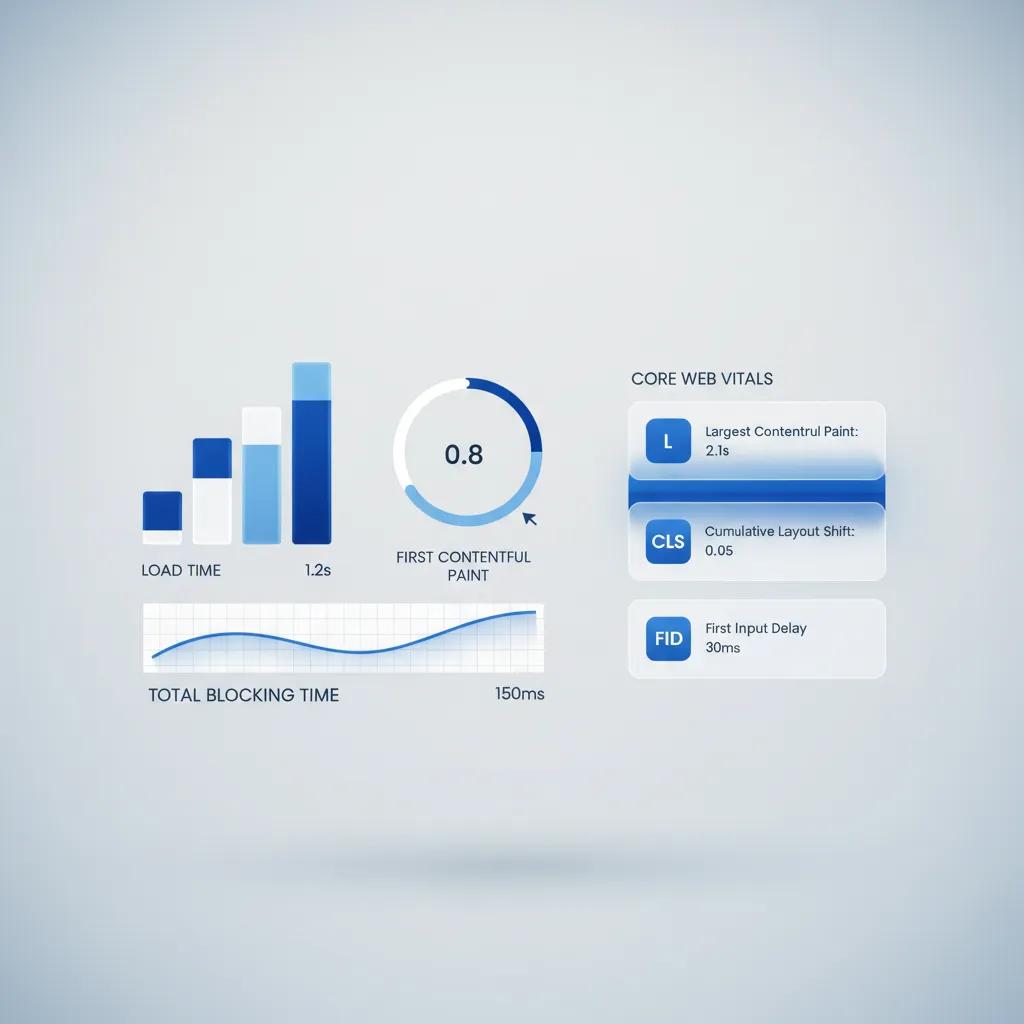
Speed is not just about raw seconds; it is about perceived responsiveness. Google measures real-world user experience using three specific performance metrics known as Core Web Vitals:
| Core Web Vital Metric | Target Benchmark | User Focus Area |
|---|---|---|
| LCP (Largest Contentful Paint) | ≤2.5 Seconds | How fast the primary content becomes visible |
| INP (Interaction to Next Paint) | ≤200 Milliseconds | How quickly the page responds to clicks and taps |
| CLS (Cumulative Layout Shift) | ≤0.1 Score | How visually stable elements remain while loading |
To hit these benchmarks, optimize your primary hero asset to lower LCP, keep main-thread JavaScript tasks under 50 milliseconds to maintain snappy INP responsiveness, and explicitly define dimensions on images and embed containers so elements never jump around as the page populates.

Implement Continuous Performance Monitoring
You cannot fix page speed once and assume your site will stay fast forever. Content updates, new marketing tags, uploaded images, and plugin patches silently degrade performance over time.
Establish continuous performance monitoring by reviewing Google Search Console's Core Web Vitals reports weekly. Set server alerts to notify your team if TTFB or overall page payload crosses acceptable thresholds, and schedule quarterly technical audits to purge unused scripts and outdated media files before performance regresses.

Build a Speed-First Website Without Technical Overhead
Here is the bottom line: optimizing website speed manually is an endless technical battle. You have to configure cache directives, write compression workflows, minify assets, edit server files, and continuously monitor performance metrics. Complex page builders and traditional content management systems often make this worse by injecting unnecessary code bloat with every update.
What if you could bypass this entire technical burden completely?
Build Fast Websites Automatically with BoltWeb
BoltWeb is an AI-driven platform built from the ground up to generate lightning-fast, search-optimized websites automatically—eliminating manual coding, complex plugin setups, and server configuration.
Steps to Generate an Ultra-Fast Platform:
1. Describe Your Vision in the Foundry
No technical experience required. Open the BoltWeb Foundry interface and enter your business concept, target audience, and preferred category using a simple prompt.
2. Select Your Layout & Generate
Speed and search optimization built-in. Choose your page structure and click Generate. BoltWeb automatically constructs your site architecture with pre-minified code, next-gen media compression, and structured schema tags out of the box.
3. Customize Your Content
Direct visual editing without code bloat. Refine copy, update section layouts, or add custom business details directly inside the editor without adding third-party plugin drag.
4. Connect Your Domain & Publish
Instant global deployment. Navigate to your dashboard, enter your custom domain name, and paste the two DNS configuration records into your registrar. Once verified, click Publish to deploy a lightning-fast site that loads instantly across all devices.

How to Make a Website Load Faster: 12 Key Speed Solutions
Achieving lighting-fast page loads is critical for user retention, search engine rankings, and online conversions. Learning how to make a website load faster involves optimizing front-end assets, configuring server infrastructure, and eliminating render-blocking technical friction.
Below are 12 unique Voice of Customer (VoC) questions detailing practical performance fixes, media compression, code minification, and caching strategies—answered concisely with precise keyword mapping.
What are the most effective first steps I can take to speed up my site?
Here is where to start: practical website speed optimization begins with tackling high-impact quick wins. Compress all large images, eliminate unnecessary active plugins, and leverage browser caching right away.
Learning how to make a website load faster requires addressing both asset sizes and server response bottlenecks. Cleaning up these foundational areas reduces total page weight and noticeably cuts initial loading times.
How can I reduce image file sizes without making my photos look blurry?
Think about asset efficiency: unoptimized visual files are often the heaviest components on a web page. You can speed up website performance significantly by switching to modern image formats like WebP or AVIF, which provide high visual clarity at smaller file sizes.
Using dedicated tools to compress images for web display strips hidden EXIF metadata and applies lossless compression. Implementing proper image optimization ensures crisp visual displays while serving minimal file sizes to your visitors.
How do I stop my CSS and JavaScript from delaying my initial page view?
Here is why your screen sits blank: traditional browser engines pause HTML rendering whenever they encounter external style sheets or script tags. These render-blocking resources force the browser to complete script downloads before painting visible content on screen.
To speed up loading speed, inline critical CSS required for the above-the-fold content and apply defer or async attributes to non-essential scripts. Using defer JavaScript techniques allows your main page content to display instantly while background scripts load harmlessly in the background.
What is browser caching, and how does it help returning visitors load pages faster?
Look at how repeated visits benefit from caching: browser caching instructs visitors' devices to temporarily store static assets like logos, CSS stylesheets, and icon files locally.
When users return or navigate between subpages, their browser loads stored files instantly from local memory rather than requesting them from your web host. Proper configuration to cache static resources optimizes overall web page speed and lowers server load during high-traffic periods.
How can I clean up my HTML, CSS, and JS code to eliminate unnecessary fluff?
Every line of code counts toward your overall payload. Standard source files contain extra line breaks, spaces, and developer comments designed for human readability, which add unnecessary bytes to every transmission.
Applying file minification automates website performance optimization by stripping out white space, shorting variable names, and compressing code structures. Choosing to minify code results in a lightweight, clean code output that parses faster in all web browsers.
How does a Content Delivery Network make my site faster for global visitors?
Physical distance creates network latency: data takes longer to travel across oceanic cables when a user in Europe accesses a server located in California.
A Content Delivery Network (CDN) solves this geographic delay by caching static site files across hundreds of edge servers worldwide. Utilizing key CDN benefits guarantees high global website speed, serving content to visitors from the edge node physically nearest to their location.
What server settings or configurations should I enable to compress data in transit?
Think about data transfer protocols: enabling text compression on your web server reduces file sizes before transmitting them across the internet.
Enabling Gzip compression or modern Brotli compression shrink HTML, CSS, and JS files by up to 70% before they leave the host server. Applying this level of server optimization accelerates network throughput and speeds up page delivery over mobile connections.
How can I keep off-screen images from slowing down the initial page render?
Loading media that users cannot currently see wastes valuable bandwidth during the critical initial loading phase.
Implementing lazy loading images ensures that media elements below the fold only download when a user scrolls near them. Adding native loading="lazy" attributes or lightweight lazy load script options is an easy way to improve site speed and conserve mobile data limits.
Why are custom web fonts causing my text to flash or delay displaying?
Here is the issue with heavy typography: downloading multiple custom font weights and character sets creates layout shifts and delays text visibility while font files fetch in the background.
Achieve better web font performance by preloading essential font files using rel="preload" and applying font-display: swap in your CSS rules. Smart font optimization allows fallback system fonts to display immediately, keeping page load performance steady while custom typography downloads.
How do I optimize database performance if my CMS feels laggy?
Dynamic Content Management Systems read and write to database tables constantly. Over time, accumulated post revisions, spam comments, transient options, and orphaned data tables slow down SQL database query lookups.
Executing regular database optimization purges outdated data entries and indexes heavily accessed tables. Choosing to clean up database overhead speeds up dynamic processing times, helping speed up CMS performance under high request volumes.
How do I fix visual layout jumps while my page elements are loading in?
Look at user friction: when images, ads, or embedded videos load without pre-reserved dimensions, they suddenly push text down the page. This frustrating shift hurts your Cumulative Layout Shift (CLS) score.
To stabilize page layout performance and improve your Core Web Vitals, always set explicit width and height attributes on image tags and video containers. Setting fixed aspect ratio dimensions prevents unexpected content jumps as visual assets complete loading.
How can I maintain a fast website long-term without spending hours on manual maintenance?
Manually managing code minification, image compression, database maintenance, and CDN edge rules can turn into a full-time job. For business owners, creators, and agency teams, handling technical site maintenance constantly diverts energy away from core business goals.
You do not need to manage complicated server settings or manual code updates to keep your site running fast. Modern AI platforms build performance optimization directly into their core setup automatically.
Build Ultra-Fast Websites Effortlessly with BoltWeb
BoltWeb takes the guesswork out of how to make a website load faster by automatically generating pre-optimized, ultra-fast websites designed to rank high and convert traffic out of the box.
1. Describe Your Business Requirements:
No technical setup or performance coding required. Open the BoltWeb Foundry interface and select the website builder option. Enter your business details, target services, and site goals using simple text prompts.
2. Generate Your High-Performance Site:
Clean code, compressed assets, and CDN optimization built-in. Click Generate. BoltWeb instantly constructs a complete, ultra-fast website with pre-optimized asset structures, clean semantic layouts, and zero code bloat.
3. Customize Your Content and Media:
Intuitive click-and-drag visual builder. Use the visual editor to fine-tune copy, rearrange sections, or upload custom images with complete confidence that your fast loading speed remains perfectly intact.
4. Connect Your Domain and Launch Live:
Instant global edge deployment on custom domains. Enter your custom domain in your dashboard, update your DNS records with your registrar, and click Publish to deploy a fast, responsive business website ready to capture traffic.