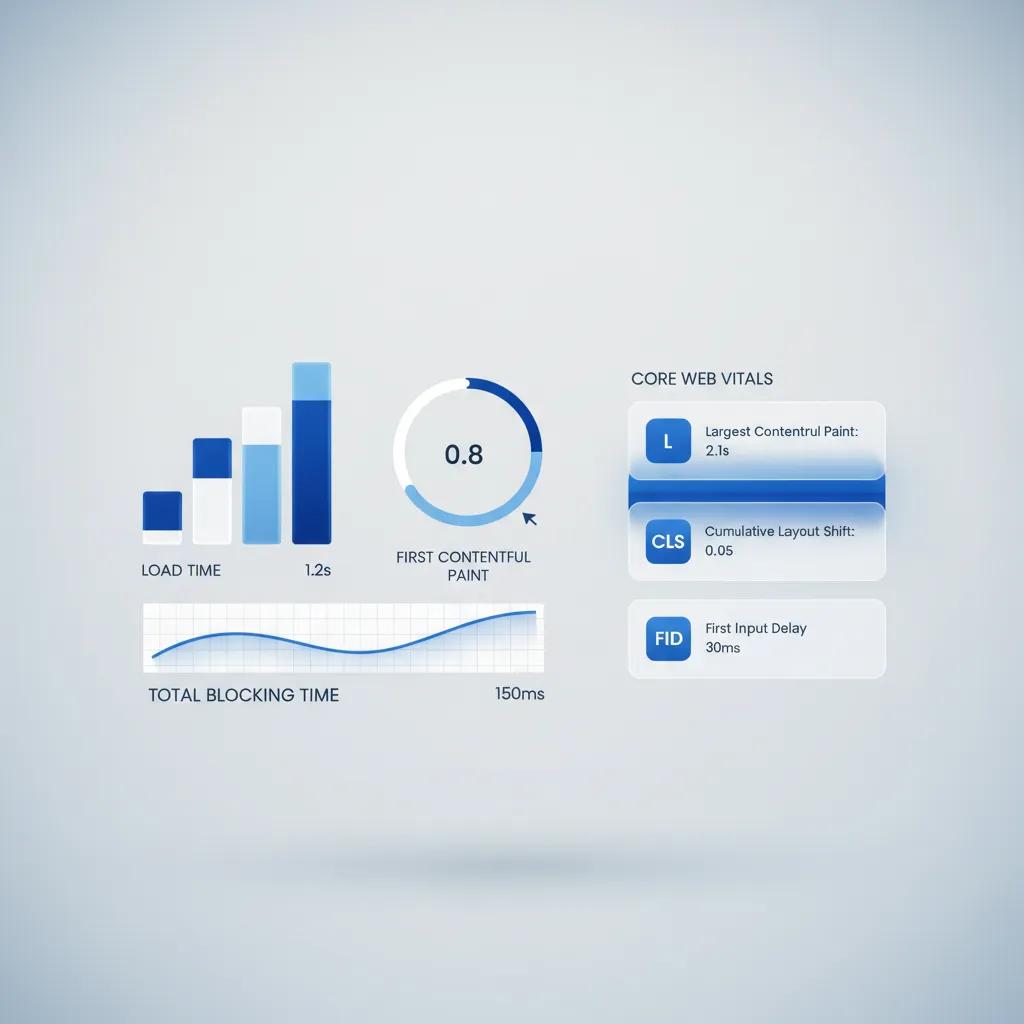

A slow-loading website is one of the quickest ways to kill conversions, destroy user trust, and tank your search engine rankings. When a prospective customer clicks on your link, every second of delay increases the probability that they will click away to a competitor. Slow loading directly degrades user experience, increases bounce rates, and signals poor site performance to search algorithms, ultimately hurting your brand's reputation and bottom line.
Here is the reality: diagnosing a slow website comes down to pinpointing technical friction. Understanding how to make a website load faster gives you the exact optimization steps to resolve speed bottlenecks, but systematically identifying what is holding your site back is the essential first step to recovering lost traffic.

Why Is My Website Slow? Start by Finding the Bottleneck
Before deleting files or altering code, you must isolate the root cause of your performance issues. A website can lag due to front-end render blocking, massive asset file sizes, unoptimized third-party tracking scripts, or slow server response times.
Here is why guessing fails: fixing the wrong element wastes time without improving your load speed. You need to systematically trace the loading sequence—from the initial DNS request to full page rendering—to isolate the exact source of delay.
If your slow site speed is accompanied by missing search visibility, technical indexation issues might also be affecting your pages. Reviewing why isn't my website showing on Google helps you determine whether crawling barriers are compounding your performance struggles.
Test Your Website Speed Before Changing Anything
You cannot improve what you do not measure. Establishing an accurate baseline performance score allows you to track whether your technical adjustments actually speed up page loading or make things worse.
Utilize free speed diagnostic tools to generate an initial performance audit:
- Google PageSpeed Insights: Analyzes real-world user performance (Core Web Vitals) and lab test diagnostics for mobile and desktop.
- GTmetrix: Breaks down network waterfall charts, total page weight, and total HTTP requests.
- Pingdom Speed Test: Evaluates page build speeds from different geographic server locations around the world.
| Metric to Watch | Target Threshold | What It Measures |
|---|---|---|
| LCP (Largest Contentful Paint) | Under 2.5 Seconds | Time taken to render the primary visual content block. |
| INP (Interaction to Next Paint) | Under 200 Milliseconds | Overall visual responsiveness to user clicks and taps. |
| CLS (Cumulative Layout Shift) | Under 0.1 Score | Unexpected visual movement of page elements during load. |
Once you run your initial speed tests, analyze your waterfall chart to identify which individual assets take the longest time to load.

Large Images May Be Slowing Down Your Website
Uncompressed, oversized images are the single most common cause of bloated web pages. Uploading high-resolution camera photos or unoptimized PNG assets forces the visitor's browser to download megabytes of unnecessary visual data.
The fix is straightforward: optimize every visual asset without sacrificing image clarity:
[ Raw Image File (5MB) ] ──> Compression & Resize ──> [ WebP Format (150KB) ] │ └─ Fast Browser Render
- Format Conversion: Convert traditional PNG and JPEG formats to modern WebP or AVIF formats for maximum compression.
- Dimensional Resizing: Scale images to match their actual display container size rather than relying on browser scaling.
- Lazy Loading: Implement native loading="lazy" attributes so off-screen images only load as the visitor scrolls down.
Optimizing visual assets instantly slashes page weight and accelerates initial rendering times across all devices.

Too Much JavaScript Can Make Your Website Slower
JavaScript powers interactive popups, dynamic menus, and complex site functions. However, heavy or unoptimized JavaScript blocks the browser from painting visual elements until the scripts are completely downloaded and parsed.
Think about it: every kilobyte of client-side script forces the browser to freeze visual updates while processing code.
- Defer Non-Critical Scripts: Add defer or async attributes to script tags so critical HTML and CSS content render first.
- Minify Code Files: Remove whitespace, code comments, and unnecessary characters from JavaScript files to minimize download sizes.
- Tree-Shaking: Remove unused functions and legacy libraries that add weight without providing functionality.
Unblocking the browser's main execution thread ensures your page displays instantly, keeping visitors engaged while background scripts finalize loading.

Too Many Apps, Plugins, and Third-Party Scripts Can Add Delay
Every marketing pixel, live chat widget, analytics platform, and page builder plugin adds external network calls to your loading sequence. If an external server responds slowly, your entire site stalls out waiting for that script to execute.
Audit your third-party integrations rigorously:
- Delete Inactive Plugins: Deactivate and fully delete any plugins or extensions you no longer actively use.
- Consolidate Tracking Pixels: Route marketing and analytics tags through a single container like Google Tag Manager to reduce direct HTTP requests.
- Self-Host Essential Scripts: Host critical external fonts and utility scripts locally on your server when possible to prevent third-party lookup delays.
Streamlining your active scripts eliminates hidden network dependencies and keeps your page execution lightweight.

Your Hosting Can Affect Website Speed
If your web server is sluggish, your pages will take a long time to start loading regardless of how well your image files and code are optimized. Cheap shared hosting environments often overload servers with thousands of sites competing for limited CPU and RAM resources.
Check your Time to First Byte (TTFB). If your server takes longer than 600 milliseconds to respond to an initial browser request, your web host is bottlenecking your site.
Upgrading to high-performance cloud hosting or dedicated infrastructure ensures your server processes requests instantly, giving your pages a lightning-fast baseline foundation.

Make Your Website Load Faster on Mobile
Over half of global web traffic comes from mobile devices operating on cellular connections with varying signal strength. A page that loads decently on a high-speed desktop network can easily stall on a mobile phone.
Mobile optimization requires focused performance discipline:
- Eliminate Mobile Layout Shifts: Reserve fixed height and width containers for responsive elements to prevent visual jumping.
- Streamline Mobile Asset Loading: Serve scaled, mobile-optimized image sizes specifically tailored to smaller screen viewports.
- Simplify Mobile Layouts: Remove heavy decorative background animations or non-essential widgets on mobile layouts.
Delivering a friction-free mobile experience protects your conversion rates and keeps mobile visitors from abandoning your site.

Reduce the Number of Things Your Browser Has to Load
Every individual stylesheet, image, icon, and font file requires a separate HTTP request between the visitor's browser and your web server. Making dozens of round-trip requests creates massive network overhead.
Combine CSS files, utilize modern HTTP/2 or HTTP/3 protocols to multiplex requests simultaneously, and inline critical CSS directly into your HTML document header. Reducing total HTTP requests allows the browser to paint complete pages in a fraction of the time.
As you clean up unnecessary asset requests, you naturally evaluate how your overall site architecture is organized. Structuring your file paths efficiently improves both site performance and search crawler access. Learning how to create an SEO-friendly website structure ensures your site navigation remains clear for users and search engines alike.

Use Caching and Content Delivery to Serve Pages Faster
Browser caching stores static website files directly on the visitor's local device so they do not need to re-download images, CSS, or scripts on repeat visits.
Additionally, integrating a Content Delivery Network (CDN) distributes static copies of your site across a global network of edge servers:
| Without CDN | With CDN |
|---|---|
| Single origin server processes every global request | Global edge network serves content from the nearest location |
| High latency for visitors far from origin server | Ultra-low latency regardless of visitor geography |
| Server crash risk during heavy traffic spikes | Distributed load bandwidth prevents server crashes |
Combining browser caching with a global CDN ensures your site delivers fast loading times for users around the world.
Fix Slow Server Response and Database Requests
For dynamic websites, slow page loading is often caused by inefficient database queries and unoptimized backend code. Every time a page is requested, the server must query the database, assemble content templates, and generate HTML output on the fly.
Optimize database tables by clearing post revisions, removing spam comments, and indexing database fields. Implementing server-side object caching (like Redis or Memcached) allows your server to store pre-compiled database query results, drastically reducing server execution times.

Check Core Web Vitals After Making Improvements
Once you have implemented your speed fixes, run your diagnostic tests again to measure real-world performance improvements.
Verify your Core Web Vitals scores in Google Search Console under the Performance tab. Consistent monitoring ensures new updates, app installations, or visual additions do not introduce new performance regressions over time.
Once your speed issues are resolved, submit your updated site architecture for re-indexing. Knowing how to get a new website indexed by Google helps search engines quickly discover and index your fast-loading pages.

Build a Fast Business Website Without Managing Code
Manually optimizing code, compressing images, managing server caches, and troubleshooting performance bottlenecks can consume hundreds of technical hours. For small business owners, creators, and non-technical founders, fighting continuous page load delays steals focus away from growing your business.
You do not need to become a full-time system administrator or web developer to own a lightning-fast website. Modern AI-driven website builders handle performance optimization automatically behind the scenes.
Build Ultra-Fast Websites Effortlessly with BoltWeb
BoltWeb eliminates slow loading times by automatically generating optimized, ultra-fast websites designed to rank high and convert visitors immediately.
1. Describe Your Business and Site Requirements:
No technical setup or performance coding required. Open the BoltWeb Foundry interface and select the website builder option. Enter your business details, target services, and functional goals using simple text prompts.
2. Generate Your High-Performance Site:
Clean code, compressed assets, and CDN optimization built-in. Click Generate. BoltWeb instantly constructs a complete, ultra-fast business website with pre-optimized asset structures, clean semantic layouts, and zero code bloat.
3. Customize Your Page Content:
Intuitive click-and-drag visual builder. Use the visual editor to fine-tune copy, rearrange sections, or upload custom images. Click and drag elements anywhere with complete confidence that your fast loading speed remains perfectly intact.
4. Connect Domain and Go Live:
Instant global edge deployment on custom domains. Enter your custom domain in the dashboard, update your DNS records with your registrar, and hit Publish. Your lightning-fast, fully responsive business site is instantly live and ready to capture traffic.
Faq Why Is My Website Slow? 12 Crucial Questions Answered
Dealing with a sluggish website is frustrating for business owners and visitors alike. When a page takes too long to load, visitors abandon the site immediately, taking their attention and business to your competitors. Diagnosing why is my website slow comes down to identifying technical bottlenecks, reducing asset weight, and streamlining how your server delivers data to the browser.
Below are 12 unique Voice of Customer (VoC) questions focusing specifically on website speed bottlenecks, server performance, script optimization, and diagnostic testing—answered concisely with precise keyword mapping.
Why does my website take so long to load when it looks totally fine visually?
Here is the root issue: hidden technical friction often causes performance delays. A site can look perfectly designed on the surface while suffering from underlying issues like bloated code, uncompressed assets, or excessive server processing times.
Understanding why is my website loading slowly requires looking past the visual presentation. Tracing the full network waterfall—from your initial DNS lookup to background script execution—reveals the hidden bottlenecks stalling your page render times.
How can I find out exactly how slow my website is before I start changing things?
Here is why measuring first is critical: making blind technical changes can break your layout without actually improving load speeds. Running a comprehensive website speed test gives you an accurate baseline performance score.
Utilize diagnostic tools like Google PageSpeed Insights, GTmetrix, or Pingdom to run a complete website performance test. These platforms break down key user metrics—such as Largest Contentful Paint (LCP) and total blocking time—so you know precisely which assets need fixing.
My images look sharp, but could they be secretly dragging down my speed?
Uncompressed visual assets are the single most common cause of a slow website. High-resolution camera photos or raw PNG files force visitors to download megabytes of unnecessary data before the browser can paint the page.
To fix this, optimize website images by converting traditional JPEG and PNG formats into WebP or AVIF. Additionally, apply native lazy loading so off-screen visuals only download as users scroll, dramatically reducing initial page weight.
Why does my site freeze or lag when visitors try to click on menus or buttons?"
Think about browser execution: heavy or unoptimized website JavaScript locks up the browser's main execution thread. While the browser parses complex code scripts, visual elements freeze and user clicks fail to respond immediately.
To accelerate overall page load speed, you need to reduce JavaScript weight by deferring non-essential scripts until after the primary HTML content paints. Removing legacy code libraries and minifying script files ensures your page remains smooth and responsive to user interactions.
Could having too many apps, tracking tags, and plugins be delaying my site?
Look at the cumulative delay: every live chat widget, analytics tag, and third-party extension fires separate external HTTP requests. If just one external server responds slowly, your entire site stalls out waiting for that background script to download.
Audit your active website plugins regularly and purge any tools you no longer use. Routing remaining tracking tags through a single manager minimizes external network dependencies and protects overall website speed.
Is my web host the reason my site takes forever to respond when someone visits?
The reality is that front-end code optimization cannot save a site trapped on inadequate infrastructure. If your Time to First Byte (TTFB) takes longer than 600 milliseconds, slow hosting is bottlenecking your overall website performance.
Budget shared hosting platforms often overload servers with thousands of sites competing for limited resources. Upgrading to high-performance cloud infrastructure guarantees fast website hosting speed, giving your pages a rapid initial server response.
Why does my site open fine on a computer but load terribly on a smartphone?
Mobile devices operate on cellular networks with fluctuating bandwidth and lower processing power than desktop computers. A page that renders reasonably fast on desktop Wi-Fi can easily freeze on a mobile device.
Improving mobile website speed requires serving scaled visual assets specifically tailored for smaller screens. Streamlining mobile layout complexity and reducing client-side code execution ensures a fast mobile website experience across all cellular connections.
Why does a single web page need to request dozens of different files just to display?
Every stylesheet, custom font, graphic icon, and script file requires an individual round-trip request between the browser and your web server. Accumulating dozens of file requests creates massive network congestion.
Effective website optimization focuses on reducing overall page weight and minimizing HTTP requests. Combining CSS files, using modern HTTP/2 multiplexing, and inlining critical styling directly into the header allows the browser to assemble pages in a fraction of the time.
How can I deliver content quickly to visitors who are far away from my main server?
Distance introduces natural latency: if your server is located in New York, a visitor in Tokyo will experience delays simply due to physical network distance.
Integrating a Content Delivery Network (CDN) distributes cached copies of your site across a global edge network, serving pages from the server nearest to the user. Combining global edge distribution with proper browser website caching is one of the fastest ways to improve website speed worldwide.
Why does my browser pause on a blank screen before anything starts showing up?
For dynamic sites, backend processing delays cause the browser to sit idle while waiting for HTML output to compile. Inefficient database queries and unindexed data tables force the server to work extra hard for every request.
Resolving slow website loading requires optimizing your database tables, clearing post revisions, and tuning your server response time. Implementing server-side object caching stores pre-computed database queries so your server serves HTML content almost instantaneously.
How do I check if my speed fixes actually improved my search engine performance?
It comes down to measurable metrics: search engines evaluate real-world loading experience using Core Web Vitals scores. These metrics evaluate loading speed, visual stability, and interaction responsiveness.
After completing your website optimization adjustments, re-test your pages in Google PageSpeed Insights and monitor the Performance tab in Google Search Console. Tracking these diagnostic scores confirms your speed improvements satisfy search engine standards over time.
How can I keep my business website fast without spending hours managing code?
Manually compressing assets, managing server caches, minifying code, and troubleshooting performance bottlenecks can consume endless technical hours. For business owners and non-technical founders, fighting continuous site delays steals focus away from growing your business.
You do not need to become a web developer or system administrator to own a high-speed site. Modern AI-driven platforms handle technical performance optimization automatically behind the scenes.
Build Ultra-Fast Websites Effortlessly with BoltWeb
BoltWeb solves the mystery of why is my website slow by automatically generating pre-optimized, ultra-fast websites designed to rank high and convert traffic instantly.
1. Describe Your Business Requirements:
No technical setup or performance coding required. Open the BoltWeb Foundry interface and select the website builder option. Enter your business details, target services, and site goals using simple text prompts.
2. Generate Your High-Performance Site:
Clean code, compressed assets, and CDN optimization built-in. Click Generate. BoltWeb instantly constructs a complete, ultra-fast business website with pre-optimized asset structures, clean semantic layouts, and zero code bloat.
3. Customize Your Content and Media:
Intuitive click-and-drag visual builder. Use the visual editor to fine-tune copy, rearrange sections, or upload custom images with complete confidence that your fast loading speed remains perfectly intact.
4. Connect Your Domain and Launch Live:
Instant global edge deployment on custom domains. Enter your custom domain in your dashboard, update your DNS records with your registrar, and click Publish to deploy a fast, responsive site ready to capture traffic.