When business owners evaluate a website builder versus WordPress, they often make a critical error: following herd mentality. They assume that because WordPress powers a massive portion of the web, it must be the default choice.
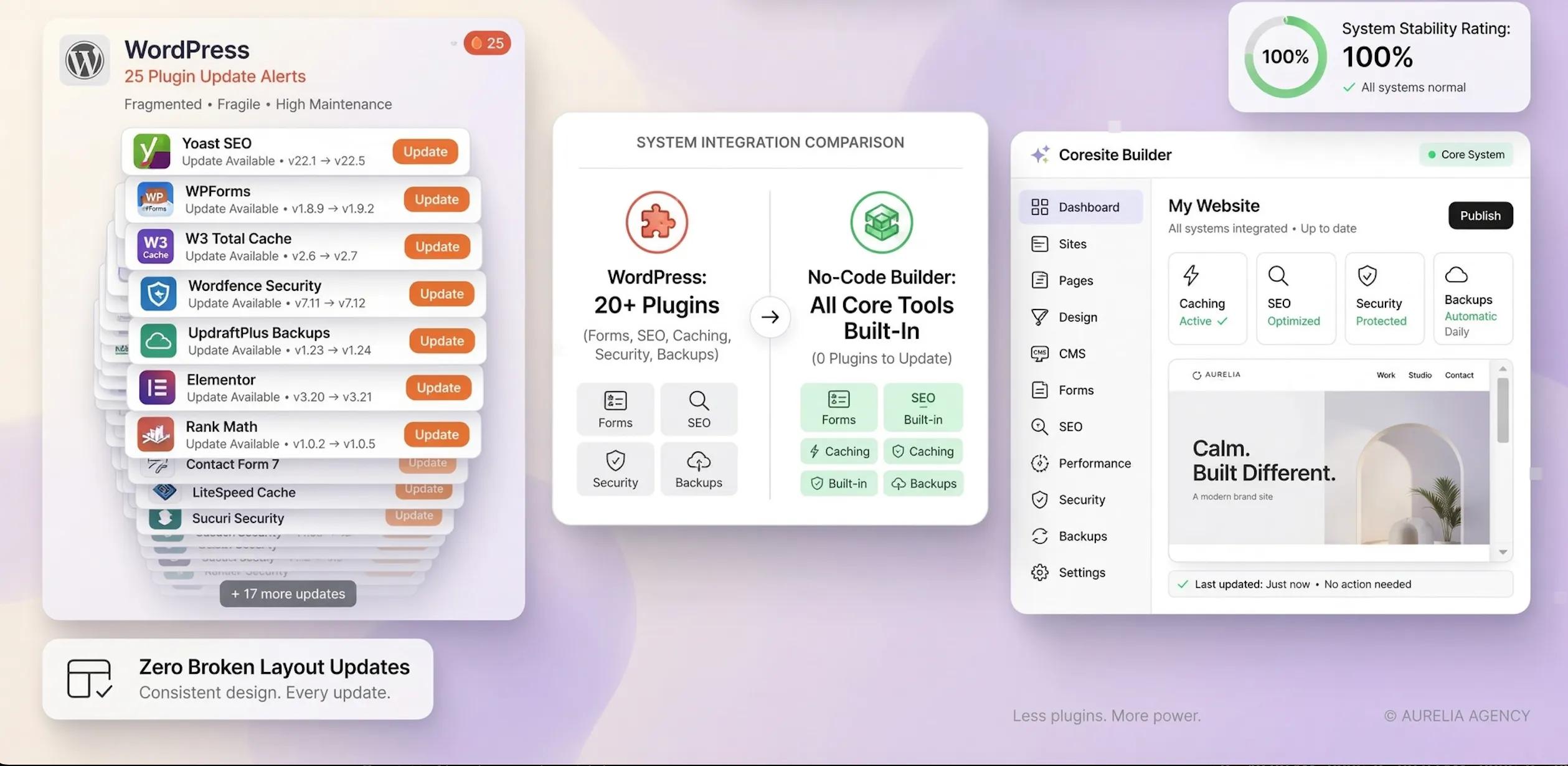
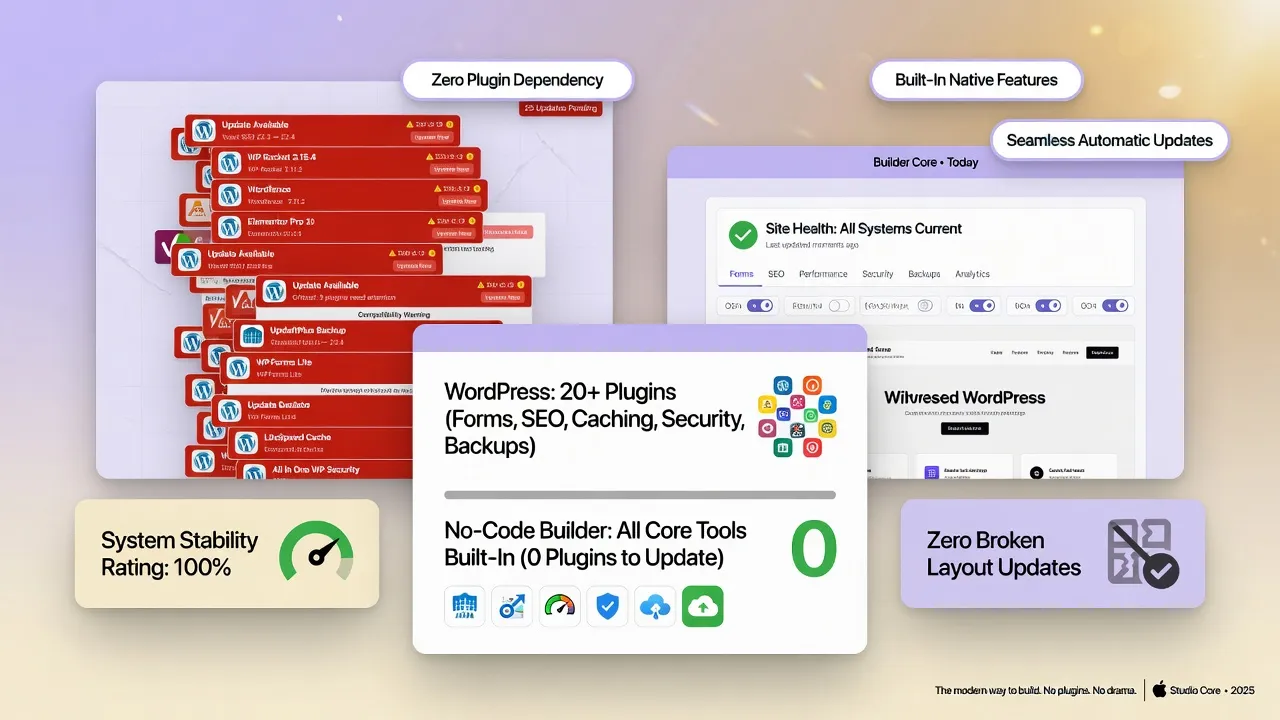
However, marketing campaigns hide a frustrating reality: WordPress relies on a complex web of hosting setups, security plugins, theme updates, and database maintenance that drains your time.
Conversely, an all-in-one AI website builder for a small business gives you momentum. Platforms like BoltWeb eliminate technical hurdles by combining custom AI-driven designs, hosting, contact forms, and local SEO tools into a single platform—so you build your site once and start capturing leads immediately.
Here is the head-to-head comparison to help you choose the platform for your business goals.
1. Website Builder vs WordPress: Which Is Easier for a Beginner?
Starting a digital project shouldn't feel like learning a software development language.
Here’s the deal:
A dedicated beginner-friendly website builder is designed for immediate usability. You log in, enter your business details, and get a production-ready website with built-in hosting, SSL security, and mobile responsiveness.
When evaluating a website builder vs WordPress for beginners, WordPress presents a steep learning curve. You must purchase external WordPress hosting for beginners, manually configure databases, install themes, and troubleshoot plugin conflicts before writing your first sentence.
2. How Much Do You Need to Learn Before You Can Publish a Website?
If you need to publish a site today to start taking customer calls, setup speed matters.
Evaluating the easiest way to build a website reveals stark differences in initial tasks:
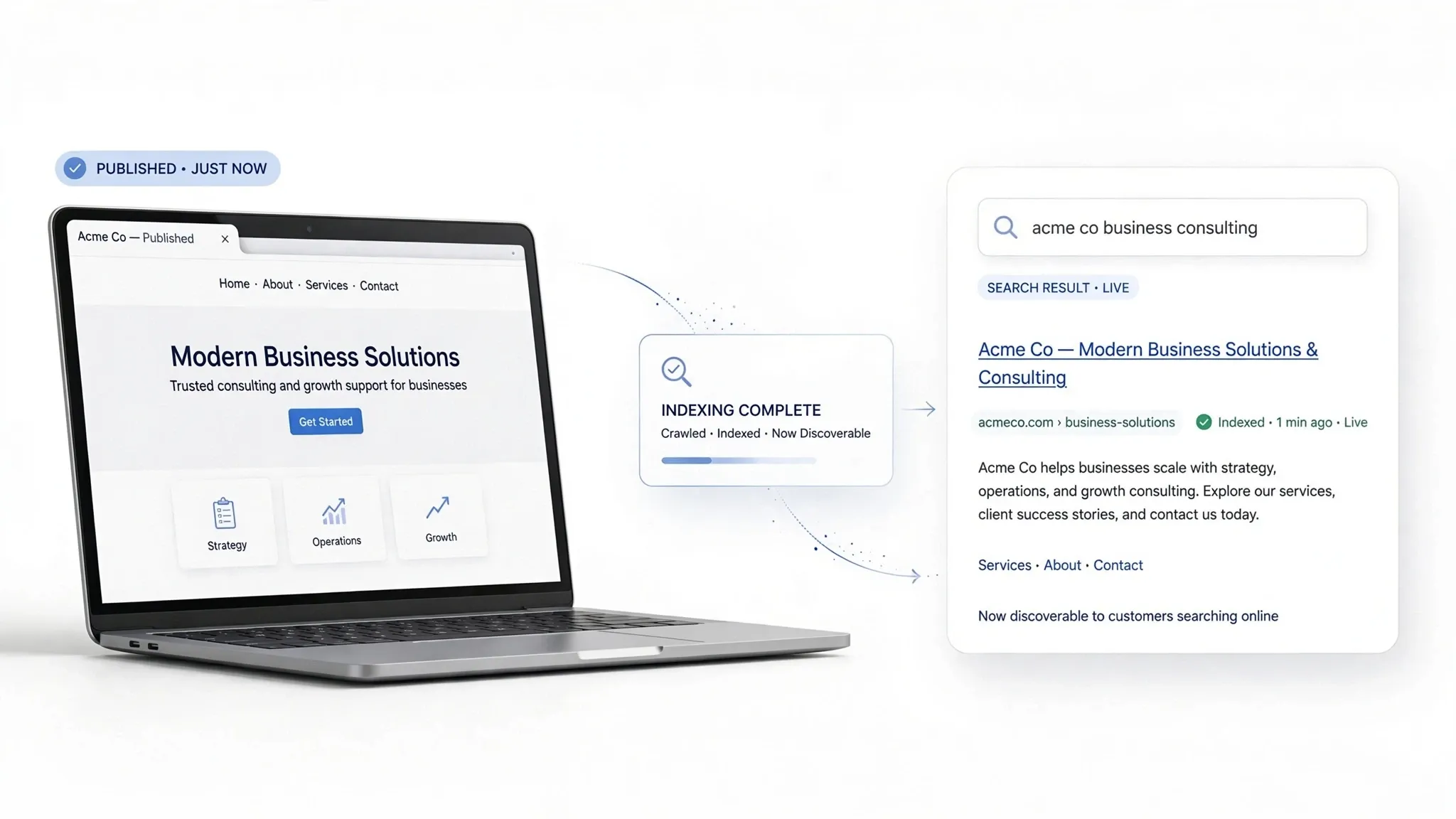
- AI Website Builder: You answer a few prompts about your services, locations, and lead targets. Systems like BoltWeb automatically generate tailored copy, local SEO tags, and contact forms, letting you go live in minutes.
- WordPress Setup: You must connect domain name servers (DNS), install the WordPress core, adjust permalink structures, set up SMTP email plugins, and configure caching tools before your site is usable.
Choosing an easy website builder for business removes technical friction so you can focus on running your business.
3. How Easy Is It to Create Pages and Change Your Website Design?
Editing your website shouldn't feel like playing with fragile code that breaks your layout when you move an image.
- • Drag and Drop Website Builder ➔ Visual editing with locked grids
- • WordPress Visual Editor ➔ Block-based layouts with CSS conflicts
Using a modern drag and drop website builder, visual changes occur directly on screen with responsive design safeguards.
In contrast, adjusting layouts in the WordPress visual editor often requires juggling block settings, managing theme-level overrides, or writing custom CSS to fix alignment issues on mobile viewports.
4. Which Is Easier for Everyday Updates After Launch?
Your business changes constantly. You update hourly rates, introduce seasonal discounts, or add new service zip codes.
Think about this:
When you need to adjust a price or post a project photo on an easy website editor, you log in from your phone or laptop, edit the text directly, and hit publish.
With WordPress website editing, routine updates can become complicated. Updating a simple service page might require checking shortcodes, clearing server cache plugins, or fixing broken layout blocks caused by an automatic background update.
5. Does WordPress Require Plugins, Themes, and Extra Setup?
WordPress core software is bare-bones out of the box. To make it function for a real business, you must assemble a mosaic of third-party tools.
To match what an easiest website builder for small business provides out of the box, a basic WordPress site requires:
- Form Builders: Gravity Forms, WPForms, or Contact Form 7.
- SEO Extensions: Yoast SEO or Rank Math.
- Security & Backups: Wordfence, UpdraftPlus, or iThemes Security.
- Performance Tools: WP Rocket, LiteSpeed Cache, or W3 Total Cache.
Managing dozens of WordPress plugins for beginners creates risk. When one plugin developer releases an update that conflicts with another, your contact form can quietly break—costing you leads without your knowledge.
6. Which Option Makes Mobile-Friendly Design Easier?
Over 70% of local service searches happen on mobile devices while customers are looking for immediate solutions.
- • Mobile-Friendly Website Builder ➔ Dynamic viewport scaling + Sticky tap-to-call mobile header buttons
- • WordPress Responsive Design ➔ Dependent on theme quality & mobile CSS overrides per plugin
A specialized mobile-friendly website builder builds fully responsive layouts natively. Tap-to-call buttons, quote forms, and image galleries adapt dynamically to any smartphone screen.
With WordPress responsive design, mobile layout depends entirely on third-party theme code. Adding table data, custom booking calendars, or multi-column sections often distorts mobile viewports, requiring manual CSS adjustments.
7. How Much Technical Maintenance Will You Need to Handle?
Building a website is only half the battle; keeping it secure and functional long-term is the other half.
When assessing website builder vs WordPress maintenance, the operational responsibilities differ significantly:
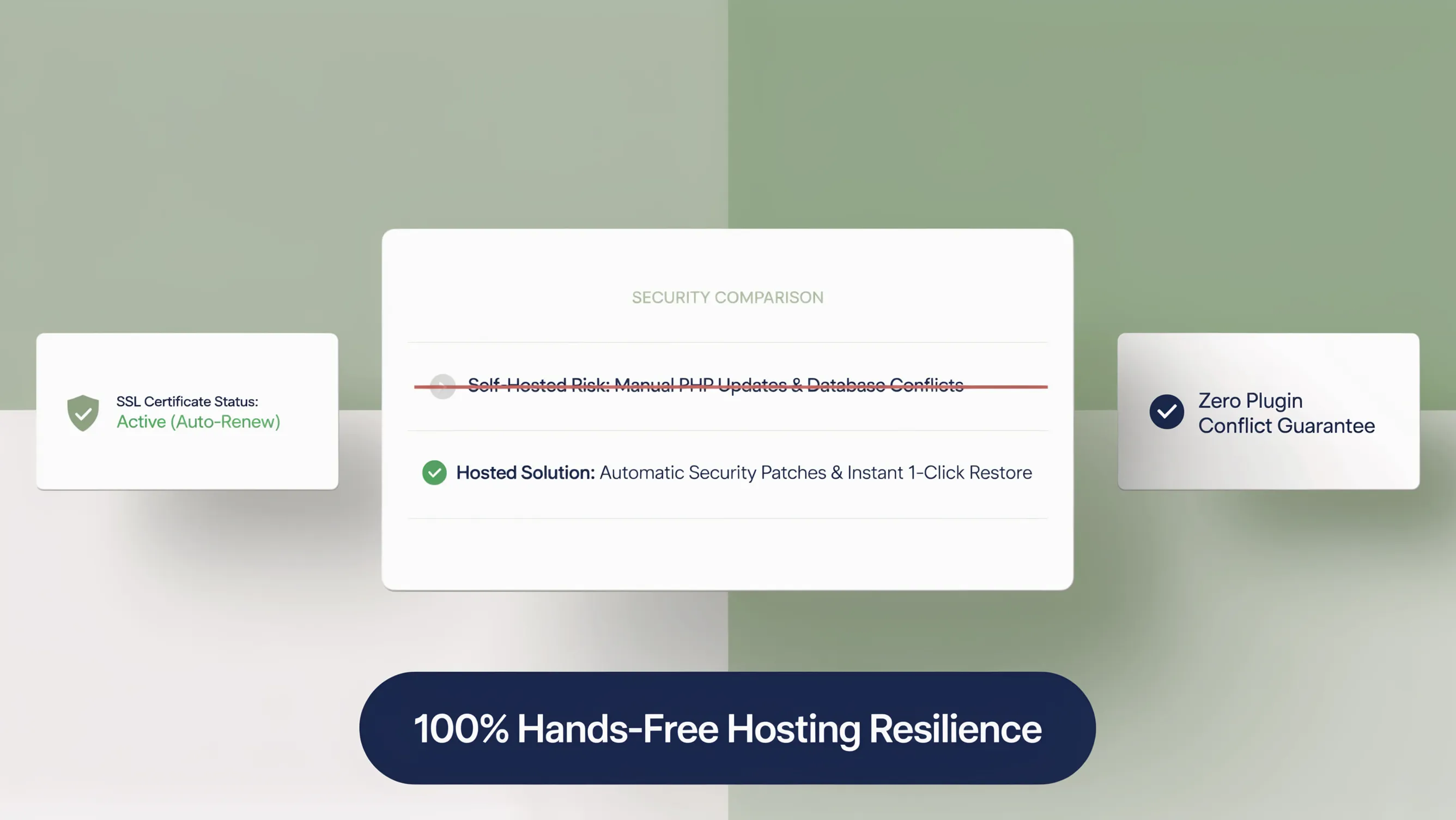
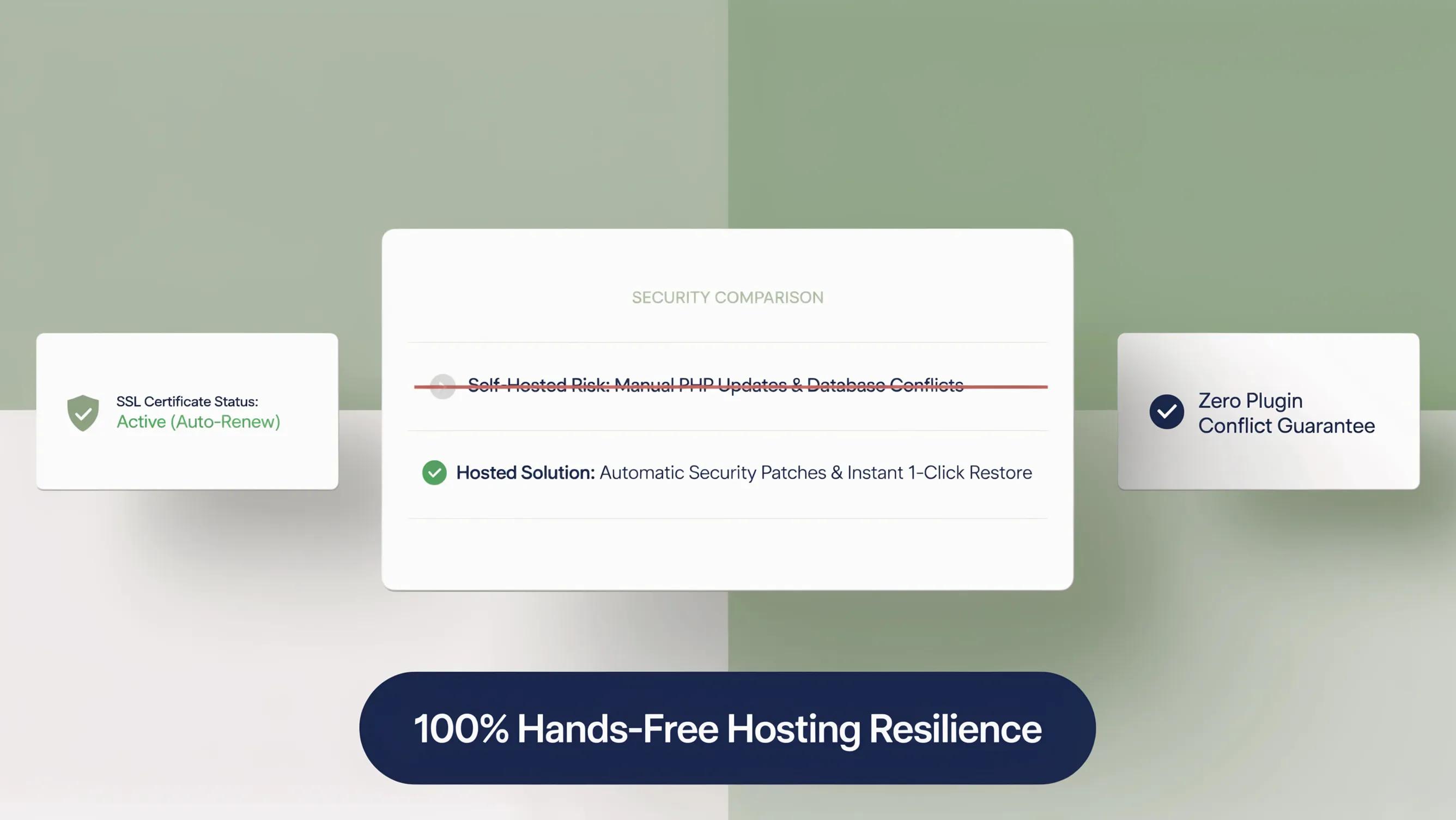
- Managed Website Builder: Platform engineers handle server management, core updates, security patches, SSL renewals, and automated backups behind the scenes.
- WordPress Maintenance for Beginners: You must manually update plugins, test PHP version compatibility, monitor database bloat, and defend against brute-force login attacks.
Choosing an all-in-one platform eliminates technical maintenance, freeing up hours of operational time each month.
8. Can You Add Contact Forms, Bookings, and Payments Without Complications?
A business website must do more than display static text; it needs to collect leads and process payments efficiently.
- • Native Form Processing
- • Built-in Calendar Booking
- • Direct Stripe Checkout UI
- • Separate Form Plugin
- • Separate Booking Add-on
- • Separate Payment Gateway
Using a website builder with forms and payments, interactive elements connect natively to your main dashboard.
On WordPress, setting up WordPress booking plugins or e-commerce features requires installing heavy add-ons like WooCommerce, configuring payment API keys, and managing transactional email delivery through third-party SMTP servers.
9. Is WordPress Harder to Learn If You Want More Customization?
A common argument for WordPress is its unlimited customization potential.
Here is the trade-off:
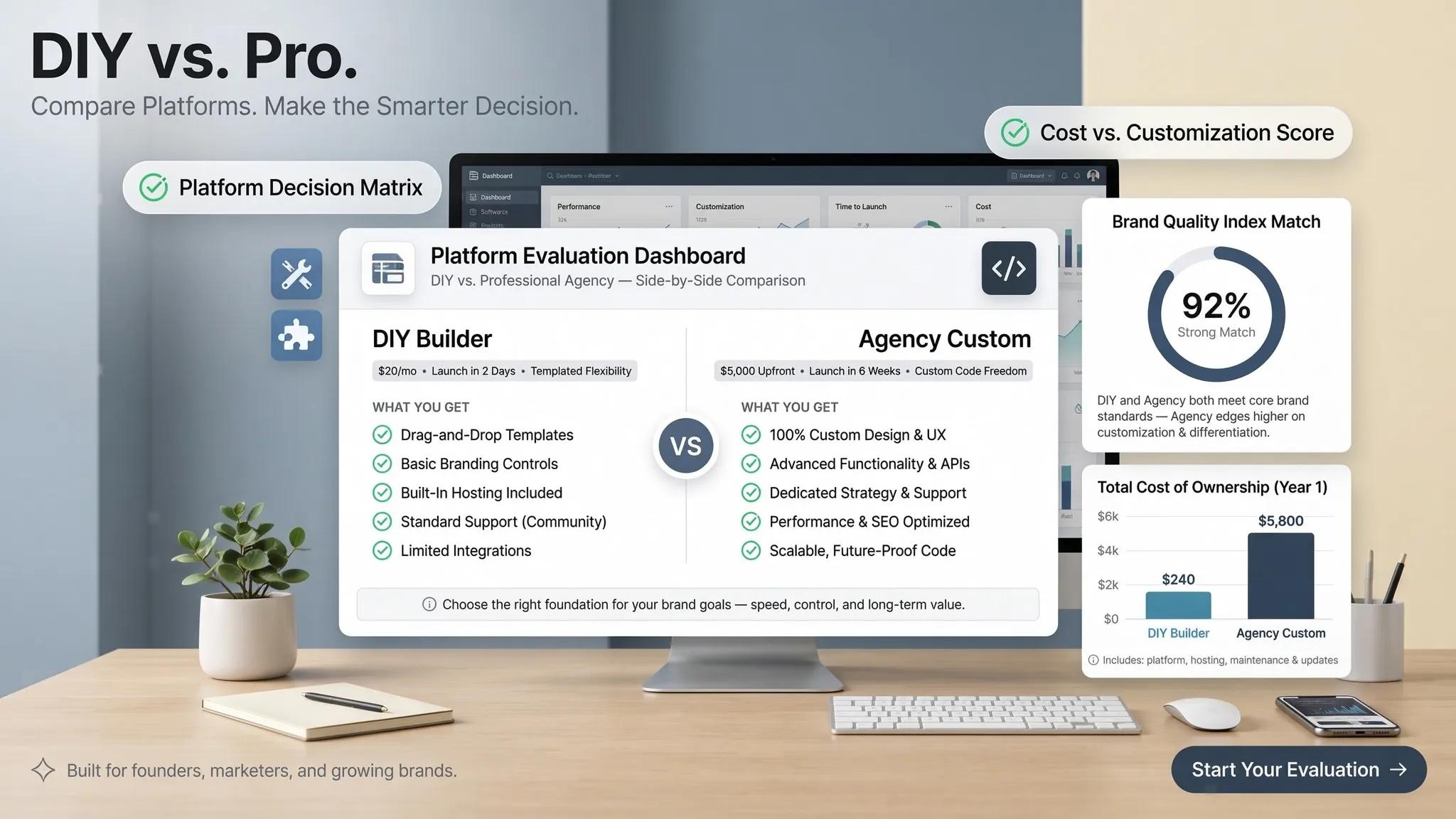
While open-source software allows you to alter every line of code, that total freedom comes with extreme complexity. For 95% of local businesses, endless customization options create decision paralysis and higher maintenance overhead.
Modern platforms like BoltWeb offer an easy website builder with customization controls designed specifically for local marketing needs. You can adjust colors, fonts, section ordering, and copy without risking website downtime or layout breakage.
10. Which Is Easier for Your Type of Website?
The right platform depends on your primary business goals:
| Business Need | Recommended Choice | Why? |
|---|---|---|
| Local Service Businesses | AI Website Builder | Instant setup, local SEO tags, sticky call buttons, and fast mobile forms. |
| Consultants & Freelancers | Website Builder | Clean design templates, direct booking flows, and simple content updates. |
| High-Volume Publishers | WordPress | Complex taxonomy management, multi-author editorial controls, and archive categorization. |
| Custom Enterprise Web Apps | WordPress / Custom | Custom API endpoints, complex database queries, and custom user portals. |
For standard commercial sites, an easiest website builder for small business delivers faster results with less operational friction.
11. Can You Switch From a Website Builder to WordPress Later?
Business owners often worry that using a website builder locks them in forever.
Here is the truth:
Your website content—copy, images, customer reviews, and domain authority—belongs to you. If your business expands to require custom web applications years down the road, migrating your content, setting up 301 redirects, and pointing your domain to a new host is straightforward.
Starting with an easy-to-use AI website builder gives you immediate market presence without getting bogged down in technical development early on.

12. Use This Checklist to Choose the Easier Option for You
Use this quick evaluation to determine which platform fits your technical comfort level and business priorities:
- [ ] I want to go live in under 30 minutes without writing code.
- [ ] I want hosting, security, and backups managed automatically.
- [ ] I prefer direct, visual drag-and-drop website editing controls.
- [ ] I need an all-in-one system with built-in forms and local SEO.
Result: If you checked two or more boxes above, an all-in-one platform like BoltWeb is the faster, more efficient choice for your business.
To explore technical web standards, inspect core guidelines at the W3C Web Accessibility Initiative, review search crawling documentation via Google Search Central, or analyze digital privacy best practices through the Federal Trade Commission (FTC). Additional guidance on mobile user experience can be explored at the Nielsen Norman Group.
Stop wrestling with complex hosting setups, outdated themes, and fragile plugin updates. Build your high-converting digital storefront with BoltWeb today and start generating local leads immediately.
Website Builder vs WordPress (Ease of Use): FAQs for Beginners
1. Is a website builder really easier to learn for a beginner than WordPress?
Here’s the plain truth:
A dedicated beginner-friendly website builder requires almost zero technical learning curve. You simply log in, input your business details, and get a production-ready website with built-in hosting, SSL security, and mobile responsiveness right out of the box. Evaluating a website builder vs WordPress for beginners reveals that WordPress presents a steep setup barrier—forcing you to configure external web hosting, manage databases, install themes, and connect plugins before you can write a single sentence.
2. How much technical knowledge do I need before I can publish my first page?
Think about how fast you need to get online to start taking customer calls:
When comparing the easiest way to build a website, an all-in-one AI platform lets you answer a few quick prompts about your services, locations, and lead targets. Systems like BoltWeb automatically generate tailored trade copy, local SEO tags, and lead capture forms in minutes. With WordPress, you must configure domain name servers (DNS), set up permalink structures, install SMTP mail plugins, and manage caching controls before your site is usable.
3. Can I change my website design without breaking the page layout?
Editing your website shouldn't feel like playing with fragile code that collapses your layout when you move an image.
Using an easy website builder for business, visual changes occur directly on screen with built-in responsive safeguards. On the other hand, adjusting visual layouts in the WordPress visual editor often requires juggling block settings, handling theme overrides, or writing custom CSS code to fix alignment issues across mobile screens.
4. Which platform makes routine daily updates like changing prices or photos easier?
Your business changes constantly—you update hourly rates, introduce seasonal discounts, or add new job site photos.
When you need to make a quick update on an easy website editor, you log in from your phone or laptop, edit the text directly, and hit publish. With WordPress website editing, routine updates can easily turn into a technical headache, where updating a simple service page might require checking shortcodes, clearing server cache plugins, or fixing broken layout blocks caused by background updates.
5. Why does WordPress require so many plugins and themes just to get basic features working?
WordPress core software is completely bare-bones out of the box. To make it function for a real local business, you have to assemble a mosaic of third-party add-ons.
To match what an easiest website builder for small business provides out of the box, a basic WordPress site requires separate plugins for form builders, SEO tools, security firewalls, and performance caching. Managing dozens of WordPress plugins for beginners creates constant risk—when one plugin developer releases an update that conflicts with another, your contact form can quietly break and cost you valuable client leads.
6. Will my website look right on mobile phones without extra technical work?
Over 70% of local service searches happen on smartphones while customers are looking for immediate solutions.
A specialized mobile-friendly website builder builds fully responsive layouts natively—ensuring tap-to-call headers, quote forms, and image galleries adapt dynamically to any touchscreen. With WordPress responsive design, mobile layout depends entirely on third-party theme code, where adding custom tables, booking calendars, or multi-column sections often distorts mobile viewports and requires manual CSS adjustments.
7. Who handles technical maintenance, software updates, and backups after launch?
Deploying your site is only half the battle; keeping it secure and functional long-term is the other half.
When assessing website builder vs WordPress maintenance, the operational workload differs completely:
- Managed Website Builder: Platform engineers handle server management, core software updates, security patches, SSL renewals, and automated backups behind the scenes.
- WordPress Maintenance for Beginners: You must manually update plugins, test PHP version compatibility, monitor database bloat, and defend against brute-force login attacks yourself.
8. Can I add contact forms, booking calendars, and payments without hiring a developer?
A business website must do more than display static text; it needs to collect qualified leads and process transactions efficiently.
Using a website builder with forms and payments, interactive elements connect natively to your main dashboard. On WordPress, setting up WordPress booking plugins or e-commerce features requires installing heavy add-ons like WooCommerce, configuring payment API keys, and managing transactional email delivery through third-party SMTP servers.
9. Does having more customization options on WordPress mean it will take more time to run?
A common argument for WordPress is its unlimited customization potential—but that total freedom comes with extreme complexity.
For 95% of local service companies, retail shops, and professional practices, endless customization options create decision paralysis and heavy maintenance overhead. An easy website builder with customization controls gives you full freedom over colors, typography, section ordering, and copy without risking website downtime or layout breakage.
10. Which option is better suited for my specific type of business?
The right platform depends entirely on your primary business goals:
- Local Service Businesses: An AI website builder provides instant setup, built-in local SEO tags, sticky mobile call buttons, and fast lead intake forms.
- Consultants & Freelancers: A managed builder delivers clean design templates, direct booking flows, and simple content updates without developer retainer costs.
- High-Volume Publishers: WordPress is built for complex editorial taxonomy management, multi-author permissions, and large article categorization.
11. Will choosing an easy website builder now cause problems if I want to switch later?
Business owners often worry that starting on a website builder locks them in forever.
Here is the truth: your core business assets—copy, images, customer reviews, and domain authority—belong to you. If your business expands to require custom web applications years down the road, migrating your content, setting up 301 redirects, and pointing your domain name to a new host is straightforward. Starting with an easy-to-use AI website builder gives you immediate market presence without getting bogged down in technical development early on.
12. How do I choose between a website builder and WordPress today?
Run through this quick evaluation checklist to make your decision:
- [ ] I want to go live in under 30 minutes without writing code.
- [ ] I want hosting, security, and backups managed automatically.
- [ ] I prefer direct visual editing without managing plugins.
- [ ] I need an all-in-one system with built-in forms and local SEO.
Result: If you checked two or more boxes above, an all-in-one platform like BoltWeb is the faster, more efficient choice for your business.