Pouring time and budget into driving fresh eyes to your domain means nothing if those visitors leave without sending a message. That quiet drop-off highlights a major breakdown: bringing people to your pages is a waste of capital if your site fails to capture their intent.
THE HIGH-CONVERSION INQUIRY ENGINE
[ EXISTING TRAFFIC ]
Current site traffic
[ SHARP VALUE PROPOSE ]
Clear, distinct solution
[ FAST FORM ]
3-field intake
▼
[ INCOMING INQUIRY ]
Pre-sold prospect
When a reader arrives on your screen and cannot decipher how you solve their problem within three seconds, they leave to find an alternative. Learning how to get more website inquiries doesn't require doubling your ad spend—it requires turning your existing traffic into qualified conversations. By stripping out dense text, sharpening your value promise, and embedding low-friction entry points, you increase website inquiries using the traffic you already have. Operating a high-performing lead generation website ensures you get more website inquiries consistently.

Make It Obvious What You Want Visitors to Ask About
Vague, corporate messaging creates hesitation. When your site tries to be everything to everyone, prospects struggle to understand what to ask you.
- Anchor a single direct offer: Declare your core service and target audience clearly above the fold on your main page.
- Define clear conversion triggers: Prompt visitors around specific outcomes, such as requesting a pricing guide or booking a project scoping session.
- Highlight key problem areas: Frame your solutions around the exact questions your ideal clients ask before hiring you. Learn how to choose what your website should say to sharpen your core message.
Clear, targeted messaging eliminates confusion, driving higher overall website conversion.

Give Visitors a Reason to Contact You Now
A bland prompt that simply says "Contact Us" asks for user effort while offering zero immediate value in return.
Weak Contact Prompt (Avoid)
"Send us a message to get in touch."
"Fill out our form for inquiries."
High-Impact Incentive (Use)
"Request Your Custom Scope & Pricing Estimate in 2 Hours."
"Claim Your Free 15-Minute Technical Site Audit."
Reframe your action prompts around rapid answers, concrete advice, or immediate project pricing. Giving visitors an immediate reason to reach out helps increase website conversions across your entire business website.

Put a Clear Call to Action Where People Can See It
Hiding your primary contact button inside a crowded navigation menu makes taking action feel like work.
- Deploy strong visual contrast: Choose a distinct accent color for your primary website CTA that stands out against your site's background.
- Keep primary action triggers persistent: Lock a sticky contact header to the top of the browser viewport so your entry button remains visible as users scroll.
- Place action prompts inline: Embed contact buttons directly beneath service breakdowns and client outcome showcases.
Making your entry points visually prominent turns casual reading into direct engagement.

Make Your Contact Form Quick and Easy to Complete
Every unnecessary question you add to an intake form causes completion rates to plummet. Guarded prospects back away when forced to supply private details early on.
[ DENSE INTAKE (High Abandonment) ]
* First Name & Last Name
* Company Tax ID & Revenue
* Physical Street Address
* Phone Number & Budget Range
[ STREAMLINED FORM (High Inquiries) ]
* Full Name
* Business Email
* How Can We Help? [Dropdown]
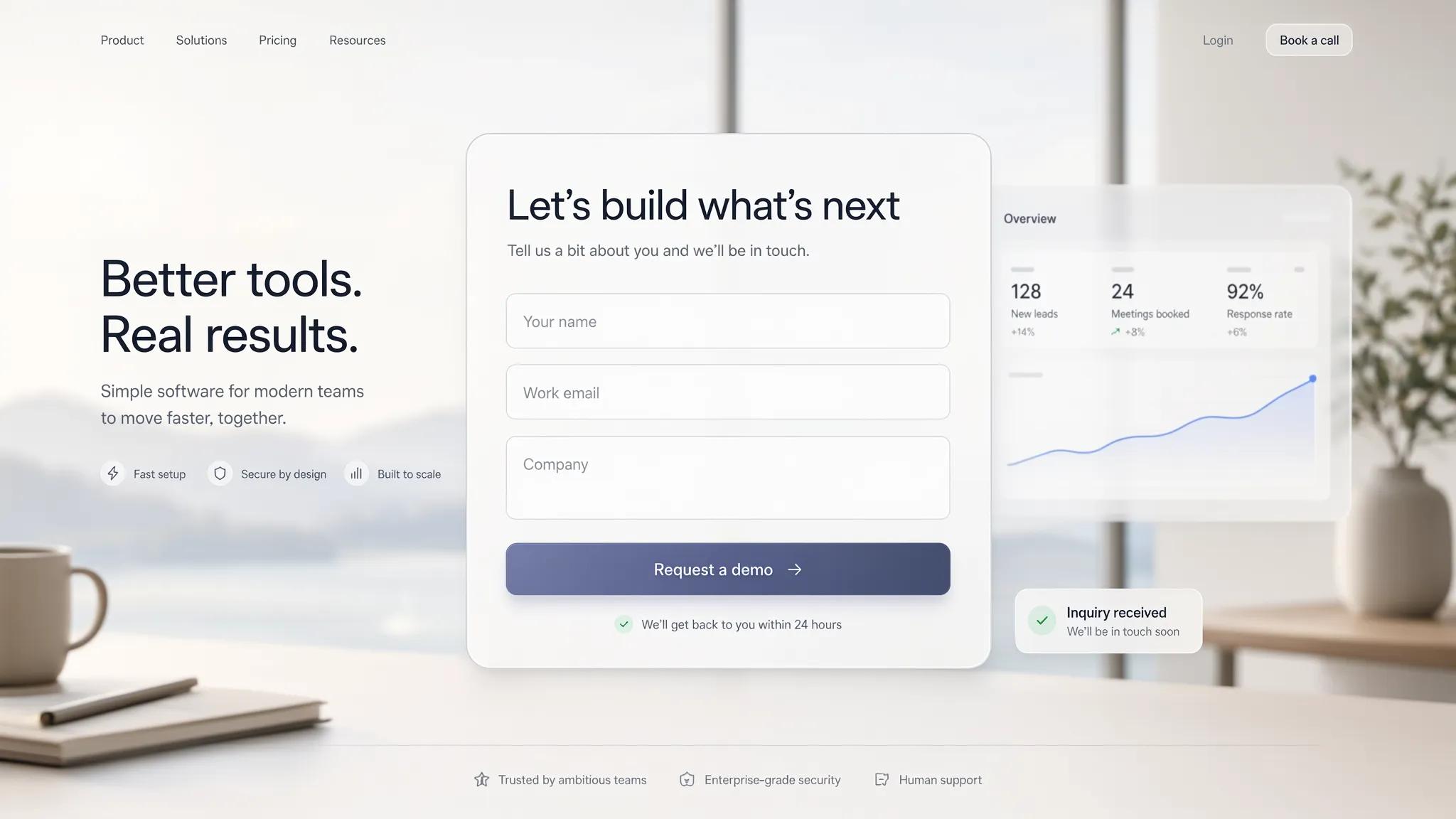
- Limit inputs to essential data: Keep your initial website contact form focused on 3 core fields: Name, Email, and Brief Message.
- Use quick-select dropdowns: Replace open text fields with simple choice selectors to speed up submissions.
- Eliminate intrusive pop-ups: Remove aggressive full-screen modals that disrupt mobile user browsing.
Streamlining your contact form friction accelerates overall website lead generation. Follow our step-by-step guide on how to add a lead form to a website to build high-converting intake fields.

Tell Visitors What They'll Get After They Contact You
Uncertainty creates delay. Prospects hesitate to submit forms when they worry their message will sink into an unmonitored inbox.
- Set explicit response windows: Add a small reassurance note below your submission button stating "We respond to all inquiries within 2 business hours."
- Outline the immediate next steps: Tell visitors exactly what occurs after they hit submit (e.g., "Step 1: Brief Discovery Chat • Step 2: Custom Proposal").
- Reassure user privacy: Remind users that their contact details are 100% confidential and will never be shared.
Setting clear expectations builds momentum, encouraging pre-sold prospects to reach out.

Use Reviews and Real Examples to Give People Confidence
First-time visitors demand proof before handing over their personal details. Without visible proof, prospective clients fear poor service or unprofessional communication.
- Embed verified client reviews: Display live ratings from independent sources like Google Reviews or Trustpilot directly next to submission forms.
- Feature authentic work samples: Show real before-and-after project photos, video walk-throughs, or detailed case studies.
- Highlight trust markers: Display industry accreditations, local licenses, and secure transaction seals prominently.
Strengthening website credibility eliminates doubt, generating deep website trust that converts skittish visitors into active leads. Discover the core factors of what makes a website trustworthy to maximize your site's authority signals.

Create Pages for the Services People Are Actually Looking For
Sending search traffic to a generic homepage forces prospects to dig through irrelevant information to find the service they need.
TARGETED SERVICE ARCHITECTURE
[ SPECIFIC SEARCH ]
"Commercial Plumbing"
[ DEDICATED SERVICE PAGE ]
Focused solution copy
[ QUICK FORM ]
Direct link
Build dedicated service pages tailored to specific local intent and customer needs. Aligning page content with exact search terms through strategic SEO brings qualified users directly to pages designed to turn searches into business inquiries.

Make It Easy to Call, Email, Book, or Request a Quote
Forcing every prospect down a single contact path alienates buyers who prefer phone calls, direct emails, or calendar scheduling.
- Offer direct contact channels: Display a tap-to-call phone line and direct email address alongside your primary form. Learn how to get more calls from your website to turn phone traffic into booked clients.
- Embed a direct booking link: Give high-intent prospects the option to lock in a consultation time using an online scheduling tool.
- Provide a simple quote request option: Feature a distinct request a quote pathway for clients who have detailed project specs ready to share.
Providing flexible, obvious contact paths ensures you capture every buyer preference without overwhelming the reader.

Make Your Website Work Just as Well on a Phone
Clunky mobile layouts, hard-to-tap buttons, and slow-loading pages cause mobile users to abandon your site instantly.
- Optimize for fast cellular speeds: Compress visual assets so your pages load under two seconds on mobile networks.
- Enlarge tap targets: Ensure every button, input field, and link is sized for easy thumb tapping.
- Use mobile-optimized inputs: Deploy numeric keypads automatically when users tap into phone or date fields on a mobile contact form.
Building a fully mobile-friendly website ensures taking action feels effortless on any screen size. Check out our guide on how to make a website easy to use to refine your site's overall mobile UX.

Find Out Where Your Website Is Losing Potential Inquiries
Guessing why visitors leave without inquiring leads to random edits and missed revenue opportunities.
- Review user interaction heatmaps: Track user scrolling habits and click maps to discover where visitors drop off.
- Audit form drop-off analytics: Measure field-level abandonment rates inside website analytics to spot intrusive questions.
- Test form functionality routinely: Regularly test form submissions on mobile and desktop screens to verify messages land in your CRM.
Systematically auditing your user journey highlights conversion leaks, allowing you to fix structural issues and capture more business website leads.

Build a Website Designed to Bring In More Inquiries
Wrestling with outdated site software or complex plugins drains time you should be using to serve your clients.
AUTOMATED INQUIRY CAPTURE SYSTEM
[ PRE-BUILT FORMS ]
Native intake blocks
[ INSTANT NOTIFICATIONS ]
Real-time CRM alerts
[ AUTO SEO ]
Fast hosting
Using a modern AI website builder allows you to launch an inquiry-generating digital presence in minutes:
- Pre-engineered lead layouts: Drop pre-configured intake forms, review blocks, and high-converting hero sections into your site using an intuitive small business website builder.
- Built-in speed and mobile optimization: Sites created on a modern business website builder load fast, include automatic SSL security, and function seamlessly across all mobile devices.
- Simple management: Update service offerings, refresh reviews, and publish new pages instantly using a streamlined website builder.
Stop letting valuable traffic slip away without making contact. Launch a high-converting digital platform with an advanced small business website builder on BoltWeb and turn your existing traffic into a reliable source of fresh inquiries.

Frequently Asked Questions: How to Get More Website Inquiries
How do I get more website inquiries without increasing my ad spend?
To get more website inquiries using your current traffic, focus on optimizing your conversion pathway:
- Place a short website contact form above the fold on your highest-trafficked pages.
- Replace generic "Submit" button copy with benefit-driven language like "Request My Free Project Scope."
- Position verified client reviews and star ratings directly next to your primary submission forms.
Streamlining user paths allows you to increase website inquiries without paying for additional ad clicks.
What is the most effective way to turn casual visitors into direct inquiries?
To convert website visitors into leads, eliminate friction at the moment user interest peaks. Clear away secondary sidebar links, social media widgets, and competing navigation options. Presenting a single clear offer alongside an intuitive intake process encourages visitors to submit an inquiry rather than leave.
Why is my website traffic high but my total inquiries low?
High traffic paired with low inquiry rates typically stems from a mismatch in search intent or an overly complicated contact process. If visitors reach a vague page that fails to outline immediate benefits, or if reaching you requires multiple clicks, drop-off occurs. Aligning content with commercial search queries and featuring clear website CTA triggers helps increase website conversions.
How many fields should I include on a website contact form?
Keep required form fields to 3 or 4 essential questions:
- Full Name
- Business Email or Phone Number
- Primary Need (using a quick dropdown selector)
Every extra question added to an intake form increases drop-off. Trimming fields speeds up completion, maximizing website lead capture across desktop and mobile screens.
FAQ 5: Where should I place contact forms to capture the most inquiries?
Embed your website contact form at key decision-making touchpoints across your site:
- Hero Section: Position a short intake box right inside your main header banner.
- Below Case Studies: Place a form directly after showcasing client results.
- Beside Social Proof: Position form fields adjacent to verified client feedback.
Strategic placement ensures an intake path is always visible when prospect desire peaks on your lead generation website.
What type of call to action drives the highest number of inquiries?
The best call to action promises a specific outcome rather than demanding effort. Replace passive prompts like "Contact Us" or "Submit" with action-focused triggers like "Get My Custom Estimate in 2 Hours" or "Schedule a Free Consultation." High-contrast buttons with explicit value promises dramatically improve overall website conversion metrics.
FAQ 7: How do service pages help generate more website leads?
Grouping every offering onto a single generic page creates confusion and dilutes search relevance. Creating targeted service pages tailored to specific customer needs ensures searchers land on content built specifically for their situation. Matching search intent directly to dedicated offers helps generate more website leads with high conversion intent.
How can I prevent mobile visitors from abandoning my inquiry forms?
Mobile users leave quickly when faced with slow load times, small text, or hard-to-tap form fields. Operating a fully mobile-friendly website with enlarged tap targets, sticky header buttons, and auto-completing form inputs makes sending an inquiry effortless for smartphone searchers.
Why are trust signals necessary before asking for an inquiry?
First-time visitors demand proof before sharing private contact details. Displaying real team photos, live review feeds, local licenses, and clear privacy notes eliminates hesitation. Building website credibility upfront creates the necessary website trust that converts skittish visitors into active inquiries.
How do I track which pages and channels generate the most inquiries?
To discover what drives your business website leads, set up accurate end-to-end tracking:
- Configure goal events in website analytics for form submissions and phone clicks.
- Pass hidden traffic source parameters (UTMs) directly into your CRM.
- Use dynamic call tracking to attribute phone inquiries back to specific search terms or campaigns.
Tracking conversion sources provides the data needed to double down on high-performing channels.
How do commercial keywords help attract pre-sold inquiries?
Focusing on commercial search terms (such as "commercial roofing contractor near me" or "best small business website builder") attracts buyers ready to take action. While informational queries bring casual readers, commercial search intent brings active prospects ready to fill out a website contact form.
How can I build an inquiry-focused site without writing code?
You don't need custom coding or expensive agencies to launch a conversion-focused web presence. Using a modern AI website builder allows you to deploy a complete platform in minutes. An intuitive small business website builder comes equipped with pre-built lead capture forms, built-in mobile responsiveness, and fast hosting—giving you a dedicated website builder system designed to bring in inquiries from day one.