


You pull up your local store on Google Maps on a rainy Tuesday afternoon, look at the competing listings dominating your neighborhood, and stare at a frustrating digital reality:
Here is the plain truth:
Search engine crawlers do not look at your website the way human customers do. While you see a glowing storefront photo, a clear phone number, and operating hours, raw search bots read an endless stream of text. Without explicit structured signals, search algorithms have to guess your business category, address, and operating hours.
Implementing Local Business Schema Markup bridges that exact communication gap. It acts as an explicit digital translator, turning ordinary site copy into machine-readable data that search engines ingest, interpret, and match with hyper-local search queries.
Historically, building complex structured data meant writing raw JSON-LD arrays by hand or wrestling with messy template files. Modern platform architecture removes that technical friction completely.
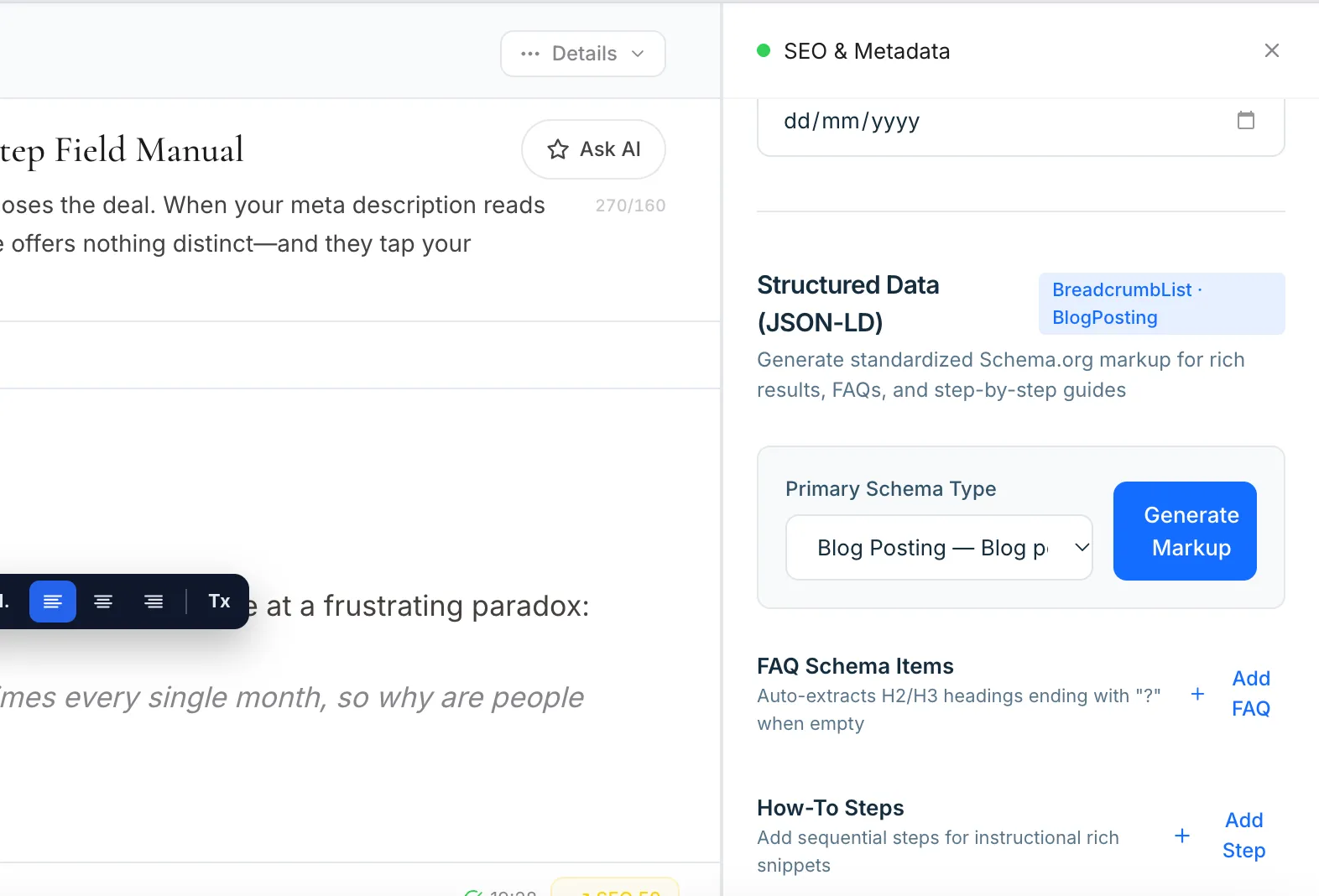
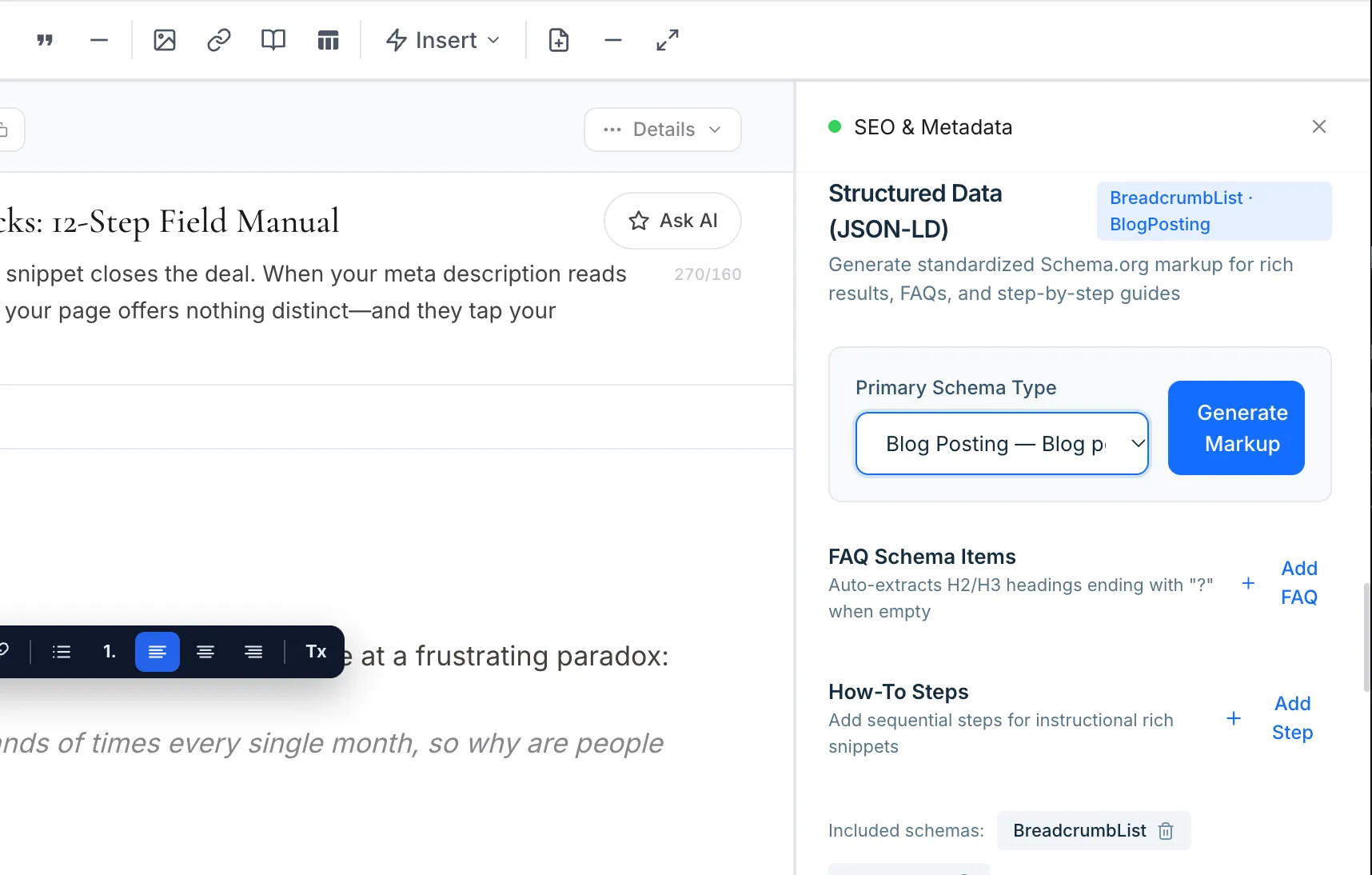
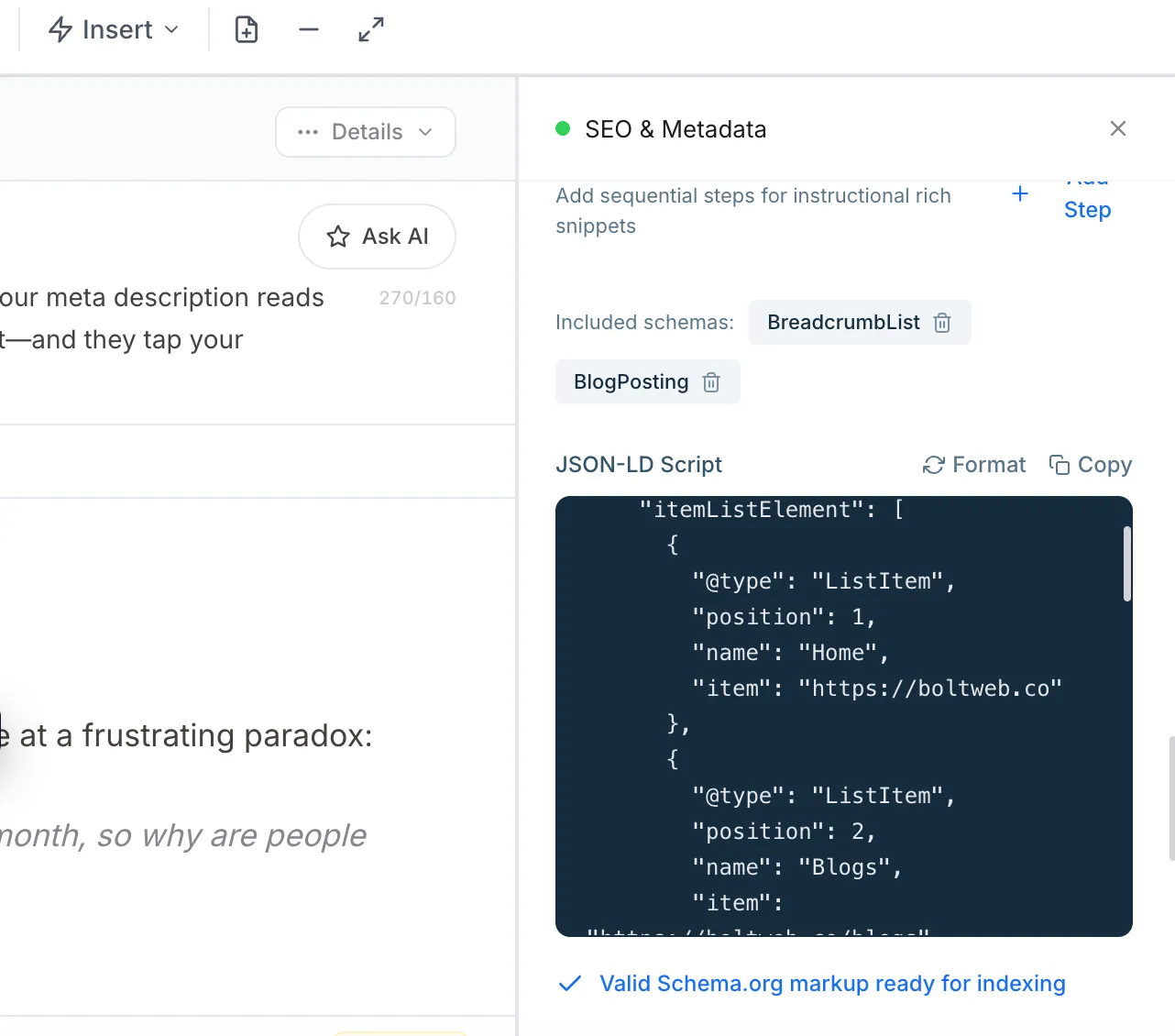
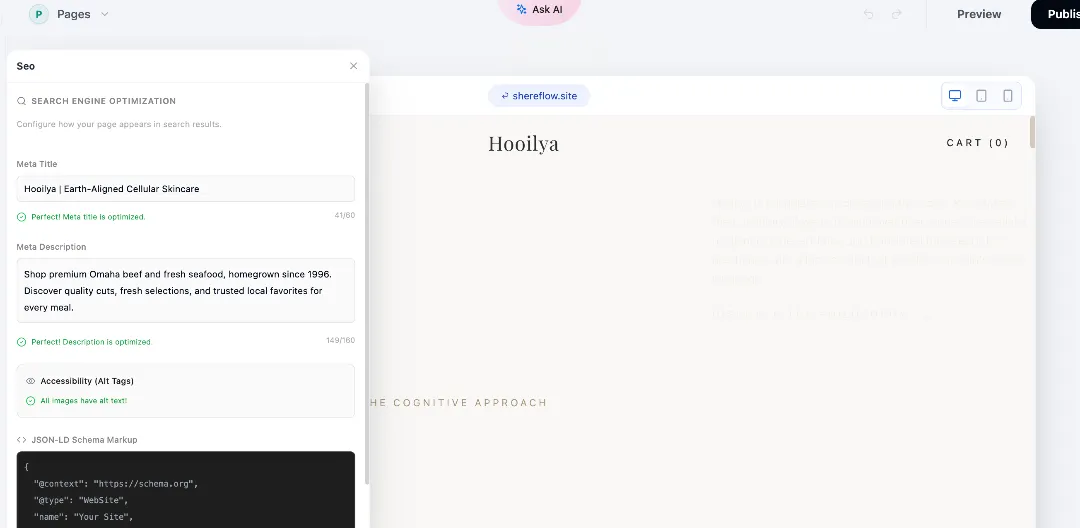
When you build your online storefront on BoltWeb, getting automated, highly useful Local Business Schema Markup in your website is effortless. Instead of writing code manually, BoltWeb formats clean, valid JSON-LD code automatically for your organization, local business profile, address, and operating hours—increasing your local search visibility and helping search bots recognize your physical location instantly.
Here is your complete operational guide to choosing schema types, writing valid JSON-LD, testing structured data, and scaling your local search authority.
1. What Is Local Business Schema Markup and Why Does Your Business Need It?
Let's clear up a major misconception right from the start:
Local Business schema markup is not a magic switch that automatically secures a top-three spot in local map packs. It is a standardized vocabulary maintained by Schema.org that explicitly defines your business name, physical address, phone number, and operating hours in a language search bots understand instantly.
| Standard Web Page Copy | LocalBusiness Schema Markup |
|---|---|
| "Visit our Austin office at 123 Main Street or call us." | @type: LocalBusiness, telephone: +1-555-010-1234 |
While visible text informs human visitors, structured data removes ambiguity for search algorithms. Mastering local business schema markup strengthens your local business structured data foundation, making local SEO schema markup an essential pillar of your local visibility strategy (see how to review your local website's technical SEO without touching a line of code).
2. Choose the Correct LocalBusiness Schema Type for Your Business
Using a broad, generic LocalBusiness tag when your storefront is a restaurant or a dental clinic leaves valuable industry context on the table.
Always choose the most specific valid subtype available in the Schema.org vocabulary:
- Restaurants & Cafes: Use Restaurant or FoodEstablishment to unlock dining-specific attributes.
- Clinics & Practices: Use MedicalClinic, Dentist, or LegalService to define professional sectors.
- Retail Stores: Use Store, ClothingStore, or HardwareStore for physical retail locations.
- Automotive Services: Use AutoRepair or AutomotiveBusiness for mechanic shops and dealerships.
- Home Service Providers: Use Plumber, Electrician, or HomeAndConstructionBusiness for trade professionals.
Selecting appropriate LocalBusiness schema types ensures your LocalBusiness subtype accurately represents your storefront, streamlining schema markup for local businesses.
3. Understand the Essential Properties in LocalBusiness Schema
Padding your structured data with unnecessary properties creates bloated code, while omitting critical fields leaves search engines guessing.
Focus on these core properties when building your markup:
| Property | What It Communicates | Implementation Guidance |
|---|---|---|
| name | Business identity | Use the actual business name. |
| @id | Stable entity identity | Use a consistent, unique URL-based identifier. |
| url | Official website | Link to the relevant business website. |
| telephone | Contact number | Use a real, customer-facing phone number. |
| address | Physical business location | Use a properly structured PostalAddress where applicable. |
| geo | Geographic coordinates | Include accurate latitude and longitude where appropriate. |
| openingHoursSpecification | Operating hours | Specify correct days and opening/closing times. |
| image | Business image | Use a relevant, accessible image URL. |
| priceRange | General price range | Include only if accurate and useful. |
| sameAs | Other authoritative profiles | Link to genuine business profiles or official social pages. |
| areaServed | Service area | Include relevant areas when applicable. |
| parentOrganization | Parent organization | Use when the location belongs to a larger organization. |
Understanding LocalBusiness schema properties, formatting your business address schema, and structuring your opening hours schema ensures complete data integrity.
4. Create LocalBusiness JSON-LD with a Practical Schema Example
Writing structured data requires strict adherence to syntax rules. Below is a realistic, editable JSON-LD template that you can adapt to your own business:
<script type="application/ld+json">
{
  "@context": "https://schema.org",
  "@type": "LocalBusiness",
  "@id": "https://www.example.com/#business",
  "name": "Example Business",
  "url": "https://www.example.com/",
  "telephone": "+1-555-010-1234",
  "image": "https://www.example.com/images/business.jpg",
  "address": {
    "@type": "PostalAddress",
    "streetAddress": "123 Main Street",
    "addressLocality": "Austin",
    "addressRegion": "TX",
    "postalCode": "78701",
    "addressCountry": "US"
  },
  "openingHoursSpecification": [
    {
      "@type": "OpeningHoursSpecification",
      "dayOfWeek": [
        "Monday",
        "Tuesday",
        "Wednesday",
        "Thursday",
        "Friday"
      ],
      "opens": "09:00",
      "closes": "18:00"
    }
  ]
}
</script>
Make sure to replace example data with your genuine business information and include only properties that genuinely apply. Using clean LocalBusiness JSON-LD templates provides a reliable local business schema example for valid JSON-LD schema deployment.
5. Add Local Business Schema Markup to Your Website
Once you have customized your valid JSON-LD script block, implementing it on your website is straightforward.
Follow this simple insertion process:
- Open Your Homepage Template: Access the template file governing your homepage or main contact page.
- Locate the Header Section: Paste your JSON-LD <script> tag directly inside the closing </head> section of your HTML document.
- Avoid Duplication: Ensure your business schema isn't hardcoded twice across competing plugins or templates.
Executing these steps makes it easy to add local business schema, streamline your local business schema implementation, and correctly add JSON-LD to website files (learn how to create an SEO-friendly website structure that supports clean schema injection across every page).
Automate Local Schema and Drive Qualified Foot Traffic to Your Business
Stop losing local search visibility to competitors because of messy code, broken JSON brackets, or missing address properties. Build your digital storefront on BoltWeb, attach your custom domain, and let BoltWeb automatically format clean, valid LocalBusiness structured data for your organization—increasing your local search rankings and helping search bots recognize your physical location instantly without manual coding.
Get Started On Your Journey →6. Add LocalBusiness Schema to WordPress and Other Website Builders
You do not need to edit raw server files to equip your website with professional local structured data. Most modern content management systems offer straightforward integration paths:
- WordPress Platforms: Utilize reputable SEO plugins (like Rank Math or Yoast) that include dedicated local business setup modules to input your NAP data automatically.
- Managed Website Builders: Check your site settings dashboard for built-in local business fields.
- Automated Generators: Use tools like the Merkle Schema Markup Generator if you need custom code for niche platform setups.
Mastering platform-specific workflows for WordPress LocalBusiness schema, website builder schema markup, and using a local business schema generator keeps your technical setup clean and error-free.
7. Add Business Address, Contact Details, and Opening Hours Correctly
Representing physical locations accurately is critical, especially for service-area businesses that travel to customers rather than operating a public retail storefront.
Follow these geographic guidelines:
- Physical Storefronts: Use a precise PostalAddress matching your official Google Business Profile listing down to the suite number.
- Service-Area Businesses: If you operate out of a home office not intended for public visits, omit the street address and define your areaServed explicitly using postal codes or cities instead of publishing a private home address.
- Holiday Operating Hours: Update your openingHoursSpecification array whenever seasonal hours change to prevent sending frustrated clients to locked doors.
Structuring your business address schema, updating your opening hours schema, defining accurate LocalBusiness geo coordinates, and deploying service area business schema protects your brand reputation.
8. Use LocalBusiness Schema on Multiple Location Pages
If your business operates five regional branches across different cities, pasting your main headquarters' schema onto every single page creates conflicting signals that confuse search engines.
Scale multi-location markup correctly:
- Unique Entities per Branch: Create a separate, distinct JSON-LD block for each physical location.
- Location-Specific Data: Ensure each branch page features its own unique phone number, street address, local opening hours, and dedicated branch URL.
- Stable Identifiers: Assign a unique URL-based @id to each branch (e.g., https://www.example.com/locations/austin/#business) to keep entity relationships distinct.
Implementing multiple location schema, structuring multi-location LocalBusiness schema, and organizing location page structured data ensures search bots index every branch accurately (see how to identify your best performing website pages so you know which branch locations deserve priority schema updates).
9. Connect LocalBusiness Schema with Your Google Business Profile Information
Let's clear up a common misconception: adding schema markup to your website does not automatically sync, update, or connect your site data to your Google Business Profile.
Maintain absolute harmony across your digital footprint:
- NAP Consistency: Ensure your Business Name, Address, and Phone number (NAP) written on your website match your Google Business Profile and social listings character for character.
- Separate Ecosystems: Schema markup helps search crawlers interpret your website text, while your Google Business Profile manages your map listing independently. Both must be accurate and aligned.
Leveraging Google local business schema, aligning with Google Business Profile schema, enforcing strict NAP consistency, and auditing local SEO structured data builds unbreakable brand trust (see how to build trust on a business website that aligns every local signal across the web).

10. Test LocalBusiness Schema with Google's Rich Results Test and Schema Validator
Never push structured data live without validating its syntax first. Even a missing quotation mark or misplaced comma will cause search engines to ignore your code block.
Verify your implementation using official testing tools:
- Google Rich Results Test: Evaluates whether your code is eligible for supported Google search enhancements.
- Schema.org Validator: Performs a comprehensive syntax, property, and vocabulary check across your entire JSON-LD script block.
Running regular local business schema testing, utilizing the Google Rich Results Test, and consulting the Schema.org Validator guarantees your markup is ready for search engine indexing.
11. Fix Common LocalBusiness Schema Errors That Undermine Your Markup
When validation tools flag your markup, prioritize critical syntax errors over optional recommendations.
Fix these frequent implementation pitfalls immediately:
- Invalid JSON Syntax: Missing closing brackets, unescaped quotation marks, or trailing commas.
- Missing Required Fields: Omitting mandatory properties like name, address, or telephone.
- Mismatched Visible Content: Schema data that contradicts what human visitors see on the rendered webpage (e.g., listing a phone number in your JSON-LD that does not appear anywhere on the site).
- Outdated Operating Hours: Leaving holiday or old seasonal hours active in legacy code.
Clearing up LocalBusiness schema errors, knowing how to fix local business structured data, and patching invalid LocalBusiness JSON-LD keeps your technical foundation pristine.
12. Monitor and Maintain Local Business Schema as Your Business Changes
Publishing schema markup once and forgetting about it is a recipe for technical decay. When your business moves offices, updates its phone number, or expands operating hours, your structured data must be updated simultaneously.
Maintain long-term accuracy with these simple habits:
- Audit via Search Console: Monitor applicable Google Search Console enhancement reports to catch newly flagged structured data warnings early.
- Recrawl After Updates: Run a fresh validation check whenever your physical address or management team modifies contact details.
- Maintain Stable Identifiers: Keep your @id URI consistent even when minor descriptive properties are updated.
Setting up a routine to monitor LocalBusiness schema, execute a periodic local business schema audit, and follow strict local SEO schema best practices protects your local search presence permanently (also see using Search Console reports to catch structured data warnings and growth opportunities early).
Scale Your Local Search Visibility Effortlessly with BoltWeb
Managing complex JSON-LD arrays, untangling validation errors, and manually updating structured data across multiple branch locations shouldn't steal hours away from running your company.
When you build your online storefront on BoltWeb, clean local entity hierarchy, automated sitemap generation, and streamlined URL routing come built-in from the very first page you publish—while AI Foundry keeps watch behind the scenes to help you get your auto high-useful Local Business Schema Markup in your website when you built using BoltWeb easily, get problems solved instantly, and protect your local search visibility without manual technical maintenance.
Deploy your next high-converting page on BoltWeb, connect your custom domain, and create a business website engineered to turn local search visibility into steady, paying customers today!
Get Started On Your Journey →Frequently Asked Questions: Local Business Schema Markup Guide
1. Google can crawl my business website perfectly fine, but does it actually understand where my physical office is located and what local services we offer?
Here is the plain truth: Search engine crawlers do not look at your website the way human customers do. While you see a glowing storefront photo, a clear phone number, and operating hours, raw search bots read an endless stream of text. Without explicit structured signals, search algorithms have to guess your business category, address, and operating hours—frequently misclassifying your local presence or burying your listing beneath competitors. Implementing local business schema markup bridges that exact communication gap, turning ordinary site copy into machine-readable data that search engines ingest, interpret, and match with hyper-local search queries. When you build your online storefront on BoltWeb, getting automated, highly useful Local Business Schema Markup in your website is effortless. Instead of writing code manually, BoltWeb formats clean, valid JSON-LD code automatically for your organization, local business profile, address, and operating hours—increasing your local search visibility and helping search bots recognize your physical location instantly without manual technical stress.
2. Should I use a generic LocalBusiness schema type or a more specific industry subtype for my local company?
Using a broad, generic LocalBusiness tag when your storefront is a specialized restaurant or a medical dental clinic leaves valuable industry context on the table. You must always choose the most specific valid subtype available in the Schema.org vocabulary—such as Restaurant for dining establishments, MedicalClinic for healthcare practices, or AutoRepair for mechanic shops—so search engines can categorize your exact industry sector with absolute precision (also see structuring your website so each industry subtype aligns cleanly with its landing page).
3. Which essential properties must I include inside my LocalBusiness schema code, and which fields can I safely leave out?
Padding your structured data with unnecessary properties creates bloated code, while omitting critical fields leaves search engines guessing your core details. You should focus strictly on core properties that establish verified identity, including your official business name, stable entity ID, website URL, customer-facing phone number, structured postal address, precise geographic coordinates, and detailed operating hours specifications.
4. Can I see a practical, realistic JSON-LD code example that I can easily adapt for my own business website?
Writing structured data requires strict adherence to syntax rules where a single missing quotation mark or misplaced comma will cause search engines to ignore your code block. By deploying clean JSON-LD templates that wrap your business identity, postal address, contact details, and opening hours specifications inside a structured script block, you provide search crawlers with an unambiguous data source that validates cleanly across industry testing tools.
5. I have successfully generated my LocalBusiness schema code—where exactly should I add it within my website files?
Once you have customized your valid JSON-LD script block, implementing it on your website requires placing your script tag directly inside the closing head section of your homepage or main contact page template. Ensuring your business schema isn't hardcoded twice across competing plugins or templates prevents duplicate entity errors and maintains a clean technical foundation (also see how to improve your website SEO without touching raw server code).
6. "I use WordPress and website builders for my company—do I need to edit raw code manually to implement local schema?"
You do not need to edit raw server files to equip your website with professional local structured data because most modern content management systems offer straightforward integration paths. Utilizing reputable SEO plugins on WordPress that include dedicated local business setup modules allows you to input your NAP data automatically without touching server configurations.
7. My business serves customers directly at their homes rather than operating a public retail storefront—what address should I use in my schema?
Representing physical locations accurately is critical, especially for service-area businesses that travel to customers rather than operating a public retail storefront. If you operate out of a home office not intended for public visits, you must omit the street address and define your service area explicitly using postal codes or cities instead of publishing a private home address that violates search guidelines.
8. My business operates five regional branches across different cities—can I use the exact same LocalBusiness schema on every location page?
If your business operates multiple regional branches, pasting your main headquarters' schema onto every single page creates conflicting signals that confuse search engines. You must create a separate, distinct JSON-LD block for each physical location featuring its own unique phone number, street address, local opening hours, and dedicated branch URL assigned with stable, location-specific identifiers (also see how to identify your best performing website pages so each branch gets the right schema priority).
9. Will adding LocalBusiness schema markup automatically update my Google Business Profile or improve my local map listings?
Adding schema markup to your website does not automatically sync, update, or connect your site data to your Google Business Profile because they operate as separate ecosystems. While schema helps search crawlers interpret your website text, your Google Business Profile manages your map listing independently, making it essential to ensure your website NAP data matches your map listing character for character (also see how to build trust on a business website by aligning every local signal across the web).
10. How can I verify with absolute certainty that Google and other search engines can read and parse my local business structured data?
Never push structured data live without validating its syntax first, because even a minor typing error can cause search engines to ignore your code block entirely. Testing your code using official industry validators like the Google Rich Results Test ensures eligibility for supported search enhancements, while the Schema.org Validator performs comprehensive syntax and vocabulary checks across your entire script block.
11. My validation test is showing errors or warnings—which implementation problems should I fix first to protect my visibility?
When validation tools flag your markup, you must prioritize critical syntax errors over optional recommendations to prevent search engines from invalidating your code. Clearing up invalid JSON syntax, missing required fields like telephone numbers or addresses, and mismatched visible content ensures your structured data remains robust and fully functional.
12. What happens to my local structured data when my business changes its address, phone number, or seasonal opening hours?
Publishing schema markup once and forgetting about it is a recipe for technical decay when physical office details or operating hours evolve. Maintaining long-term accuracy requires monitoring Google Search Console enhancement reports, running fresh validation checks whenever contact details change, and keeping your stable entity URIs consistent as your brand grows (also see using Search Console reports to catch structured data warnings and growth opportunities early).