When you decide to launch an online presence, the first question hits you almost immediately: Should I use a modern AI website builder, or stick with a traditional website builder that gives me manual drag-and-drop control?
Both options promise to give you a published, professional site. Yet, the moment you log into the dashboard, the actual building experience couldn't be more different.
Traditional tools have empowered small business owners for over a decade. However, they force you to make dozens of design decisions before you even write a single sentence. You start with a blank template, manually swapping out placeholder text, guessing which layout fits your services, and hunting down stock photos.
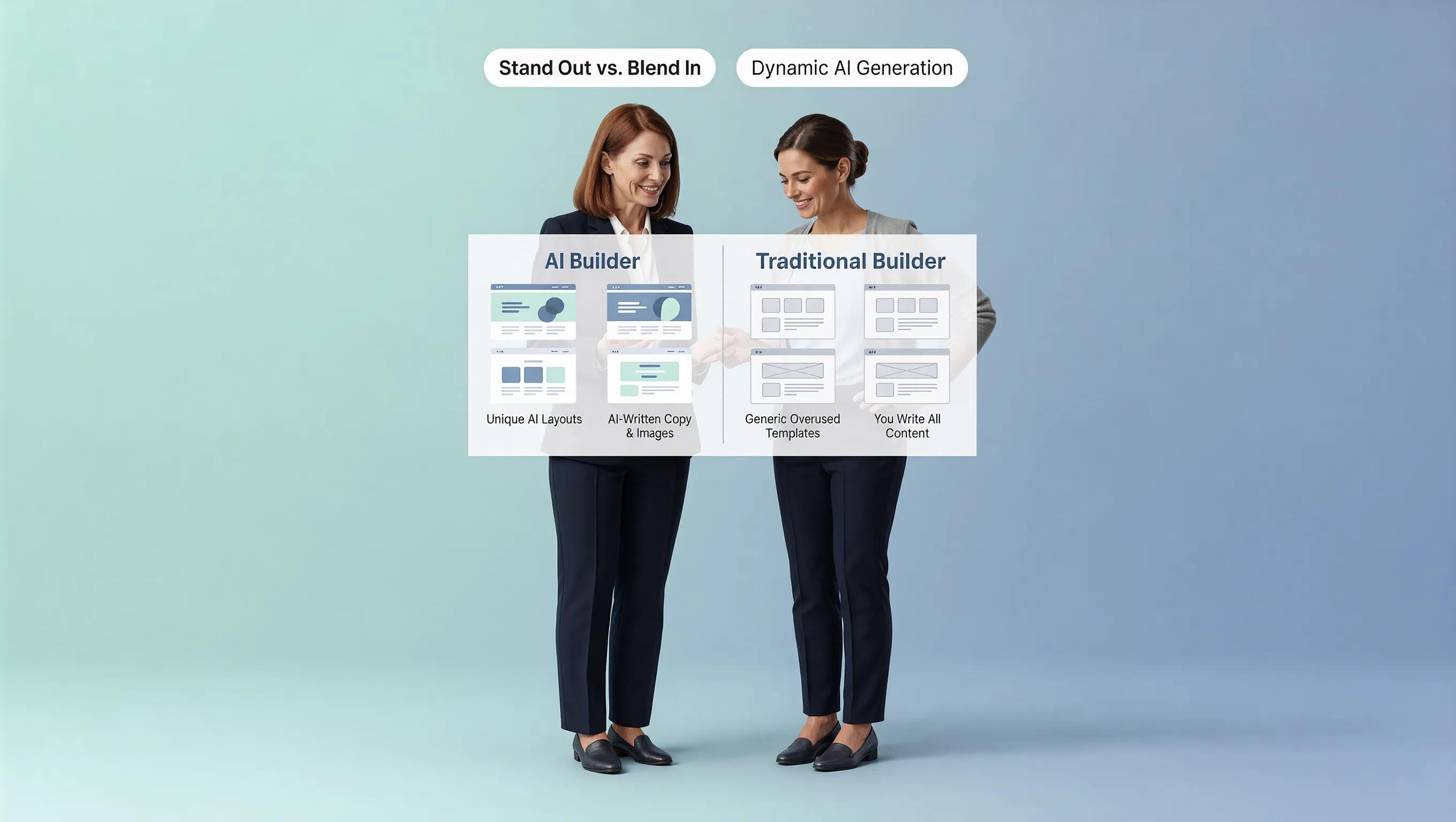
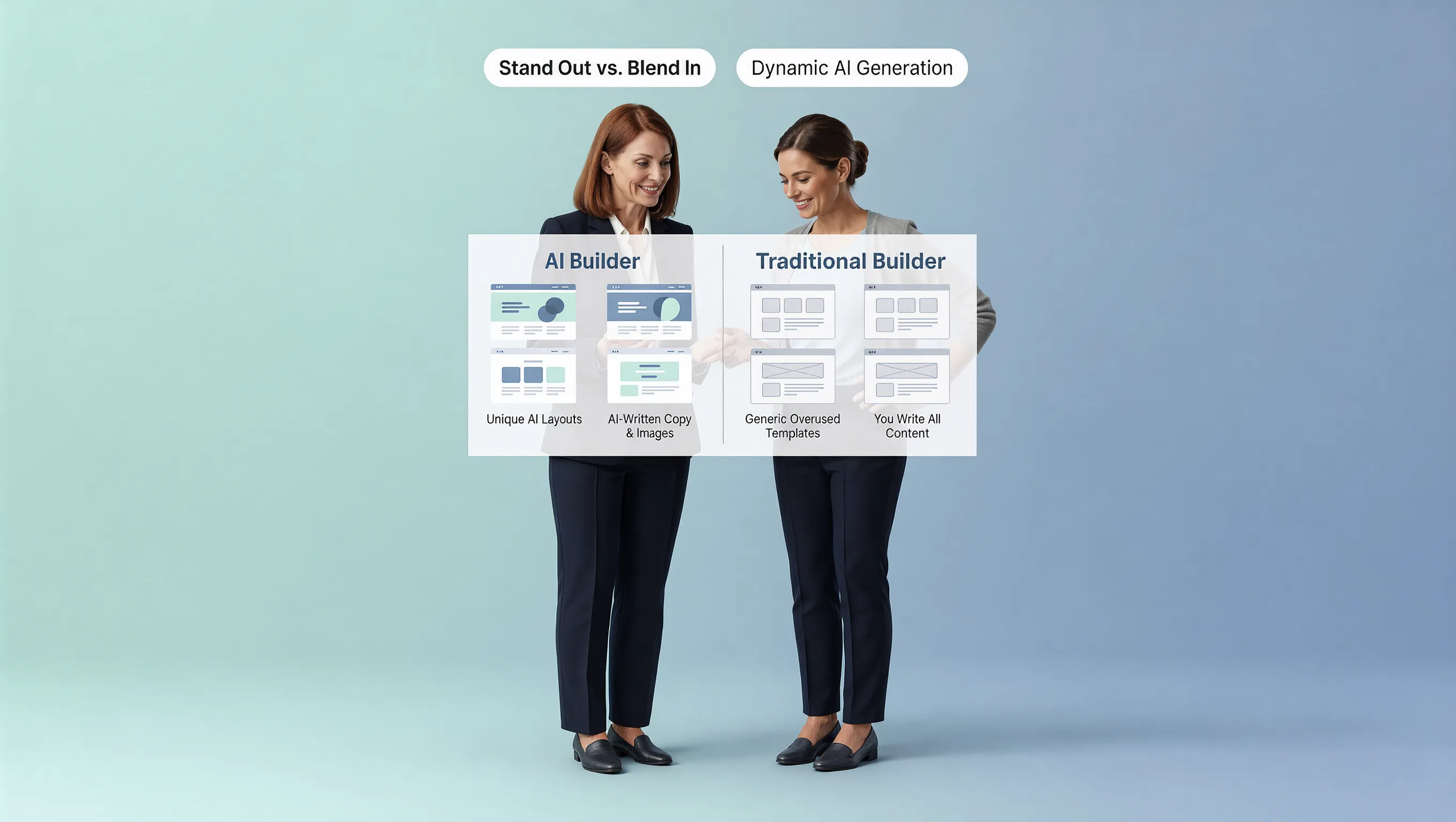
On the other hand, an AI website builder vs traditional website builder comparison reveals a fundamental shift: AI flips the workflow entirely. Instead of asking you to design from scratch, an AI platform acts as a digital designer, creating a full first draft—complete with structure, custom imagery, and written copy—in under a minute.
Here is the thing: neither approach is inherently "better" for every single person. It all comes down to how you prefer to work, how much time you have, and how much control you want over the initial page setup.
1. AI Website Builder vs Traditional Website Builder: What Changes When You Start Building?
At first glance, both platforms deliver a similar end result—a functional, responsive web address. But the mental energy required during the first hour is vastly different.
When you use a traditional platform like Wix or Webflow, you take on the role of architect, copywriter, and visual designer all at once. You must decide where every button goes, what color scheme to select, and how to structure your service offerings.
An AI builder handles that structural groundwork for you. Instead of staring at an empty layout, you evaluate a complete draft generated specifically for your industry. You transition instantly from creator to editor.
2. One Starts With Your Business; the Other Usually Starts With a Blank Canvas
The hardest part of building any online asset isn't the technical coding—it's the friction of the blank page. Think about how traditional creation works:
- Template Overload: You spend two hours browsing hundreds of generic site templates, trying to imagine how a demo for a bakery might look as a plumbing website.
- Empty Containers: Once you choose a layout, you are greeted with placeholder blocks filled with Lorem Ipsum dummy text.
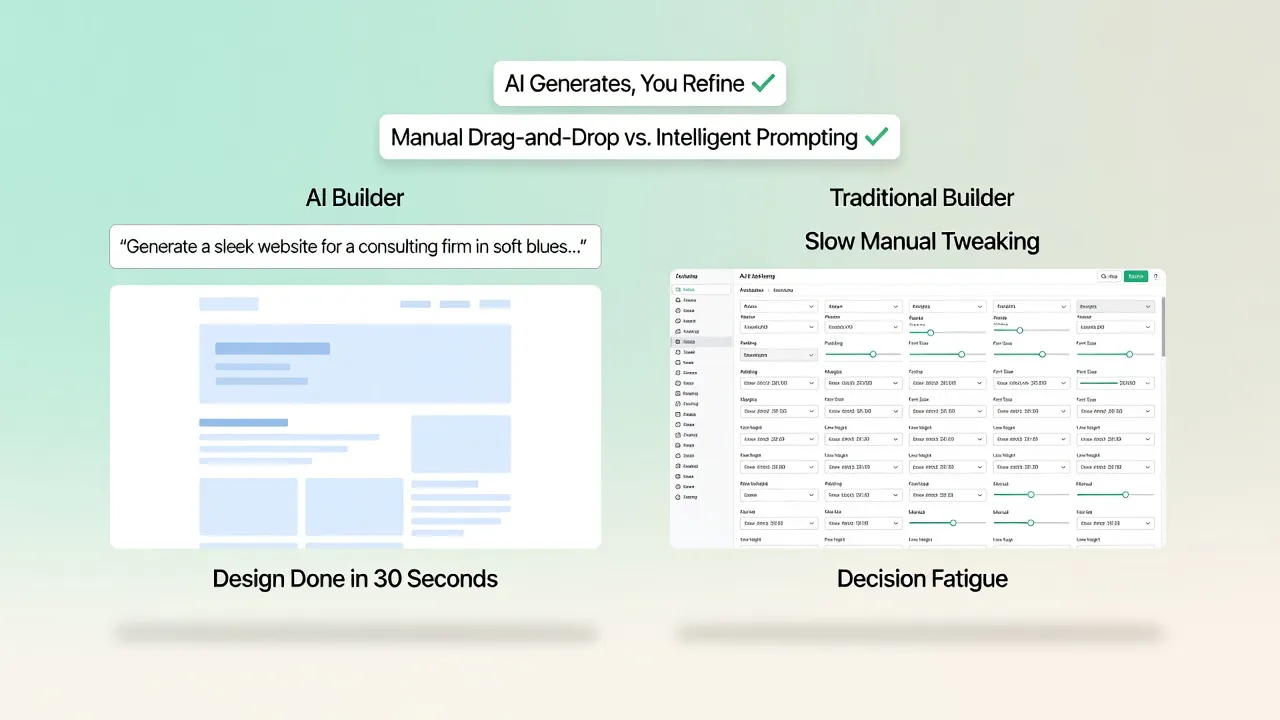
- Decision Fatigue: You are forced to pick font pairings, grid alignment, and header heights before you even publish your core value proposition.
Starting with an AI website builder comparison shows that generative tools eliminate this early drag. You simply answer a few brief questions about your business, your services, and your target audience. The platform reads that context and immediately builds a customized structural framework tailored to your company.
If you want to read more on structuring your online footprint effectively, take a look at our complete guide on how to plan a website.
3. See How Much of the First Draft You Want the Builder to Create
Every business owner lands somewhere on the agency spectrum. Some people love tweaking every pixel, adjusting padding settings, and arranging columns. Others just want a finished page so they can get back to serving paying clients. Let's break down where the manual effort goes:
| Building Phase | Traditional Builder Approach | AI-Powered Platform Approach |
|---|---|---|
| Initial Layout | Select pre-made grid templates manually. | Automatically generates custom section layouts based on your business type. |
| Content Creation | Write all headlines, body text, and calls-to-action from scratch. | Drafts industry-relevant headlines, service descriptions, and button copy instantly. |
| Image Sourcing | Search external stock libraries, compress files, and manually upload. | Matches and embeds contextually relevant visuals into page sections. |
| Page Structure | Add individual containers for testimonials, FAQs, and lead forms. | Assembles a high-converting page layout in a logical reading order. |
If you enjoy absolute manual control from second one, a traditional website builder gives you total freedom over every empty block. But if your goal is getting an online address live as fast as humanly possible, letting software generate that initial draft saves hours of frustration.
4. Compare How You Turn an Idea Into Actual Website Content
Here is a common scenario: You set up your page design, set your colors, and then sit staring at an empty contact form or service block wondering, "What headline will actually make people call me?" Writing persuasive page copy is often the single biggest bottleneck in site creation.
Instead of struggling over headlines, you receive contextually relevant text built right into the design. If you want to refine those drafts into high-converting messaging, review our step-by-step breakdown on how to write SEO-friendly website content.
5. Traditional Builders Give You More of the Building Decisions Up Front
There is a psychological rule in design known as Hick's Law: The time it takes to make a decision increases logarithmically with the number and complexity of choices. Traditional drag-and-drop tools are notorious for overwhelming users with choices:
- Which of these 300 font combinations should I pick?
- Should this hero section be 600 pixels or 750 pixels tall?
- What happens if I move this image box three inches to the left on a mobile phone screen?
Having unlimited choices sounds great in theory. In practice, it leads to decision fatigue. You end up spending three hours tweaking button border radii instead of publishing your services.
An AI website creator reduces those initial choices down to a few core brand preferences, letting you focus strictly on what matters: your message and your offer.
6. AI Changes the First Draft, Not the Need for Human Judgment
A common fear among small business owners is that using an AI system means losing control over their own brand. That is a myth.
An automated generator provides the starting line, not the finish line. It eliminates the tedious mechanics of pulling blocks onto a canvas, but you still exercise total creative control over the final presentation:
- You can swap out generated copy for your exact brand voice.
- You can change color palettes and typography in a single click.
- You can reorder, delete, or add custom sections whenever you want.
Think of AI as an energetic junior designer who turns in a remarkably solid 80% draft within 30 seconds. You simply step in to review, polish, and approve the result.
If you're curious about how this dynamic plays out in real-world scenarios, compare our analysis of an AI website builder vs web designer.
7. Look at What Happens When You Want to Change the Website
A website is never truly "finished." You will eventually add new service packages, update team photos, post client testimonials, or announce seasonal promotions. This is where the user experience of both systems begins to converge:
Once an AI platform creates your initial site, it places that site into a clean, visual website editor. From that point forward, making an edit is as simple as clicking on the text, typing your new update, and hitting publish.
You don't need to re-prompt the system just to fix a typo or update a phone number. You retain the exact same intuitive, direct-editing capabilities found in traditional platforms.
8. The More You Customize, the More the Two Experiences Start to Overlap
People often assume you have to choose between two extremes: a fully manual builder or a rigid, unchangeable AI output. In reality, modern web tools operate on a flexible continuum:
You don't have to pick between speed and customization. The ideal workflow leverages AI to build the entire page structure in seconds, and then gives you intuitive visual controls to adjust spacing, swap fonts, add custom branding, or upload your own photography.
You get the rapid deployment of artificial intelligence combined with the fine-tuned control of a visual editor.
9. Compare the Time You Spend Choosing With the Time You Spend Building
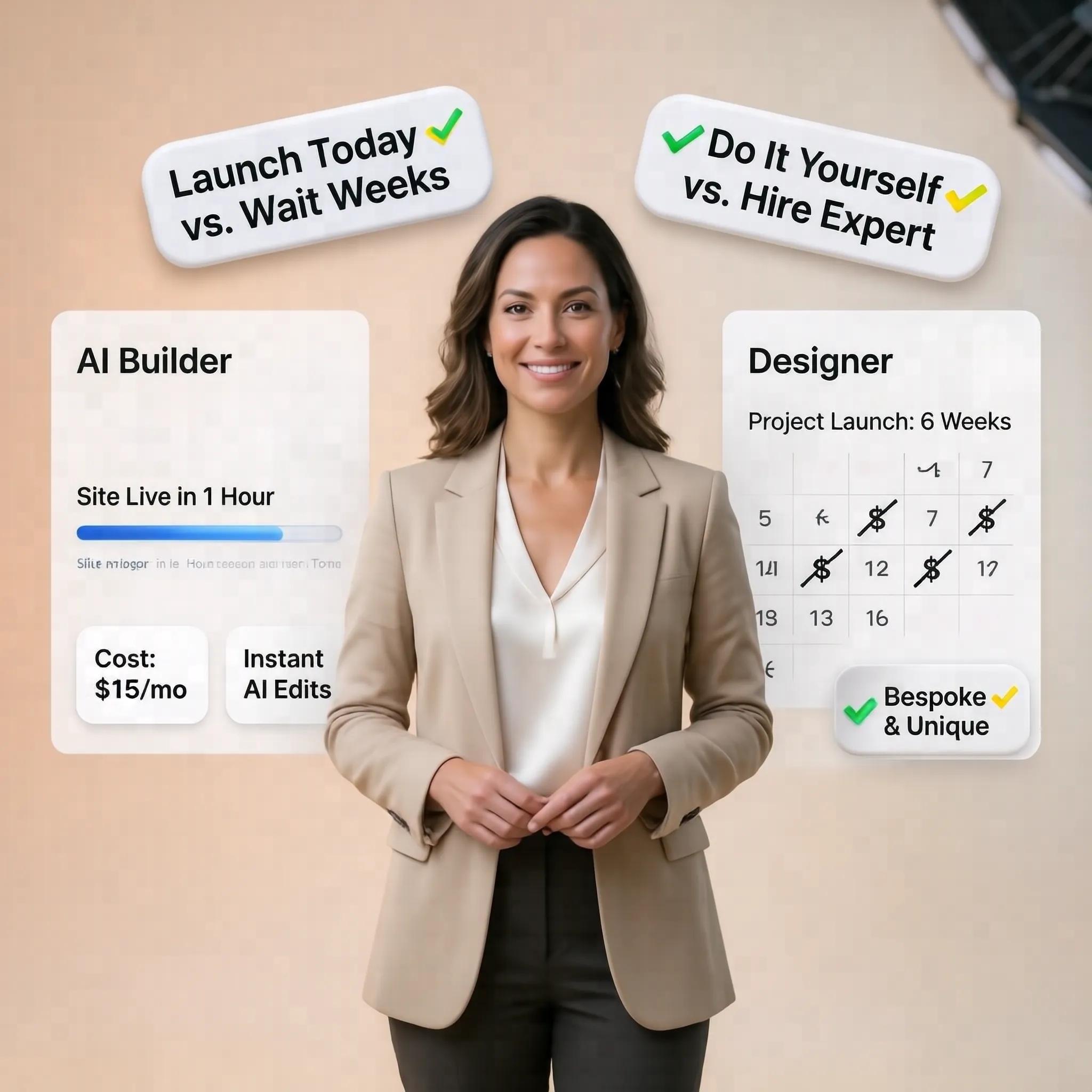
When evaluating any digital tool, your most valuable asset isn't just subscription dollars—it's your time. Let's look at a realistic time-to-launch timeline:
The real time-sink in traditional site building isn't the technical act of clicking a mouse. It is the time lost deciding what to put on the page in the first place. By handling layout structure and initial drafting automatically, an AI website generator compresses a project that used to take weeks into a single afternoon.
If speed is your top priority, explore our detailed walkthrough on how to build a website in record time.
10. The Cost Difference Isn't Just the Monthly Price
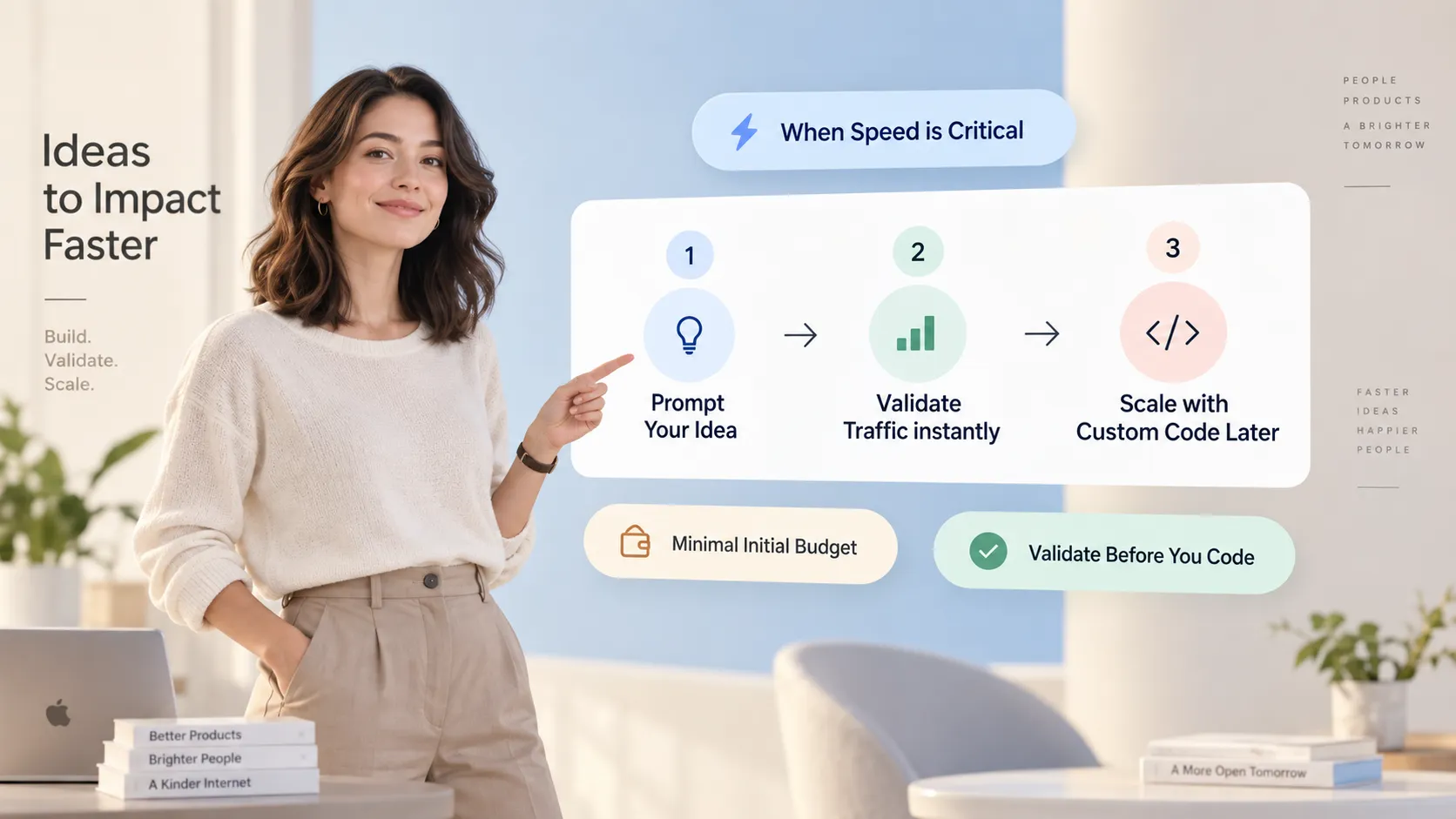
When comparing website builder pricing, looking solely at the monthly platform fee gives you an incomplete picture. The real cost of a website includes hidden labor, content creation, design assets, and outside developer assistance.
Here is how the overall investment breaks down:
- The Hidden Costs of Traditional Builders: If you get stuck halfway through setting up a complex template, you might end up hiring a freelance designer or copywriter to finish the job. Those outside fees quickly add hundreds—or thousands—of dollars to your launch budget.
- The All-In-One AI Value: Because an AI engine drafts your page text, selects stock assets, and structures high-converting layouts out of the box, you eliminate the need to hire outside contractors just to launch a clean business site.
Saving time while avoiding external contractor expenses makes AI-driven building an extraordinarily cost-effective choice for small businesses.
11. Choose Based on How You Want to Build, Not Which Label Sounds Newer
To choose the right path, stop worrying about tech buzzwords and ask yourself a few practical questions about your personal workflow preferences:
- ✔ Do you love hands-on design? If you genuinely enjoy wireframing pages, testing font pairings, and tweaking pixel alignments from a blank canvas, a traditional website builder gives you that sandbox experience.
- ✔ Do you just want a professional site live today? If you want a complete, high-converting layout generated instantly from your business idea—so you can edit the copy and start taking client leads immediately—an AI website builder is built for you.
- ✔ Are you struggling with copywriting? If writing headlines and service descriptions gives you writer's block, choosing an AI platform that writes initial content drafts will save you days of frustration.
12. Build From Your Business Instead of Starting With a Blank Page
You don't have to choose between rapid automated building and visual editing flexibility. This is exactly why BoltWeb was created.
Rather than making you stare at an intimidating blank canvas or wrestle with complex templates, BoltWeb uses intelligent automation to launch your custom digital presence in seconds:
- Instant Full Drafts: Enter your business name and service details, and our AI website creator instantly generates a tailored, multi-section web layout complete with copy, structured forms, and relevant imagery.
- Effortless Visual Editing: Want to change a headline, adjust brand colors, or swap an image? Use our intuitive website drag and drop builder to make adjustments on the fly with zero coding required.
- All-In-One Growth Tools: From high-converting lead forms to built-in SSL security, BoltWeb provides everything you need to turn site visitors into paying clients.
Stop wasting hours trying to build a website from scratch. Experience the ultimate combination of AI speed and visual control—start building your business site on BoltWeb today!
FAQ: AI Website Builder vs Traditional Website Builder
1.I've tried DIY site builders before and spent weeks fixing broken mobile layouts. How does an automated build prevent this?
Here is the raw truth about manual site building: when you drag and drop elements on a traditional grid, you constantly break the alignment on mobile screens. An AI website builder applies Gestalt principles (specifically Common Region and Proximity) to keep related elements grouped naturally. Instead of manually tweaking pixels for hours, the automated layout engine generates responsive visual containers where buttons, text, and images stay locked in logical harmony across every screen size.
2. Why do traditional site editors feel so overwhelming when I just want to launch a basic homepage?
You are running into Hick's Law—the cognitive reality that increasing the number of choices exponentially increases decision friction. Traditional builders throw hundreds of menus, nested settings, sidebars, and blank pages at you right from day one. You freeze up before you even publish a header. An intelligent AI website creator slashes decision fatigue by taking a single sentence description of your business and narrowing thousands of possible variations down to one structured, high-converting layout.
3. If I start with a simple automated builder, won't I eventually run into a wall and have to rebuild everything on a legacy platform later?
That fear is classic slippery slope thinking—assuming that starting with a streamlined system guarantees you will outgrow it and face total migration chaos down the road. But here is what actually happens: modern generation engines do not lock you into rigid static boxes. Platforms like BoltWeb start you with rapid draft generation, then give you an intuitive visual website drag and drop builder. You scale features, add blog pages, and adjust layouts whenever your business grows, with no rebuild required.
4. Traditional builders have thousands of pre-made templates. Doesn't that offer better variety than an prompt-based tool?
Look closer at those massive template libraries. Most traditional templates are just empty visual shells filled with fake latin text that leave you staring at a blank cursor, wondering what to write. An AI website generator does not just pick a color theme—it pairs Gestalt visual hierarchy with instant copywriting. It writes persuasive headlines, structures service cards, and positions call-to-action buttons right where visitors expect to find them.
5. How does the setup time actually compare between an automated platform and a manual builder?
Let's talk real hours. Building a site on a legacy drag-and-drop tool requires selecting themes, configuring mobile viewpoints, picking font pairings, and writing copy from scratch—costing you 20 to 40 hours of frustrating effort. With an AI website maker, the initial build takes under 60 seconds. You type your business model into the prompt bar, watch the page build live, spend 30 minutes tweaking your personal details in the visual website editor, and launch the same day.
6. Will using an AI-generated layout hurt my search engine rankings compared to a manually constructed site?
Search engines evaluate site speed, mobile responsiveness, structured headings, and clear content—not whether a human spent hours dragging boxes into place. Manual builders often accumulate hidden code bloat from third-party plugins that severely slow down page speed. Next-gen platforms automate your SEO metadata, deliver ultra-fast cloud performance, and keep your layout shifts at zero, giving search crawlers clean technical signals right out of the box.
7. I worry that automated sites end up looking generic. How do I maintain distinct brand personality?
Generic sites are caused by poor layout balance, not the engine behind them. By leveraging the Gestalt principle of Similarity, an automated system keeps your visual styling, color accents, button borders, and font weights uniform across every section. Once the baseline layout is drafted, you use visual controls to inject your custom logo, brand colors, and photography, ensuring your brand stands out while maintaining structural polish.
8. Why do people say traditional builders have a steep learning curve?
Think about your first time opening a complex graphic editor. Traditional systems force you to learn domain settings, CSS layout rules, hosting configurations, and complex plugin ecosystems before you can post a single service page. An AI website builder acts as your built-in assembly team. It removes technical setup entirely, letting you edit text and images directly on screen without touching settings panels or web code.
9. What is the true cost comparison between maintaining a legacy site vs using an all-in-one AI platform?
It comes down to hidden extra costs: Legacy Traditional Builders require a basic platform subscription + separate hosting + paid premium plugins + domain fees + hiring help when layouts break. All-in-One AI Platforms offer one transparent monthly plan covering smart generation, ultra-fast cloud hosting, visual editing, custom domain linking, and security. Streamlining software costs keeps your operating expenses predictable while eliminating technical maintenance headaches.
10. Which option gives me better long-term control over my online presence?
If your goal is spending weekends managing software updates, debugging broken plugins, and fighting alignment grids, traditional systems offer endless levers to pull. But if your goal is launching fast, updating content instantly, and focusing on driving customer sales, an AI site creator offers total operational control. Platforms like BoltWeb let you transform a simple business prompt into a live, published presence in under a minute, giving you full visual editing power without the technical burden.