When prospective clients land on your site, they are not taking your sales copy at face value. They are looking for proof that you have solved the exact problem they are dealing with right now. Cold traffic arrives with built-in skepticism, wondering if your product or service actually works as promised.
This is where customer feedback becomes your most powerful sales tool.
Adding real, well-placed testimonials bridges the gap between marketing claims and buyer confidence. When potential clients see that people just like them achieved real results, their buying anxiety drops dramatically. Here is how to gather, write, and place customer testimonials on your site so they turn passive browsers into paying clients.

How to Add Testimonials to a Website That Build Trust
Most business owners treat customer quotes like an afterthought—slapping a generic review block near the footer and hoping it works.
Learning how to add testimonials to a website begins with understanding what makes feedback persuasive: it must answer the exact objections holding your buyer back. Strategic social proof acts as an objective seal of approval right at the moment of decision. When you display authentic customer experiences across your primary sales paths, you build website trust signals that make buying from you an easy decision.
Collect Testimonials From the Customers Who Know Your Business Best
Not all client quotes carry equal weight. Reaching out to every single customer at random often results in polite, surface-level praise that fails to persuade hesitant prospects.
Focus your collection efforts on specific customer profiles:
- Clients who achieved measurable, quantifiable outcomes after hiring you or buying your product.
- Customers who initially had doubts or hesitations before buying, but became raving fans.
- Long-term clients who can speak directly to your consistency, support, and reliability over time.
Targeting customers who experienced a genuine transformation ensures your feedback highlights real business value.

Ask Customers Questions That Lead to Useful Testimonials
If you send a client an email asking, "Can you write a short review for our website?" you will usually end up with vague statements like "Great service, nice team!" That kind of praise does not move the needle.
To gather detailed feedback that addresses real buying hesitations, send your clients specific prompt questions:
Asking structured questions guides your clients to write detailed responses that mirror what prospective buyers need to hear.
Use Real Words Instead of Rewriting Every Testimonial Into Marketing Copy
Polishing customer feedback into flawless corporate jargon ruins its authenticity instantly. Online buyers have developed a sharp filter for manufactured praise.
Keep your customer voices raw and relatable:
- Preserve conversational phrasing, industry terminology, and natural sentence structures.
- Leave minor formatting quirks intact if they make the quote feel genuine and unscripted.
- Trim long-winded paragraphs down to the core insight without altering the client's original tone or meaning.
Preserving authentic client phrasing makes your reviews vastly more believable than overly polished sales copy.

Add the Customer's Name, Business, Photo, or Other Context When Appropriate
An anonymous quote attributed to "John S." or "A satisfied client" looks fabricated, leaving prospective buyers suspicious.
Layer verifiable detail alongside every testimonial:
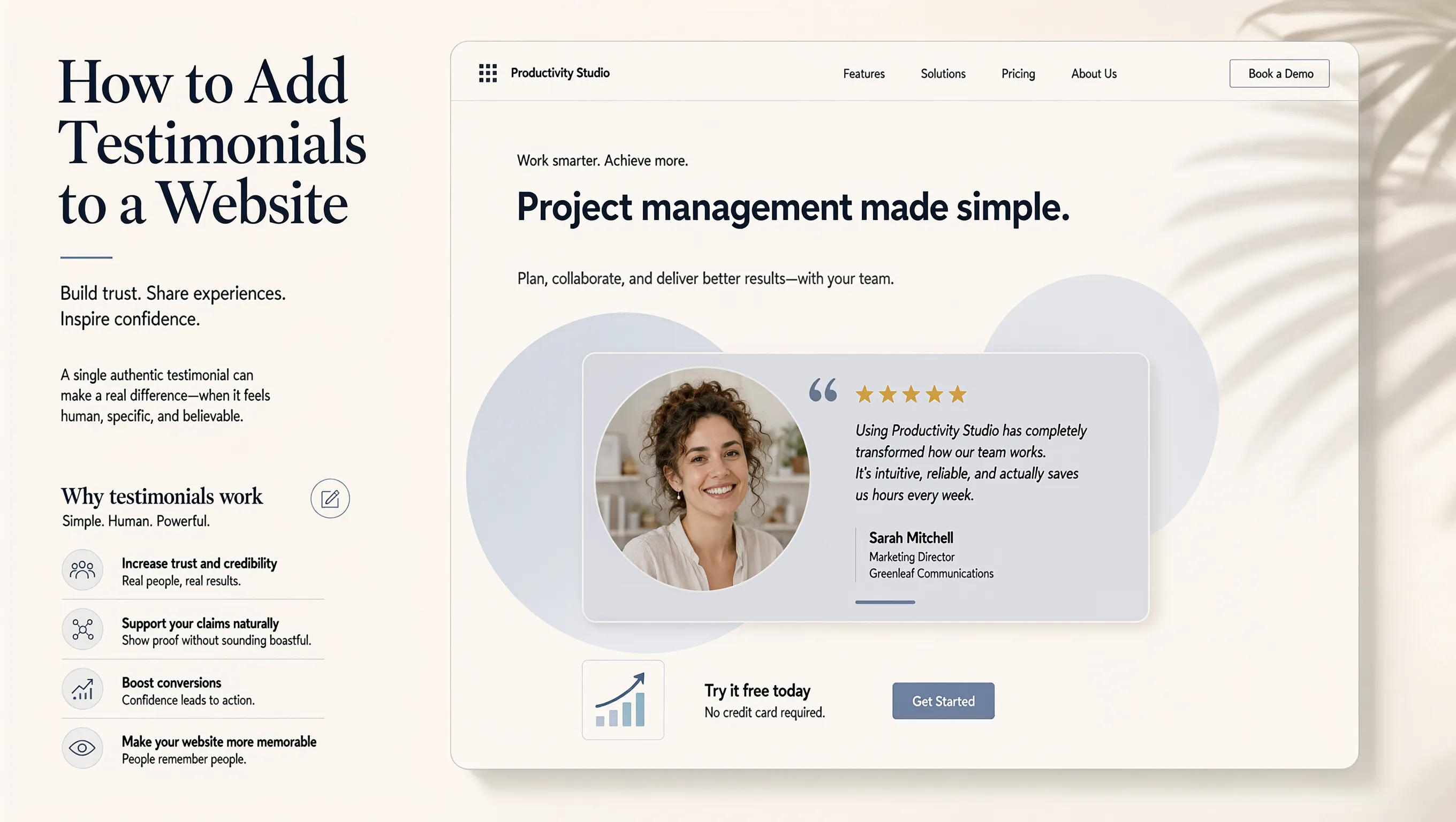
- Display full customer names along with their official job titles and company names.
- Include clear headshots, real product usage photos, or unedited project completion images.
- Feature video testimonials alongside written text so visitors can watch real clients speak.
Providing concrete context proves to prospective clients that real human beings stand behind every word of praise.
Put Testimonials Where Customers Start to Have Doubts
Burying all your reviews on a dedicated, tucked-away page means high-intent visitors miss your best evidence entirely.
Position social proof directly along your primary conversion pathways:
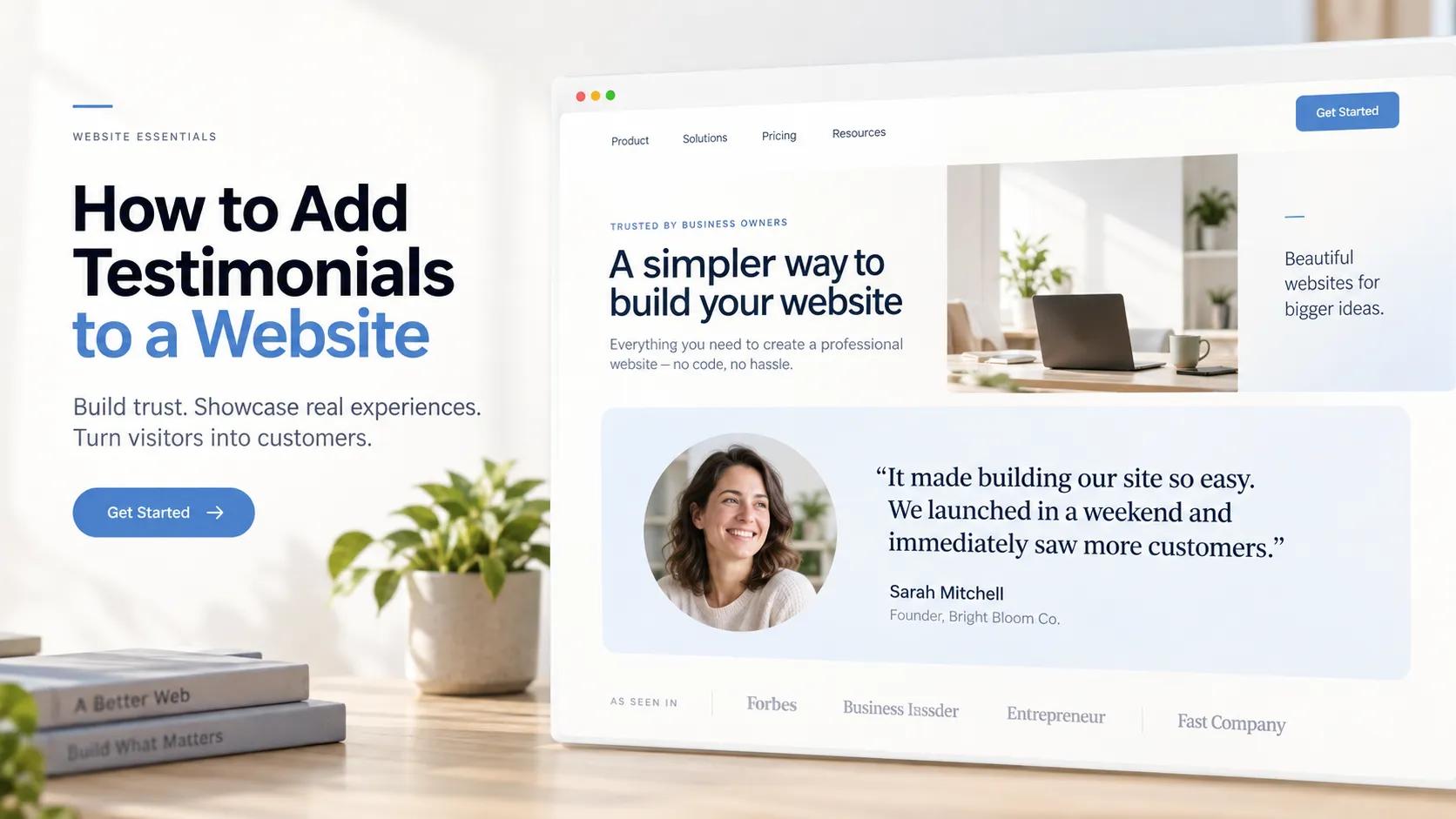
- Place short, punchy quote snippets directly beneath hero section headlines.
- Position verified ratings adjacent to key pricing options and checkout forms.
- Insert detailed case-study quotes right next to primary call-to-action buttons.
Answering doubts right where decisions happen prevents prospective buyers from bouncing off your sales pages.
Add Testimonials to Your Homepage Without Taking Over the Page
Your homepage serves as a traffic router designed to guide visitors deeper into your site. Overloading it with dozens of long reviews creates visual noise and distracts from your core offer.
Keep your homepage proof clean and focused:
- Feature a single, high-impact review carousel or a compact grid displaying two to three featured quotes.
- Place a prominent client logo bar directly under your primary hero section to establish authority instantly.
- Link featured home page quotes directly to deeper case studies for visitors who want full details.
A balanced layout keeps your homepage clear while reassuring first-time visitors that your business is legitimate.

Use Testimonials on Service, Product, and Landing Pages
Displaying a generic company review on a specialized service page creates a mismatch that weakens your pitch. Prospective buyers inspecting a specific service want to see proof that you excel at that exact deliverable.
Match customer feedback directly to page intent:
- Feature quotes discussing specific project timelines and outcomes on dedicated service pages.
- Showcase product-specific reviews highlighting ease of use, durability, or value on individual product pages.
- Align landing page social proof with the exact campaign offer or search term driving that traffic.
Relevant social proof reinforces your main pitch and helps keep bounce rates low.
Show Results and Specific Experiences Instead of Empty Praise
Saying "We offer great quality" is a claim; showing a client who doubled their lead volume after working with you is proof.
Transform surface-level feedback into outcome-driven evidence:
| Generic Praise (Low-Converting) | Result-Driven Proof (High-Converting) |
|---|---|
| "They did a fantastic job on our site." | "Our online lead volume grew by 140% within 30 days of launching our new site." |
| "Very helpful customer support team." | "Their support team resolved our technical issue in under 15 minutes on a Sunday." |
| "Great service for small businesses." | "Working with them saved our team 12 hours of manual admin work every single week." |
Highlighting concrete outcomes proves to prospective clients that your offer delivers a real return on investment.
Make Testimonials Easy to Read on Mobile
Over half of all website traffic originates from mobile devices. If your customer review blocks collapse into unreadable walls of tiny text or awkward sliders on smartphones, visitors will scroll right past them.
Optimize social proof for mobile screens:
- Use clean typography scales and comfortable line spacing so quotes remain easy to skim on mobile.
- Ensure touch sliders and review carousels swipe smoothly on touchscreens.
- Keep mobile testimonial snippets under three lines of text, adding a "Read More" toggle for longer quotes.
Clear mobile presentation guarantees every visitor encounters your social proof without frustration. Check out our website usability guidelines for more layout tips.
Keep Your Testimonials Current and Honest
Displaying reviews from three or four years ago signals to prospective buyers that your business may be inactive or declining.
Maintain relevant, up-to-date social proof:
- Cycle fresh customer wins and recent reviews onto your main sales pages every few months.
- Remove quotes that mention outdated pricing structures, legacy packages, or discontinued services.
- Monitor your review channels continuously to collect recent feedback as project milestones are hit.
Keeping your social proof fresh maintains buyer confidence and reinforces your market standing.
Add Testimonials to Your Website Without Complicated Design Work
Gathering great client feedback is only half the battle. Hand-coding responsive review layouts, styling quote cards, and making video embeds look good across every device can quickly turn into a frustrating technical project. If your site runs on an outdated platform, adding new sections can feel overwhelming.
Building a high-converting online presence requires a platform engineered to make adding trust elements simple, fast, and visual.
If you want to build a site complete with high-converting testimonial sections without dealing with complex code or clunky page-builder plugins, BoltWeb gives you an all-in-one web creation platform built for performance. Using an advanced AI website generator lets you generate rank-ready pages designed with clear social proof sections, custom video embeds, and responsive layouts right out of the box.
Designing a high-converting site with BoltWeb is straightforward:
- Launch the AI builder and describe your main offer, target audience, and required pages in a brief prompt.
- Select layout styles from the library to match your brand vision.
- Use the section generator to test up to 3 distinct testimonial section layouts—ranging from clean text grids to rich media cards—and select the style that fits your content best.
- Review your layout, add your client quotes, and hit publish to bring your complete site live instantly.
Having an all-in-one business website platform eliminates technical design friction, letting you showcase authentic customer proof, build buyer trust, and scale your business effortlessly.

Frequently Asked Questions: How to Add Testimonials to a Website
Why are customer testimonials so important on a website?
Short answer: Testimonials bridge the gap between your marketing claims and buyer trust. Cold traffic arrives at your website with natural skepticism. When potential clients see real people sharing verifiable results, their purchasing anxiety drops instantly. Displaying authentic website testimonials provides objective social proof, validating your value and making the buying decision effortless.
What is the best place to put testimonials on my website?
Think about where your visitors start to feel hesitation. Instead of hiding all your reviews on a tucked-away dedicated page, position testimonials directly along your main conversion pathways:
- Below Hero Headlines: Establishes instant credibility within seconds of landing.
- Near Pricing Tables: Directs proof right to the moment of financial commitment.
- Adjacent to CTAs: Reassures prospective clients right before they click to sign up or buy.
How do I ask customers for testimonials that actually convert?
Here's the secret: Avoid asking broad questions like "Can you write us a quick review?" Specific prompts extract detailed, high-converting answers:
- "What hesitation almost stopped you from working with us?"
- "What specific metric or result improved after using our service?"
- "What feature or outcome exceeded your expectations?"
How many testimonials should I show on my homepage?
Less is often more. Overloading your homepage with dozens of long reviews creates visual noise and distracts from your primary offer. A focused setup works best: aim for a streamlined social proof bar featuring 3 to 5 client logos, paired with a curated grid or carousel of 2 or 3 high-impact quotes. This keeps your layout clean while reassuring first-time visitors that your business is legitimate.
Are video testimonials better than text testimonials?
Yes, video testimonials carry immense persuasive power because they are nearly impossible to fake. However, a combination of both formats yields the best conversion rates:
- Video Testimonials: Create deep emotional connections and capture maximum visitor attention.
- Text Snippets: Allow fast-scanning mobile visitors to digest key results in seconds.
How do I make my testimonials look legitimate and credible?
Anonymous quotes attributed to "John S." or "Satisfied Client" look manufactured and raise immediate red flags. To establish maximum credibility, layer verifiable detail alongside every review:
- Include full customer names, official job titles, and company names.
- Display genuine headshots or unedited photos of the customer using your product/service.
- Feature direct links to the customer's website or social profiles when possible.
Should every page on my website feature the same testimonials?
Not at all. Displaying a generic company quote on a specialized service page creates a mismatch that weakens your pitch. Match customer feedback directly to page intent:
- Service Pages: Showcase quotes detailing project timelines, communication, and specific service outcomes.
- Product Pages: Highlight product durability, ease of use, and order fulfillment.
- Landing Pages: Align social proof directly with the specific marketing offer driving that traffic.
Is it okay to edit a customer's testimonial for grammar or length?
Yes, but with one critical rule: never change the customer's core meaning or natural tone. Trim long-winded paragraphs down to punchy, outcome-focused sentences, and fix obvious typos. Preserving conversational phrasing and authentic customer voice makes your feedback far more believable than overly polished corporate copy.
How do I show testimonials on mobile screens without cluttering the page?
With over half of web traffic originating on mobile devices, responsive formatting is non-negotiable. Optimize your social proof for small screens:
- Limit mobile quote blocks to 2 or 3 lines of text with an optional "Read More" expansion toggle.
- Use touch-friendly sliders or compact vertical stacks.
- Maintain generous line spacing so quotes remain readable without forcing excessive scrolling.
How often should I update the testimonials on my website?
Displaying reviews from three or four years ago signals to prospective buyers that your business may be inactive or declining. Cycle fresh customer wins and recent reviews onto your main sales pages every few months. Keeping your social proof current maintains buyer confidence and reinforces your market standing.
What if I am a brand new business with no customer testimonials yet?
If you don't have paid client reviews yet, gather foundational social proof before launching full campaigns:
- Offer your product or service to a few ideal clients in exchange for detailed, honest feedback.
- Display expert endorsements, industry certifications, or relevant partner badges.
- Showcase personal case studies or personal project results that demonstrate your capability.
What is the easiest way to add custom testimonial sections to my site?
Hand-coding responsive review layouts, styling quote cards, and embedding video players across devices can quickly turn into a frustrating technical hassle. If you want to avoid complex development entirely, using an all-in-one platform like BoltWeb makes adding social proof effortless. Powered by an advanced AI website generator, you can test up to 3 distinct testimonial section layouts—from rich media cards to sleek text grids—and publish a rank-ready site complete with social proof in just a few clicks.