
TL;DR: Most people looking for a place to eat don't want to dig through complex menus or download clunky PDFs—they want to see mouth-watering food, check open hours, look at pricing, and lock in a table. Standard sites often fail because they hide menus behind slow downloads and make mobile browsing frustrating. An intelligent, high-speed platform like BoltWeb turns your online presence into a direct table-booking and online-ordering engine. By creating a mobile-ready restaurant website with instant digital menus, clear directions, and zero hidden friction, BoltWeb ensures your kitchen stays busy whenever local diners search for a great place to eat.
1. Website Builder for a Restaurant: Build a Website That Makes People Want to Visit
Imagine a hungry customer searching on their phone at 6:30 PM. They land on your page, expecting to see your best dishes and your address. Instead, they get a giant pop-up, a blurry photo of your front door, and a tiny button that downloads a 15MB PDF menu.
What happens next?
They hit the back button and order from the bistro down the street.
Your online front door exists for one single reason: to make someone’s mouth water so fast they reserve a table or place an order before looking anywhere else.

2. Make Your Food Impossible to Ignore Before You Ask Anyone to Visit
People eat with their eyes first. A long, text-heavy paragraph describing a wood-fired pizza will never match a crisp photo showing melted mozzarella pulling off a crispy crust.
When you invest in your restaurant website design, let your signature plates take center stage immediately:
- Lead With Your Bestsellers: Put your 3 most famous dishes right at the top of the homepage where nobody can miss them.
- Keep Visuals Authentic: Use real photography from your actual pass—not generic stock photos of dishes you don't even serve.
- Streamline the Flow: Pair every food photo directly with its name and price so guests know what to expect.
If you are currently setting up your online foundation, check out our practical step-by-step walkthrough on how to plan a website.

3. Put Your Menu Where Hungry Customers Can Find It in Seconds
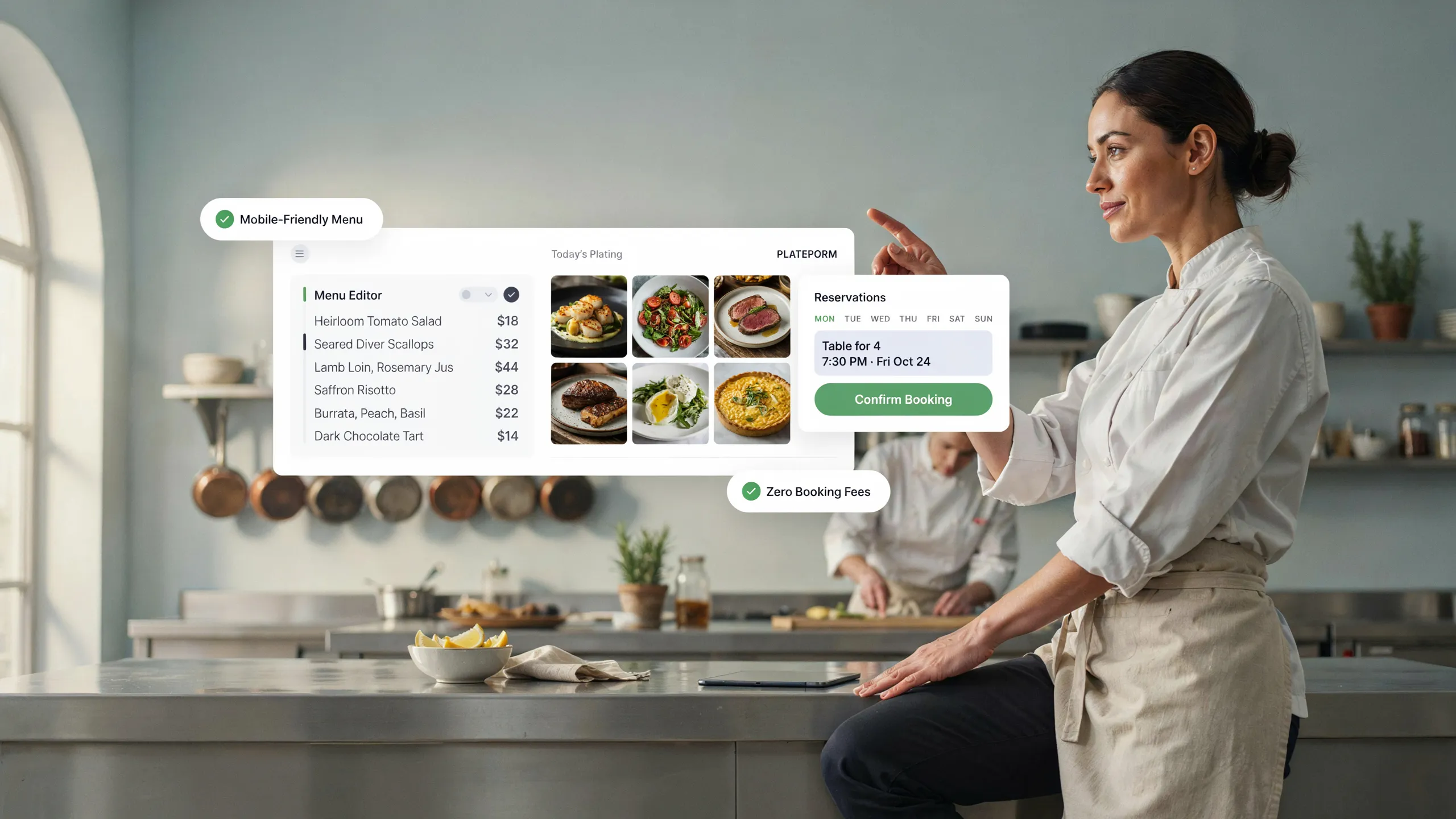
Here is a simple truth: nobody wants to download a PDF onto their phone just to see what you serve for dinner. PDF menus take forever to load, force users to pinch and zoom, and look terrible on mobile screens.
Build a clean, interactive online restaurant menu directly on your web pages.
Organize your food layout logically so visitors can skim through appetizers, main courses, drinks, and desserts in a few quick swipes.
4. Show Prices, Popular Dishes, and What Makes Your Menu Worth Trying
When diners encounter missing prices or vague ingredient lists, they get cautious. They wonder if your dining room is out of their budget or if you offer choices for their dietary needs.
Remove that guessing game by displaying your restaurant menu transparently.
| Menu Detail | Common Mistake | What To Do Instead |
|---|---|---|
| Pricing | Hiding prices entirely to look "upscale." | Display clear, up-to-date prices next to every single dish. |
| Dietary Tags | Forcing diners to ask about allergens. | Use simple tags like Gluten-Free, Vegan, or Nut-Free. |
| House Specials | Listing 40 items with equal weight. | Highlight signature favorites with a simple Chef's Special badge. |
| Portion Context | Leaving guests unsure about sizing. | Note shareable plates, individual lunch sizes, or multi-course sets. |
Clear information creates confident diners. To learn how to write simple, persuasive page copy that ranks, check out our guide on how to write SEO-friendly website content.

5. Make Ordering, Booking, Calling, or Visiting the Next Step Obvious
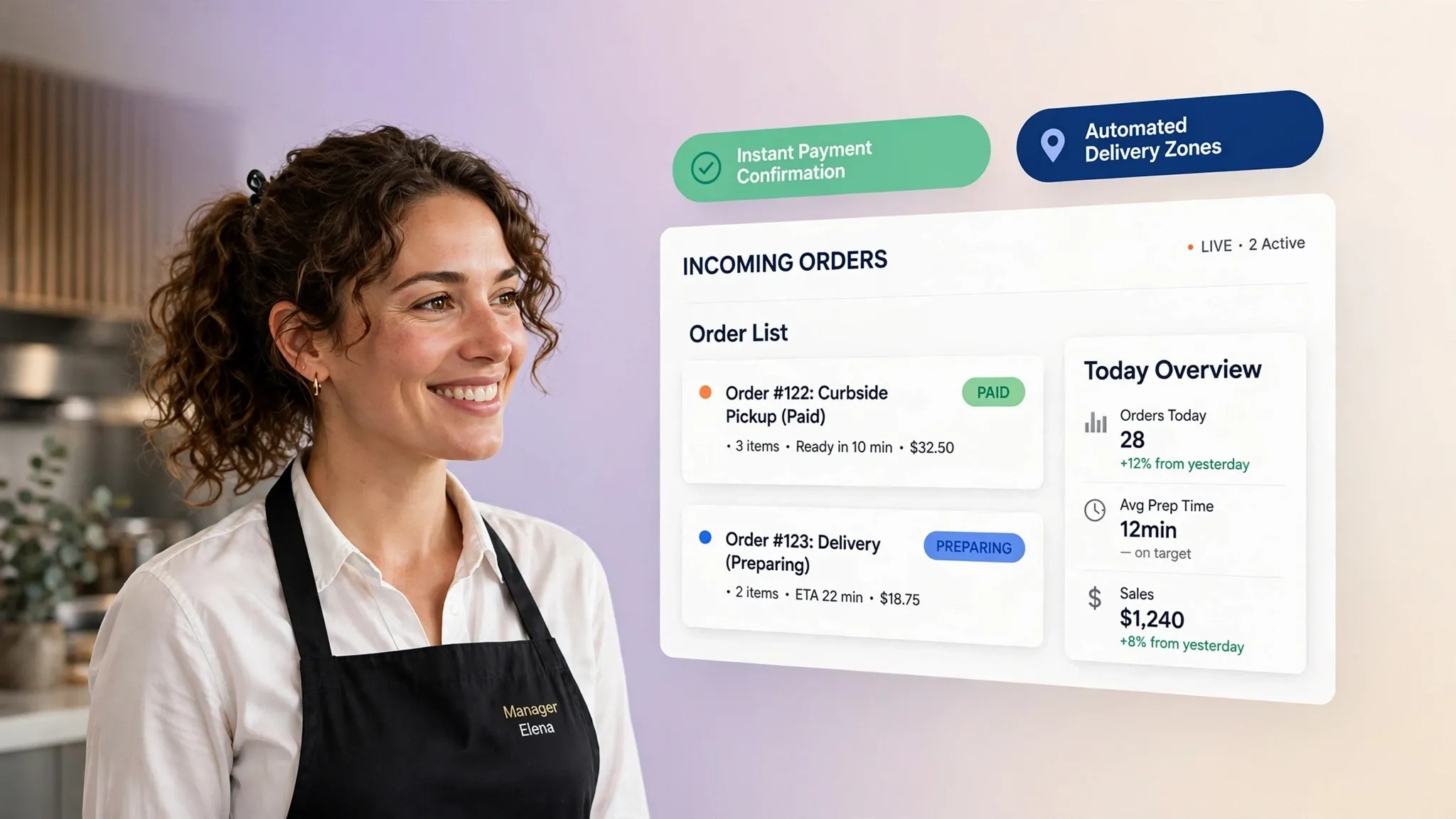
Once a visitor decides your food looks fantastic, you need to grab that momentum. If they have to search through three sub-menus just to find a phone number or a reservation link, that impulse fades fast.
Set up clear, un-missable buttons for every way guests interact with your business:
- Direct Reservations: Link your restaurant booking website section directly to your table-management tool.
- Online Orders: Place a bright button for your restaurant online ordering website right in your main navigation bar.
- One-Tap Calling: Let phone users call your front desk instantly with a single tap on screen.
6. Build Trust With the Details Customers Check Before They Visit
Even when your food looks stunning, diners still double-check basic details before getting into the car. They want to know if you have parking nearby, if you are open right now, and what recent guests have to say about the service.
Put these essential trust signals on your restaurant business website:
- Real-Time Operating Hours: Call out kitchen closing times and holiday hours clearly.
- Parking & Accessibility: Share quick notes about street parking, private lots, or valet options nearby.
- Authentic Guest Reviews: Display real diner feedback and star ratings directly on your homepage.

7. Make Your Restaurant Easy to Find on Google and Maps
When locals search for a taco spot near me or ask AI tools where to get dinner tonight, your business needs to show up right at the top.
Without strong restaurant website SEO, your tables stay empty while nearby competitors capture all the local search traffic.
Build a powerful local restaurant website footprint by focusing on:
- Geo-Targeted Headlines: Include your specific neighborhood and city in your main page titles.
- Embedded Maps: Keep an interactive Google Maps location frame right near your contact section.
- Consistent Business Details: Match your address, phone number, and name exactly across your website and Google Business profile.

8. Give Your Restaurant a Website That Feels Like Your Place
A cozy brick-oven pizzeria, a lively rooftop cocktail lounge, and an intimate sushi bar should all look and feel totally distinct online. A generic, cookie-cutter layout damages your brand identity before guests ever taste your food.
Your web presence should match the physical atmosphere of your dining room:
- Color Palette: Match your digital colors to your interior decor, lighting, and printed menus.
- Typography: Use readable typography that mirrors your vibe—whether that's bold and casual or refined and elegant.
- Atmosphere Shots: Include warm photos showing your dining room, bar area, and kitchen team in action.
9. Make the Website Work When Customers Are Standing in Line or Sitting at a Table
Over 80% of restaurant searches happen on mobile devices while people are on the move. If your pages load slowly or force users to horizontal-scroll across their phones, guests leave immediately.
Your mobile restaurant website experience needs to be effortless:
- Large Touch Targets: Make sure reservation, calling, and direction buttons are large enough to tap easily on smaller screens.
- Fast Loading Speed: Compress food images so pages load in under two seconds on mobile cellular data.
- Sticky Contact Bar: Keep a slim bar with your address, phone, and menu visible as users scroll down their screens.
10. Keep Your Restaurant Website Useful After You Open the Doors
A restaurant menu is never static. Chef specials change weekly, seasonal cocktails rotate, and ingredient costs force occasional price tweaks.
If you have to call a developer and wait three days every time you change a side dish, your online menu quickly falls out of sync with your kitchen.
Using an easy restaurant website builder puts complete control back where it belongs—in the hands of the owner and general manager. You can swap out seasonal dishes, post holiday hours, or add event announcements in seconds without editing code.
11. Know What to Look For Before Choosing a Restaurant Website Builder
Finding the best website builder for restaurants means choosing a platform built specifically for fast food photography, clean menu management, and effortless local discovery.
Use this simple checklist to pick the right option for your venue:
- Instant AI Page Generation: Generates complete page structures, layouts, and restaurant copy in seconds without starting from scratch.
- Built-in Web Menu Management: Allows you to organize dishes, prices, descriptions, and dietary tags cleanly without uploading PDFs.
- Mobile-First Speed: Loads high-resolution dish photos instantly across all mobile devices and network connections.
- Local Search Infrastructure: Includes built-in location schema markup so Google and AI search engines index your venue easily.
- Visual Drag-and-Drop Editor: Simple visual controls so any manager can update specials, hours, or photos without technical training.
To weigh different platform setups, take a look at our comparison between an AI website builder vs traditional website builder.
12. Build Your Restaurant Website Without Turning Into a Web Designer
You opened a restaurant because you love hospitality, great food, and bringing people together—not because you wanted to spend weekends learning code or paying massive agency retainers.
You need a tool that creates a stunning, high-converting digital storefront in minutes so you can focus on running your dining room.
This is where BoltWeb comes in.
By typing in your restaurant name, cuisine type, and location, BoltWeb's AI website builder creates a multi-page website for a restaurant—complete with digital menus, booking forms, and local search infrastructure—in under 60 seconds.
Website Builder for a Restaurant: 12 Frequently Asked Questions
I'm losing local walk-ins to nearby places. How does a restaurant website actually pull in hungry diners?
Getting people to land on your homepage is only step one. The real payoff comes when a stranger searching on their phone at 6:00 PM turns into a confirmed reservation or an immediate online food order.
Here is the truth: doubt destroys appetite.
When local guests look for a place to eat, they want to see what your food looks like, check your operating hours, and view your pricing without digging through clutter. A specialized website builder for a restaurant lets you feature vibrant food photos, display up-to-date menus, showcase customer reviews, and place a prominent "Reserve a Table" or "Order Online" button right at the top of the screen.
Why shouldn't I just post our menu on social media instead of building a dedicated restaurant website?
Relying entirely on social media feeds leaves your dining room on rented ground. Search algorithms shift constantly, and hungry customers looking to place a $100 takeout order don't want to scroll through months of social posts just to locate an address or check today's kitchen hours.
They open Google or Maps and look for an official, verified venue.
A dedicated restaurant website serves as your digital front door. It organizes your cuisine categories, displays live operating hours, hosts direct contact info, and accepts online orders 24/7 without competing against third-party distractions.
How can I show my food and drink options without making customers download a clunky PDF menu?
Forcing mobile users to download a 15MB PDF menu creates immediate friction. Visitors have to pinch, zoom, and scroll horizontally on small smartphone screens just to read a price or check ingredients.
That annoyance drives hungry visitors straight to your competitors.
An easy restaurant website builder provides clean, native digital menu layouts built directly into your web pages. You can organize appetizers, main courses, cocktails, and desserts so guests can skim through your offerings in seconds on any phone.
We get busy during rush hours. How do I organize my restaurant menu so pricing and dietary options aren't confusing?
When online guests see vague ingredient descriptions or missing prices, they hesitate. They wonder if your dining room fits their budget or if you accommodate specific dietary needs like vegan or gluten-free options.
Clear menu details eliminate hesitation and build confidence:
| Menu Detail | What Confuses Diners | What Drives Instant Orders |
|---|---|---|
| Pricing | Hiding prices or using vague cost tiers. | Transparent, up-to-date prices beside every dish. |
| Dietary Tags | Forcing guests to call and ask about allergens. | Clear tags like Gluten-Free, Vegan, or Nut-Free. |
| House Specials | Listing 50 items with zero visual hierarchy. | Highlighting top 3 seller dishes with a Chef's Special badge. |
| Portion Size | Leaving guests guessing on portion scale. | Explicit notes like Shareable Plate or Individual Portion. |
Most people search for food nearby on Google Maps. How do I get found when locals search 'restaurants near me'?
Showing up when nearby residents search for dinner or look for local dining options is essential for filling tables during every service.
A high-performance restaurant website builder comes built with localized search optimization tools. It automatically structures your street address, kitchen hours, phone number, and location tags. When a hungry guest nearby opens their search app, your venue appears directly in local search and map results.
Will my restaurant website load fast and look great on mobile devices?
Over 80% of local dining searches happen on mobile devices while people are walking down the street or sitting in transit. If your website takes forever to load high-resolution food imagery or breaks on smaller screens, visitors close the tab immediately.
A modern restaurant website design platform builds fully responsive layouts from the ground up.
Whether a guest checks your online restaurant menu or looks for walking directions on a phone, tablet, or laptop, every photo, price, and booking link scales effortlessly.
How do I take direct online orders and table bookings without paying heavy third-party fees?
Paying 20% to 30% commission on every food order drains your profit margins fast.
A dedicated restaurant online ordering website setup lets you take control of your revenue stream.
You can connect direct booking systems or embed online ordering widgets straight into your site navigation. That way, regulars can reserve a table or order dinner pickup directly through your website without middleman fees cutting into your profits.
Our specials change weekly. How simple is it to swap out dishes, adjust prices, or edit kitchen hours?
A restaurant menu is never static. Seasonal ingredients change, market costs adjust, and weekend brunch specials rotate.
If updating a price or adding a cocktail requires emailing a developer and waiting three days, your online menu falls out of sync with your kitchen.
With a visual restaurant menu website editor, making updates takes under a minute. You log in from your phone or tablet, edit dish descriptions, update prices, or swap out food photos, and publish live changes across your site instantly.
What essential details must appear on my restaurant's homepage to convert visitors into walk-ins?
Your homepage is your virtual host stand, and it needs to guide curious visitors toward taking action immediately.
Make sure your front page features:
- Mouth-watering, real photos of your actual signature dishes.
- An easy-to-read, native digital web menu.
- Up-to-date operating hours and kitchen closing times.
- Clear street address with one-tap Google Maps directions.
- Prominent call-to-action buttons for "Reserve a Table" or "Order Online."
- Authentic customer reviews and star ratings.
Can I showcase the atmosphere and interior of my dining room online?
Yes. Guests don't choose a restaurant based on food alone—they choose an experience, a vibe, and a setting for date nights, family dinners, or business lunches.
Visual presentation builds emotional connection.
Using a tailored website builder for restaurants, you can organize image galleries showing your dining room lighting, bar seating, outdoor patio, and kitchen team in action so guests know what to expect before stepping through your door.
How fast can I build a complete restaurant website using BoltWeb?
Launching a professional digital presence no longer requires spending thousands on agency fees or waiting weeks for initial design drafts.
Platforms like BoltWeb make launching your site simple and fast:
By typing in your restaurant name, cuisine type, and location, BoltWeb's AI website builder creates a multi-page website for a restaurant—complete with digital menus, booking forms, and local search infrastructure—in under 60 seconds.