Building a website as a small team used to be an exhausting uphill battle.
You either had to sink thousands of dollars into custom development agencies or spend endless evenings fighting with bloated templates, broken code, and confusing control panels. To make matters worse, most traditional site builders lure you in with sleek promises, only to leave you stuck under the hood with rigid, generic layouts that fail to reflect what your team actually offers.
In today's fast-paced market, your team cannot afford to waste weeks deciphering complex software or hiding behind impersonal corporate jargon.
You need a lean, conversion-focused digital hub that showcases your human talent, establishes instant credibility, and automatically turns curious visitors into paying clients.
Here is the exact step-by-step roadmap to launch a professional, high-converting small team website that works for you—without requiring a full-time web developer.

How to Create a Website for a Small Team
When potential clients visit your website, they aren't looking for corporate fluff—they want to know who you are, what you solve, and whether you can be trusted to deliver.
The biggest mistake small teams make is trying to look like a mega-corporation with hundreds of staff. Attempting to hide your true size strips away your greatest competitive advantage: agility, personal accountability, and direct human connection.
Building a winning web presence is simple when you focus on these fundamental priorities:
- Human-Centered Presentation: Highlighting real people and authentic expertise builds rapport far faster than stock photos and corporate speak.
- Streamlined Navigation: Reducing choices helps visitors find what they need and take action without friction.
- Automated Lead Pathways: Directing visitors toward a clear contact method pre-qualifies incoming inquiries effortlessly.
Decide What Your Team Wants the Website to Achieve
Before diving into site structure or layout choices, lock in the single primary objective your site must accomplish. Trying to satisfy five different goals at once creates a cluttered experience that confuses prospective buyers.
Get your team aligned on one primary job for the site:
| Primary Team Goal | What It Looks Like in Practice | Essential Site Requirement |
|---|---|---|
| Direct Lead Generation | Driving qualified inquiries for high-ticket services or contracts. | High-visibility contact forms, direct calendar booking, and clear response expectations. |
| Service Explanation | Educating prospective clients on complex, multi-step offerings. | Transparent package breakdowns, feature tables, and process walkthroughs. |
| Credibility & Validation | Serving as a trusted verification hub for outbound sales and referrals. | Prominent client logos, unedited team photos, detailed case studies, and verified reviews. |
Establishing one target outcome keeps your messaging sharp and your layout purposefully simple.
Explain What Your Team Does in One Clear Message
You have less than 5 seconds to hook a new visitor before they hit the back button. If your hero section relies on vague buzzwords like "Optimizing Synergistic Workflows," visitors will leave without giving you a second thought.
Cut through the noise with immediate, practical clarity:
- [Who You Serve]
- └── "Who is your ideal client?" (e.g., Growing e-commerce brands, local law firms)
- [What You Solve]
- └── "What urgent pain point do you eliminate?" (e.g., Slow shipping logistics, missed tax deadlines)
- [The Measurable Outcome]
- └── "What result do you deliver?" (e.g., 24-hour dispatch, zero penalty audits)
Clear, benefit-driven messaging instantly communicates value and compels high-intent buyers to stay on the page.
Show the People Behind the Business
Here is an undeniable truth about modern sales: people buy from people, not faceless entities.
A small team's greatest advantage is its human element. Where large enterprises feel cold and indifferent, a nimble team feels accessible, attentive, and deeply invested in client success.
Bring your team front and center across your digital presence:
- Ditch Generic Stock Photos: Use authentic photos of your actual team at work, in the office, or collaborating on projects.
- Share Genuine Backgrounds: Detail your team's real-world experience, credentials, and specialized skills to establish immediate authority.
- Highlight Direct Accountability: Let clients know exactly who will be managing their account or executing their deliverables.
Putting real faces behind your business turns cold traffic into warm, comfortable relationships.

Show the Services or Products Your Team Provides
Once visitors know who you are, they want to see what you actually deliver. Overcomplicating your service menu with confusing industry jargon only stalls decision-making.
Organize your offerings for maximum clarity:
- Group by Specific Use-Case: Categorize offerings based on client needs rather than internal company codes.
- Spell Out Deliverables: Clearly state what is included in each package to set proper client expectations early.
- Be Transparent About Investment: Providing price ranges or starter rates filters out bargain hunters and accelerates buying decisions for qualified leads.
Displaying crisp, organized offer details saves your team hours of redundant back-and-forth communication. Read our guide on presenting transparent package breakdowns to execute this effectively.
Create the Pages Your Customers Actually Need
A common pitfall for small teams is building a sprawling, ten-page site filled with empty placeholders. More pages do not equal more credibility—they just create navigation fatigue.
Apply Hick’s Law: the time it takes to make a decision increases with the number and complexity of choices. Keep your structure lean and purposeful:
Fewer, better-designed pages keep visitors focused on taking action instead of getting lost in menus.
Show Your Team's Work, Results, and Customer Feedback
To win clients as a small team, you must prove you can execute. Visitors naturally look for evidence that others have trusted you and gotten exceptional results.
Layer undeniable proof points throughout your buyer's journey:
- Client Case Studies: Walk through real client challenges, your team's specific execution, and the final measurable metrics achieved.
- Visual Portfolios: Feature before-and-after comparisons, high-resolution project captures, or interactive walkthroughs.
- Verified Customer Feedback: Embed real customer reviews complete with client names, headshots, and company roles to build unshakeable confidence.
Presenting concrete evidence removes risk and reassures prospective buyers that your team delivers on its promises. Discover how to embed genuine feedback using a dedicated website testimonials showcase to maximize this effect.

Make It Easy to Contact Someone on Your Team
Nothing kills sales momentum faster than a hidden email address or a broken, overly complicated contact form. If a prospective client is ready to hire you, make reaching out completely frictionless.
Streamline your inquiry pathways:
- Place Clear CTAs Everywhere: Keep your primary call-to-action button visible in your navigation menu and beneath every major content section.
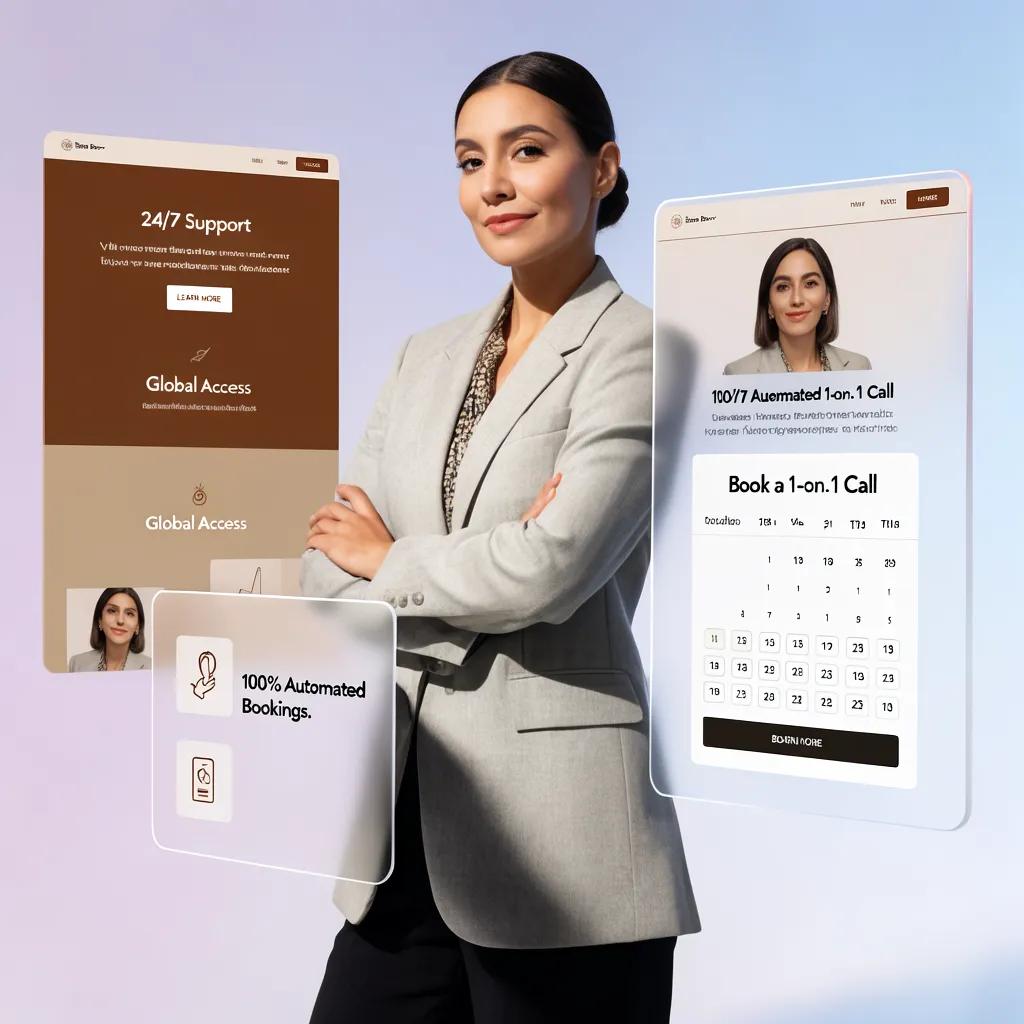
- Offer Direct Scheduling: Embed calendar tools so prospects can instantly book an introductory call without back-and-forth emails.
- Integrate Real-Time Chat: Add a website live chat widget to handle quick pre-purchase questions instantly while your team is on the go.
Removing friction from your contact process ensures high-intent prospects convert before they consider looking elsewhere.

Give Each Team Member a Clear Role on the Website
When clients hire a small team, they want to know who is taking responsibility for their project. Giving team members dedicated profiles highlights your collective strength while showcasing individual expertise.
Position your team members strategically:
- Highlight Specialized Roles: Explicitly state each person's core focus (e.g., "Lead Architect," "Senior Strategy Consultant").
- Feature Direct Bio Cards: Add short, engaging bios detailing key career milestones and individual client wins.
- Enable Direct Contact Options: Where appropriate, provide direct contact links or booking options for specific team leads.
Structuring team roles clearly reassures prospective clients that their project is in expert hands.
Make Your Website Look Professional Without Feeling Like a Big Corporation
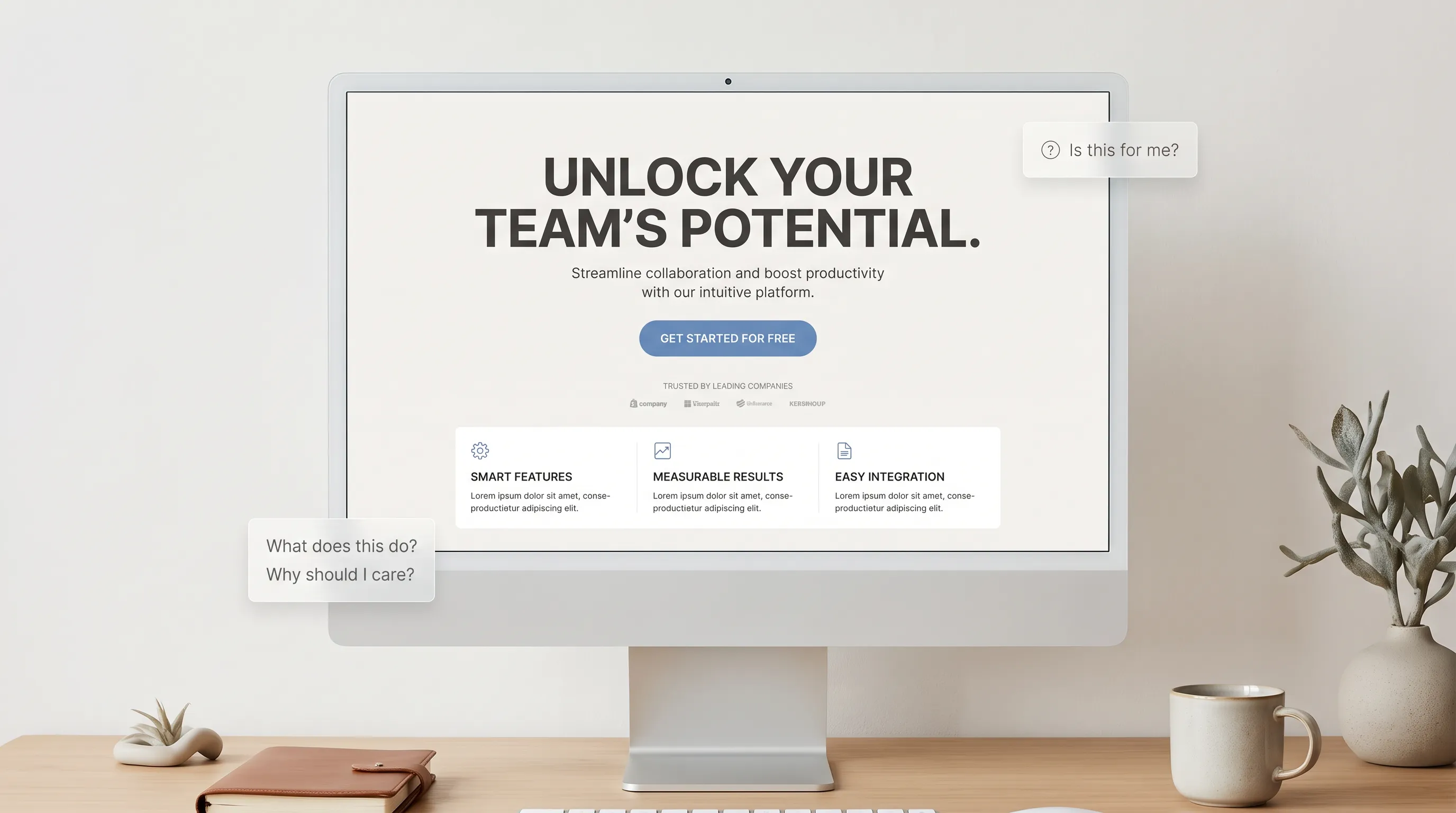
You do not need to adopt cold corporate aesthetics to look credible. A modern, polished small business website relies on clean visual hierarchy, generous whitespace, and human touchpoints.
Design a polished look that stays approachable:
- Maintain Visual Hierarchy: Use strong heading structures, readable fonts, and scannable content blocks to guide reader eyes naturally.
- Use Authentic Visual Elements: Incorporate high-resolution team photos and workspace shots rather than sterile graphics.
- Keep Formatting Clean: Rely on consistent color palettes, well-aligned sections, and simple callout boxes to keep pages looking sharp.
A clean, human-first design communicates balance: elite professional capability wrapped in a welcoming, responsive team experience. Review core usability guidelines to perfect this balance.
Keep the Website Easy for Your Team to Update
Your business evolves constantly—new team members join, service offerings change, and new case studies need to be published. If updating your site requires calling a developer or messing with broken code, your web presence will quickly become outdated.
Maintain a low-friction content management routine:
- Use Intuitive Editing Interfaces: Choose platforms that allow team members to edit text and swap images visually without technical training.
- Set Up Simple Workflows: Assign specific team members responsibility for updating portfolio items and adding client feedback.
- Automate Backups: Ensure your site platform handles security patches, hosting management, and automated updates behind the scenes.
Keeping your website effortless to maintain ensures your digital storefront stays accurate and current as your business grows. Follow a comprehensive website launch checklist to ensure your setup is flawless from day one.
Create Your Small Team Website Without Starting From a Blank Page
Building a team website used to mean choosing between two bad options: paying astronomical agency fees or getting trapped in complex website builders that fail to represent your business properly.
That is where BoltWeb changes the game.
Instead of forcing you to struggle with rigid design software or blank templates under the hood, BoltWeb acts as your dedicated digital team. Powered by an advanced AI website builder, it transforms your bold ideas into a fully custom, high-converting website tailored specifically to your team’s offer—complete with responsive layouts, strategic content sections, and built-in lead capture paths.
Launching your small team website with BoltWeb is seamless:
- Describe Your Offer: Share details about your team's expertise, core services, and target audience in a simple prompt.
- Generate Tailored Layouts: Review distinct, fully customized page structures generated instantly for your business.
- Personalize & Publish: Refine your copy, add team bios, embed client social proof, turn on features like live chat or online booking, and publish live right away.
Choosing a specialized small team website builder like BoltWeb allows you to bypass the technical traps, present a deeply authentic brand to your clients, and secure high-value contracts without wasting precious time. See why we are the best website builder for small business needs.

Strategic FAQs: How to Create a Website for a Small Team
Why does our small team need a dedicated website instead of just relying on social media or direct outreach?
Direct outreach and social profiles spark initial interest, but serious prospects always double-check your digital storefront before signing a contract or booking a call. A dedicated website validates your business, establishes immediate credibility, answers client questions on autopilot, and controls the narrative of what your team actually delivers—ensuring you close deals faster without endless back-and-forth messaging.
What is the single most important element to feature on a small team homepage?
Your hero section must communicate three things within 5 seconds: Who you serve, the core struggle you solve, and the specific result you deliver. Ditch vague corporate fluff like "Innovative Solutions for Modern Teams." Instead, use clear, outcome-focused messaging paired with a high-contrast call-to-action (CTA) so high-intent buyers know immediately if your team is the right fit. Reviewing what should go above the fold on a website can help solidify this structure.
How many pages does a small team website actually need to launch?
By applying Hick’s Law—which proves that decision time increases with the number of options—fewer, well-structured pages yield higher conversion rates. Keep your launch structure focused on 3-to-4 core pages:
- Homepage: Hero value proposition, proof elements, and primary service overview.
- Services Page: In-depth package deliverables, timelines, and transparent pricing ranges.
- About / Team Page: Authentic team bios, specific roles, and real workspace photos.
- Contact Page: Streamlined inquiry form or direct calendar scheduling widget.
How do we make a small team look credible without pretending to be a massive enterprise?
Never try to hide your team size. Hiding behind faceless corporate speak strips away your greatest competitive advantage: agility, personal accountability, and direct human access. Modern clients favor nimble, dedicated teams over bureaucratic corporations. Celebrate your setup by showcasing authentic team photos, detailing individual expertise, and highlighting clear account management roles.
How can our team build trust on our website if we are newly formed or scaling up?
Trust is built on transparency and tangible proof rather than company tenure. Replace missing corporate history with:
- Verified Social Proof: Feature unedited client reviews, beta feedback, or partner logos using a dedicated website testimonials showcase.
- Visual Portfolios & Case Studies: Highlight before-and-after transformations, project breakdowns, and measurable client results.
- Real-Time Client Communication: Embed an automated website live chat widget so visitors can ask pre-purchase questions instantly.
How should we present our services so prospective clients understand them quickly?
Structure your offerings around specific client problems rather than internal team divisions. Group services by clear use-cases, spell out exact deliverables, and include starter rates or price ranges. Providing transparent pricing upfront filters out bargain hunters and saves your team hours of wasted sales calls with unqualified leads. Read how to write landing page copy to refine your offer descriptions.
Should our team use a contact form or direct calendar booking?
Direct calendar embeds (like Calendly or SavvyCal) significantly outperform standard contact forms for service-based teams. Allowing prospective clients to self-schedule an introductory call during your available hours eliminates back-and-forth email delay, captures buyers while their purchase intent is highest, and boosts call attendance rates. Discover how to add a booking form to your website to streamline this flow.
Should every team member have their own dedicated page on the site?
For small teams, individual team member profiles on a central "About Us" or "Meet the Team" page are usually far more effective than separate pages. Highlight each person's specific title, background, and core focus area. This proves to prospective buyers that real specialists will be managing their project. Whether you are a solo operator or a growing group, knowing how to create a website for a one-person business or a small team relies on the same principle of highlighting accountability.
How do we optimize our team website for AI Search (GEO) and Answer Engine Optimization (AEO)?
AI search platforms (such as ChatGPT, Claude, and Google AI Overviews) pull content that directly addresses specific user queries using clean, factual structures. To optimize for GEO/AEO:
- Frame Subheadings as Q&As: Use exact questions your clients ask (e.g., "What is included in our team's monthly retainer?").
- Provide Instant Direct Answers: Place a concise 1-to-2 sentence direct summary immediately below each heading before going into detail.
- Use Clean Semantic Structure: Keep your HTML markup, headers, and schema clean so AI models can easily parse your team's offers.
How do we drive organic Google traffic to our small team website?
Establishing organic search visibility requires targeting specific buyer-intent keywords over generic industry buzzwords:
- Incorporate Search Intent Terms: Integrate specific service and location terms (e.g., "small team website builder" or "b2b marketing agency in Austin") into your main H1 headers and titles.
- Claim Local Search Profiles: Link your website to a Google Business profile to capture local search traffic and map rankings. This is especially helpful if you want to create a website for a local business.
- Write Click-Worthy Meta Tags: Draft clear meta titles and descriptions that entice searchers to click through from search results.
Who on our team should manage site updates, and how often?
Keep maintenance frictionless by assigning one team member to batch updates once a month. Use 30 minutes to upload recent project case studies, refresh client feedback, check form routing, and verify that calendar links are functioning smoothly. Choosing an intuitive editing platform ensures anyone on the team can update copy without calling a developer. Following website navigation best practices ensures your layout remains easy to manage.
What is the fastest way to build a professional small team website without hiring a developer?
Spending weeks fighting custom code, server setups, or rigid design templates drains time and capital from your team's core operations. Using a specialized platform like BoltWeb removes technical friction entirely. Powered by an advanced AI website builder, BoltWeb turns your team's vision into a custom, responsive website pre-optimized for conversions—complete with high-impact copy, team showcases, and automated lead capture tools ready out of the box. This approach is just as effective if you need to create a website for a side business or a growing agency.