

When business owners explore whether artificial intelligence can construct a digital presence, they aren't just asking if a software tool can place text on a screen. They are asking if an automated system can build a reliable, lead-generating storefront that instills confidence in local clients.
Will the generated page look like a generic corporate template, or will it feel like a polished, local business built for conversions? Can it structure search engine tags, optimize page speed, write persuasive sales copy, and capture quote requests without constant technical breakdowns?
Building a high-performing site manually used to take weeks of costly work—coordinating with developers, writing copy, tweaking mobile viewports, and setting up local search tags.
Modern platforms have eliminated those friction points. By leveraging BoltWeb, you skip the steep technical learning curve. As a dedicated AI website builder for small business, BoltWeb handles the heavy lifting—writing high-converting copy, engineering local search tags, building responsive section layouts, and deploying lead-ready storefronts in seconds.
Here is your operational roadmap on can AI build a website for a small business that turns clicks into long-term revenue.
The Small Business AI Evaluation Matrix
| Platform Capability | Basic AI Generators | Intelligent Business Systems (e.g., BoltWeb) |
|---|---|---|
| Search Engine Tagging | Generic meta descriptions, plain URLs | Automated local schema, location tags, clean URLs |
| Copywriting Quality | Vague marketing buzzwords | High-intent sales copy, clear benefits, local context |
| Mobile Performance | Often breaks on small viewports | Responsive thumb-zone buttons, sub-2-second loads |
| Lead Capture Setup | Unconfigured text blocks | Native quote forms, sticky call headers, instant alerts |
1. Can AI Build a Website for a Small Business? Here's What to Expect
Let's address the core question directly:
Yes, artificial intelligence can build a high-performing, functional website for your small business. However, the commercial result depends on the initial business brief you provide and how thoroughly you refine the output before going live.
An AI builder provides an exceptional structural starting point, but combining intelligent automation with your specific market experience is what turns casual visitors into booked clients.

2. See What AI Can Create From a Description of Your Business
What happens when you explain your business in a few clear sentences?
Instead of staring at a blank screen or struggling with complex design software, modern generation engines take your core business details and instantly assemble a complete site structure:
- Custom Page Layouts: Generates structured hero sections, service lists, and contact blocks tailored to your industry.
- Targeted Headlines: Writes clear value promises that address your local audience's primary problems.
- Visual Direction: Selects complementary color palettes and clean font pairings that match your trade.
Using an AI website generator for small business allows you to move from an idea to a live draft in seconds (see layout frameworks in our guide on what should go above the fold on a website).
3. Give the Builder the Details It Needs to Make the Website Yours
If you feed an automated system generic inputs, you will end up with a generic-looking site.
To stand out from local competitors, supply specific business information during setup:
- Core Offerings: List the exact services, repairs, or products you provide.
- Geographic Radius: Name the specific cities, zip codes, and neighborhoods you serve.
- Key Differentiators: Highlight upfront flat-rate pricing, active trade licenses, or same-day dispatch guarantees.
- Primary Customer Action: State the exact step you want visitors to take ("Tap to Call" or "Request a Fast Quote").
Providing concrete inputs ensures your AI website creation process produces a distinctive storefront that reflects your true brand identity. For guidance on preparing your brief, read our article on what to give an AI website builder.
4. Decide Which Pages Your Business Actually Needs
Cramming every single piece of business information onto a single homepage creates visual clutter and confuses prospective buyers.
Organize your content into a clean small business website structure:
- • Homepage (Direct Hook)
- • Dedicated Service Subpages
- • Coverage Area Landing Pages
- • About Page (Licenses)
- • Case Studies / Gallery
- • Contact / Lead Form Page
Selecting an AI business website builder that supports multi-page architectures ensures each service receives its own search-optimized page (explore page strategies in our guide on business website pages).
5. Turn the First Draft Into a Website You Would Be Comfortable Showing Customers
Once the system generates your initial draft, you retain full creative freedom to fine-tune the design.
Use an AI website builder with visual editor controls to polish key visual elements:
- Adjust Visual Hierarchy: Position primary headlines, service cards, and quote buttons where the reader's eye naturally scans.
- Fine-Tune Brand Colors: Match button accents and background tones to your official logo.
- Reorder Content Blocks: Move verified customer reviews higher up the page to build immediate credibility.
Shaping the draft ensures your finished site looks like a custom-designed digital storefront. For prompt engineering tips, see our guide on writing prompts for an AI website builder.

6. Replace Generic AI Copy With Details Only Your Business Can Provide
Generic marketing fluff like "Providing World-Class Excellence" destroys credibility because it fails to communicate real value.
Refine your sales copy using concrete, verifiable facts:
- Replace Empty Claims: Swap phrases like "the best local plumber" with verified metrics (e.g., "Over 400+ verified 5-star Google reviews").
- Incorporate Real Buyer Language: Use everyday phrases that prospective clients bring up during intake calls (explore copy research in our guide on writing landing page copy).
- Highlight Clear Timelines: State exact response windows, turnaround times, or warranty terms.
Editing generated text into specific, action-oriented copy keeps prospective buyers engaged and ready to hire your team.
7. Use Real Photos and Accurate Information to Make the Website Credible
Stock photos featuring models standing in generic office buildings signal to local buyers that a business lacks local authenticity.
Build instant local authority across your AI-generated business website:
- • Real Field Photos ➔ Display your actual technicians & branded trucks
- • Verified Review Cards ➔ Feature real local star ratings & client names
- • Official Credentials ➔ Show active state contractor license badges
Adding real photos and verified business credentials eliminates buyer skepticism (learn trust-building techniques in our guide on how to build trust with your website).
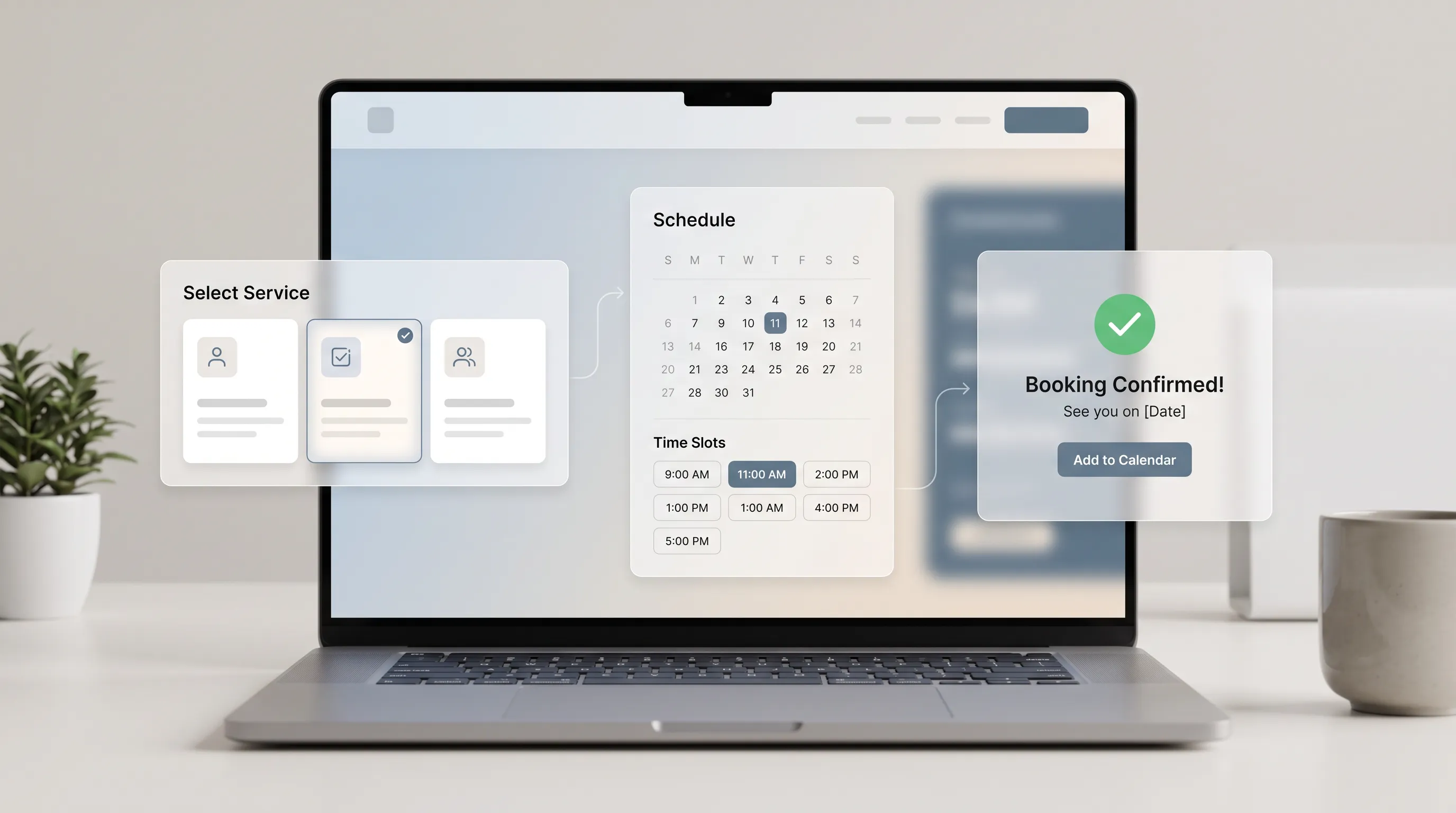
8. Add the Tools Customers Need to Contact, Book, or Buy From You
An attractive website that fails to capture contact form submissions or handle smartphone calls is completely useless to your business.
Verify essential operational tools inside your builder:
- Lead Intake Forms: An AI website builder with forms that sends instant lead alerts directly to your phone or inbox.
- Online Scheduling: An AI website builder with booking functionality that lets clients schedule appointments automatically.
- Secure Payments: An AI website builder with payments that allows you to collect deposits or process sales online.
Setting up clear conversion tools ensures every interested visitor can contact your business without friction. For step-by-step setup, read our guides on adding lead forms and adding booking forms to your site.
9. Check SEO, Mobile Layouts, and Technical Details Before Publishing
If your site fails to load quickly on mobile devices or lacks core search tags, Google will ignore it—leaving your business invisible to nearby buyers.
Run through an SEO-friendly AI website builder technical audit before going live:
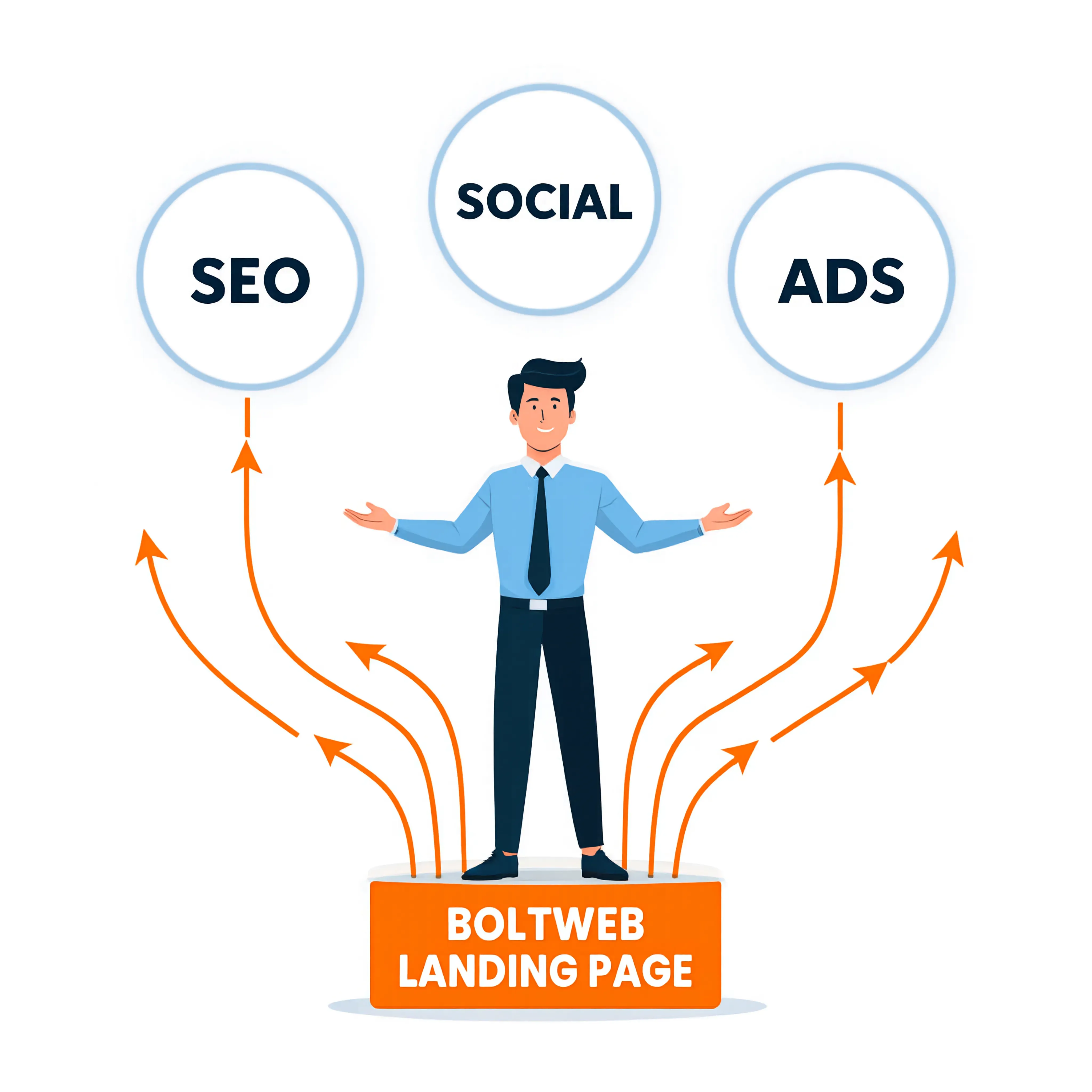
- Local Search Tags: Verify location-targeted keywords appear in page titles, H1/H2 headings, and meta descriptions (see setup steps in our guide on how to do SEO for a new website).
- Mobile Usability: Confirm buttons, forms, and phone links adapt smoothly to small smartphone viewports.
- Fast Loading Speeds: Ensure images are compressed so pages load in under two seconds over cellular data.
Checking technical details before launch protects your search visibility and ensures a seamless user experience. For a complete pre-launch audit, follow our website launch checklist.
10. Know When an AI Website Builder Is Enough—and When It Isn't
Determining whether an automated builder suits your needs comes down to your operational model.
- Ideal for AI Builders: Local trade services, professional practices, retail storefronts, consulting firms, and lead-generation sites that need fast deployment, mobile phone buttons, and built-in local SEO.
- Requires Custom Web Agencies: Large enterprises needing custom database portals, complex proprietary software tools, or bespoke web applications.
For the vast majority of local service providers, modern platforms deliver elite design performance at a fraction of the cost. To decide if an AI builder fits your operation, read our guide on when to use an AI website builder.

11. Compare the Ongoing Costs Before You Commit to a Builder
Beware of low introductory pricing that hides expensive renewal jumps, forced plugin subscriptions, or add-on hosting charges.
Calculate your true total cost when evaluating small business website builder pricing:
Choosing an affordable AI website builder with bundled hosting, SSL certificates, and search tools protects your operational budget over time. For a deeper comparison, read our analysis on free versus paid website builder plans.

12. Build, Review, and Publish Your Small-Business Website Without Starting From Scratch
Deploying a lead-generating storefront shouldn't require hiring expensive agencies or spending weeks learning complex code.
Follow this simple execution sequence to create a small business website with AI:
Build Your Lead-Generating Storefront in Seconds: Skip the long agency wait times and complex software tools. Build your digital presence on BoltWeb today—the ultimate platform to build a business website without coding that generates localized copy, search-optimized layouts, and instant mobile leads in under 60 seconds!

12 High-Converting FAQs: Can AI Build a Website for a Small Business?
1. Can AI build a website for a small business that actually gets local customer calls?
Here's the plain truth:
An AI website builder for small business can absolutely build a professional, lead-generating storefront—provided it does more than just throw text onto a screen.
If your generated site looks like a generic corporate placeholder, potential buyers will bounce instantly. When you deploy your digital storefront using BoltWeb, you eliminate design guesswork entirely. As a specialized AI website generator for small business, BoltWeb automatically structures localized page layouts, writes persuasive sales copy, maps high-intent search tags, and publishes lead-ready storefronts in under 60 seconds.
2. How does an AI website generator turn my brief into a complete storefront?
When you describe your business in plain language, the engine goes far beyond simple template generation.
It analyzes your target market to construct a custom site architecture:
- High-Impact Hero Section: Drafts a bold outcome promise tailored directly to your local audience.
- Service Breakdown Cards: Assembles structured sub-blocks that detail your exact trade offerings and coverage areas.
- Strategic Lead Capture: Positions tap-to-call headers and quote forms right where smartphone users naturally scan.
Starting with an intelligent system allows you to generate a business website with AI that feels custom-built for your specific service radius. For deeper insights, read our guide on what AI can do when building a website.
3. What details should I give during AI website creation to avoid looking like local competitors?
If you feed an automated tool a single vague sentence, you will end up with a forgettable, generic site.
To stand out in local search, supply specific operational details during setup:
- Exact Service Offerings: List the specific repairs, installations, or consulting services you provide.
- Geographic Coverage: Name the exact cities, zip codes, and neighborhoods you serve.
- Core Differentiators: Highlight upfront flat-rate pricing, 24/7 emergency dispatch, or active trade licenses.
- Primary Conversion Route: Specify your main call to action ("Tap to Call" or "Get an Instant Quote").
Providing concrete inputs ensures your AI website design for small business reflects your authentic brand authority.
4. What is the ideal small business website structure for capturing leads?
Cramming all your business details onto a single homepage creates visual clutter and confuses prospective buyers.
Organize your content into a clean, multi-page structure:
- Homepage: Captures attention immediately, establishes local authority, and guides traffic toward targeted subpages.
- Dedicated Service Subpages: Focuses on specific trade offerings with location-targeted keywords.
- Trust & Credentials Page: Displays verified client reviews, trade license badges, and active insurance proof.
Choosing an AI business website builder that supports full multi-page architectures ensures every service gets its own search-optimized landing page (explore layout rules in our guide on business website pages).
5. How do I use an AI website builder with visual editor controls to refine my draft?
Once the system generates your initial site, you retain complete creative freedom to fine-tune every visual block.
Polish your storefront using simple visual editing controls:
- Reorder Content Sections: Drag verified customer reviews higher up the page to build immediate credibility.
- Customize Brand Styling: Match button accent colors, background tones, and font pairs to your official logo.
- Optimize Visual Hierarchy: Position primary headlines and quote buttons where eyes scan first.
Refining your initial draft transforms automated layouts into an elite, client-converting digital storefront. For advanced refinement techniques, see our guide on getting better results from an AI website builder.
6. How do I replace generic copy with high-intent AI website copywriting for small business?
Vague corporate buzzwords like "Unmatched Excellence and Quality" destroy commercial authority because they fail to communicate real value.
Refine generated text using concrete, verifiable facts:
- Generic Fluff: "We are the leading local contractor in town."
- Concrete Proof: "Over 450+ verified 5-star Google reviews and 15 years serving local homeowners."
Incorporate high-intent phrases that prospective clients use during intake calls (explore copy research strategies in our guide on writing landing page copy).
7. Why should I use real field photography on an AI-generated business website?
Stock photos of models sitting in generic office buildings signal to local buyers that a business lacks local presence.
Build instant local authority across your small business website design:
- Authentic Field Photos: Display your actual technicians, branded service trucks, and completed job sites.
- Verified Social Proof: Feature authentic Google reviews with real client names and star ratings.
- Official Credentials: Display active state contractor license badges and trade certifications.
Replacing placeholder stock assets with authentic field photography eliminates buyer skepticism and increases inquiry rates.
8. What lead capture tools must be included inside my AI website generator?
An attractive storefront that fails to process quote requests or handle mobile phone calls is completely useless to your business.
Verify essential conversion tools before going live:
- Lead Intake Forms: An AI website builder with forms that sends instant notifications directly to your phone or inbox.
- Online Booking: An AI website builder with booking that lets clients schedule appointments automatically.
- Payment Processing: An AI website builder with payments that allows you to collect deposits or process sales online.
Streamlining lead capture channels ensures interested visitors convert into paying clients without friction.
9. How do I ensure my storefront is built on an SEO-friendly AI website builder?
If your website fails to load quickly on mobile devices or lacks core search tags, Google will ignore it—leaving your business invisible to nearby buyers.
Run a pre-launch technical audit:
- On-Page SEO Tags: Customize page titles, H1/H2 heading hierarchies, and custom meta descriptions with local search terms.
- Mobile-Friendly Usability: Ensure buttons, quote forms, and tap-to-call headers adapt smoothly to small smartphone screens.
- Sub-2-Second Loading Speed: Compress project imagery so pages load instantly over cellular data.
Partnering with an AI website builder with SEO guarantees your digital storefront ranks high on search engine results pages. For platform selection guidance, read our article on choosing the right website builder for your business.
10. When is the best AI website builder for small business enough—and when do you need a web agency?
Determining whether to use an automated platform or pay thousands to a web agency comes down to operational complexity:
- Ideal for AI Builders: Local trade services, professional practices, retail shops, and lead-generation sites needing fast deployment, mobile phone buttons, and built-in local search tools.
- Requires Web Agencies: Complex enterprise platforms requiring custom database portals or bespoke software integrations.
For the vast majority of local service operations, modern AI platforms deliver world-class design performance at a fraction of agency costs. For a deeper comparison, read our breakdown on DIY website versus professional website options.
11. What are the true recurring costs behind an affordable AI website builder?
Beware of low introductory pricing that conceals expensive renewal jumps, forced plugin subscriptions, or add-on hosting charges.
Evaluate total platform costs:
Selecting a platform with transparent small business website builder pricing protects your cash flow and guarantees full control over your digital assets.
12. How do I create a small business website with AI and publish it today?
Deploying a lead-generating digital storefront doesn't require hiring expensive agencies or spending weeks learning complex code.
Follow this simple operational framework to build a business website without coding:
- Provide Your Business Inputs: Supply your core services, service radius, and primary conversion goal.
- Polish Brand Styling: Adjust colors, typography, and section blocks to match your identity.
- Refine Conversion Copy: Add verified customer reviews, clear price starting points, and time-bound guarantees.
- Audit Functional Workflows: Test quote forms, tap-to-call mobile headers, and local search tags.
- Publish Your Storefront: Connect your custom domain and launch your high-converting storefront in under 60 seconds!
For a broader view of what AI automation can handle, explore our guide on whether AI can build a website without coding.